VM15 User Manual Description of Display and Symbols
38
Display of Main
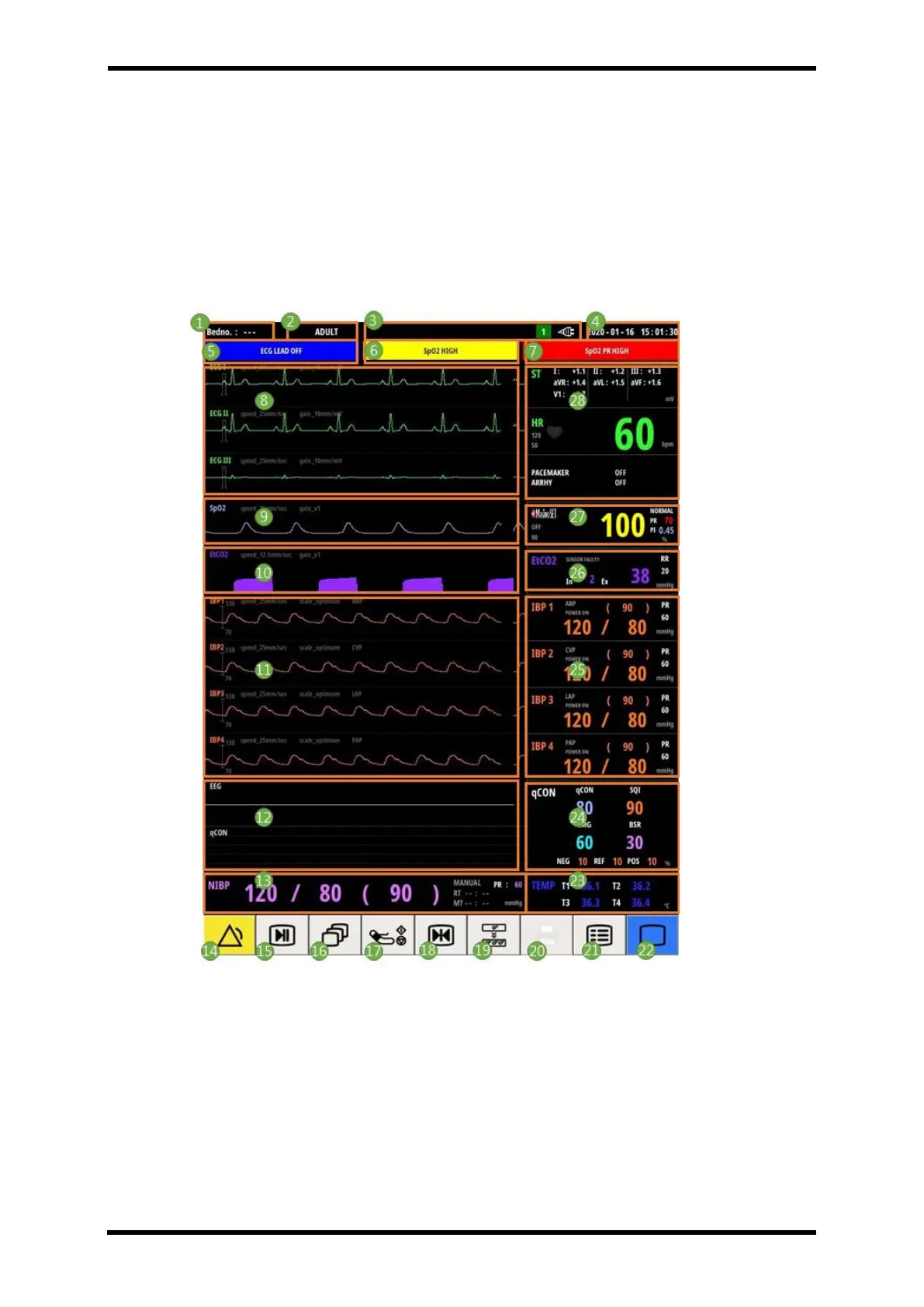
The picture below is the basic screen of VM15 that can be seen after the booting screen
passes when the product is first turned on.
The main screen is consist of ECG, Respiration, SpO2, NIBP, 4ch IBP(Option), CO2(Option),
Multi-Gas(Option), qCON(Option), 1TEMP(Standard), 3TEMP(Option), Smart Key.
Figure 6-10. Displays - Menu Display



 To Next Page