EasyManua.ls Logo

VOTEM VM15 - Display of NIBP; NIBP Measuring Screen; NIBP State Message Box

VOTEM VM15
255 pages
Print Icon
To Next Page IconTo Next Page
To Previous Page IconTo Previous Page
Loading...
VM15 User Manual NIBP Monitoring
148
Display of NIBP
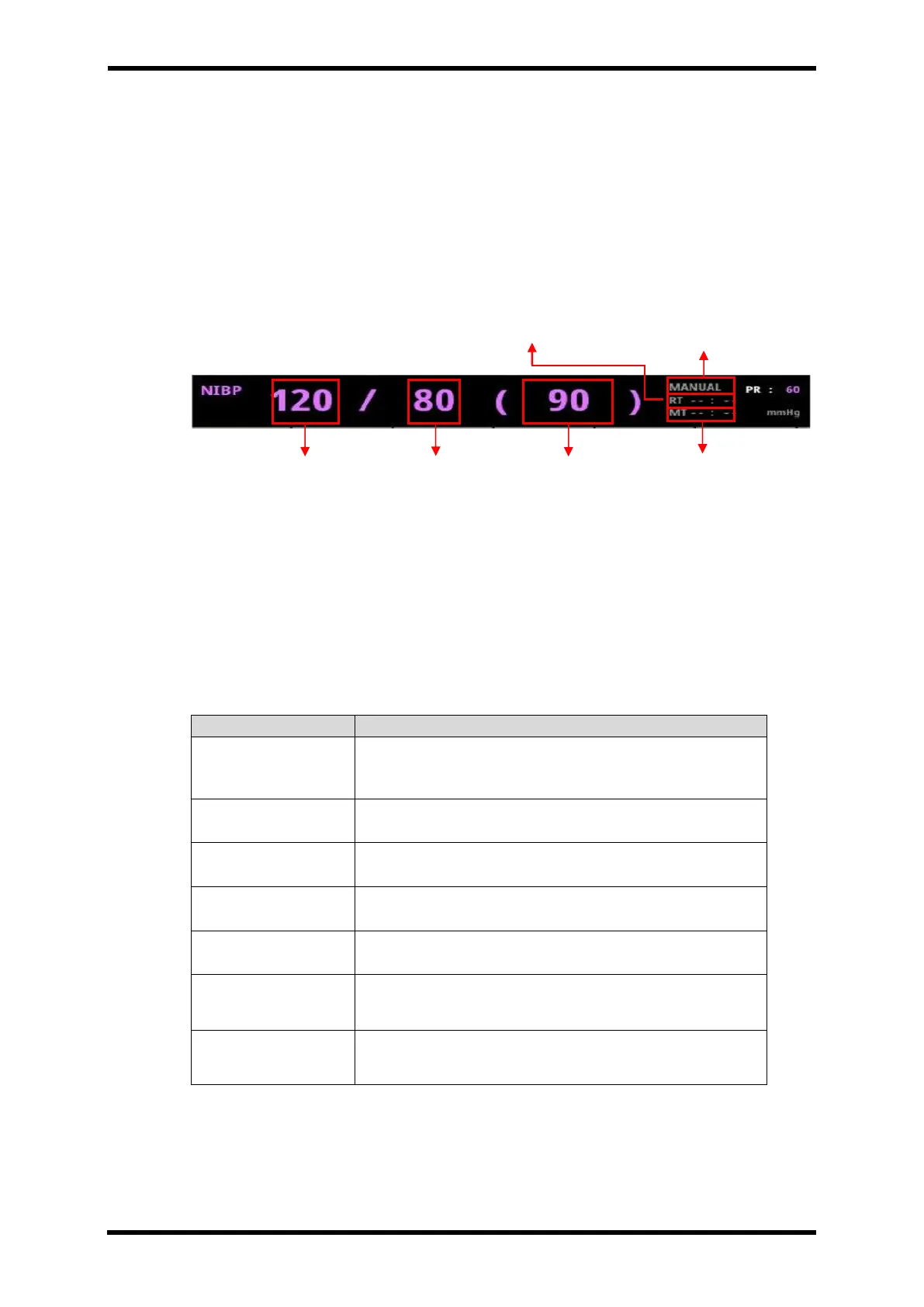
The figures in "( )" mark show the decrease and increase of pressure.
Figure 20-3. shows the screen of measuring process.
NIBP Measuring Screen
Figure 21-4. Displays - NIBP Measuring
After completing the measurement, Systolic value (120) is shown at the left part. Diastolic
value (80) is shown in the middle part. Mean value (90) is show in the right part.
RT: Repeat Time (Mode: AUTO) or Remain Time (Mode: STAT, Venous stasis)
MT: Measurement Time
NIBP State Message Box
Table 21-1. NIBP State Message Box

Message
Description
ERR : CUFFHOSE
Failure of Measurement / Check the connection of Cuff
and Hose.
ERR : NOPULSE
Pulse is not recognized.
ERR : MOVE
Much movement during the measurement
ERR : WEAKPULS
Pulse is weak.
ERR : EXCEEDTIME
Exceed the measuring time.
ERR : INTERNAL
Internal Error of NIBP Module.
Change NIBP if it occurs repeatedly after several on and
off.
ERR : OVER
PRESSURE
Cuff pressure exceeds the maximum value.
Time for next measurement
NIBP MODE
Systolic
Diastolic
Mean
Completed time

Table of Contents

Related product manuals