VM15 User Manual Reviewing Trends
85
10. Reviewing Events
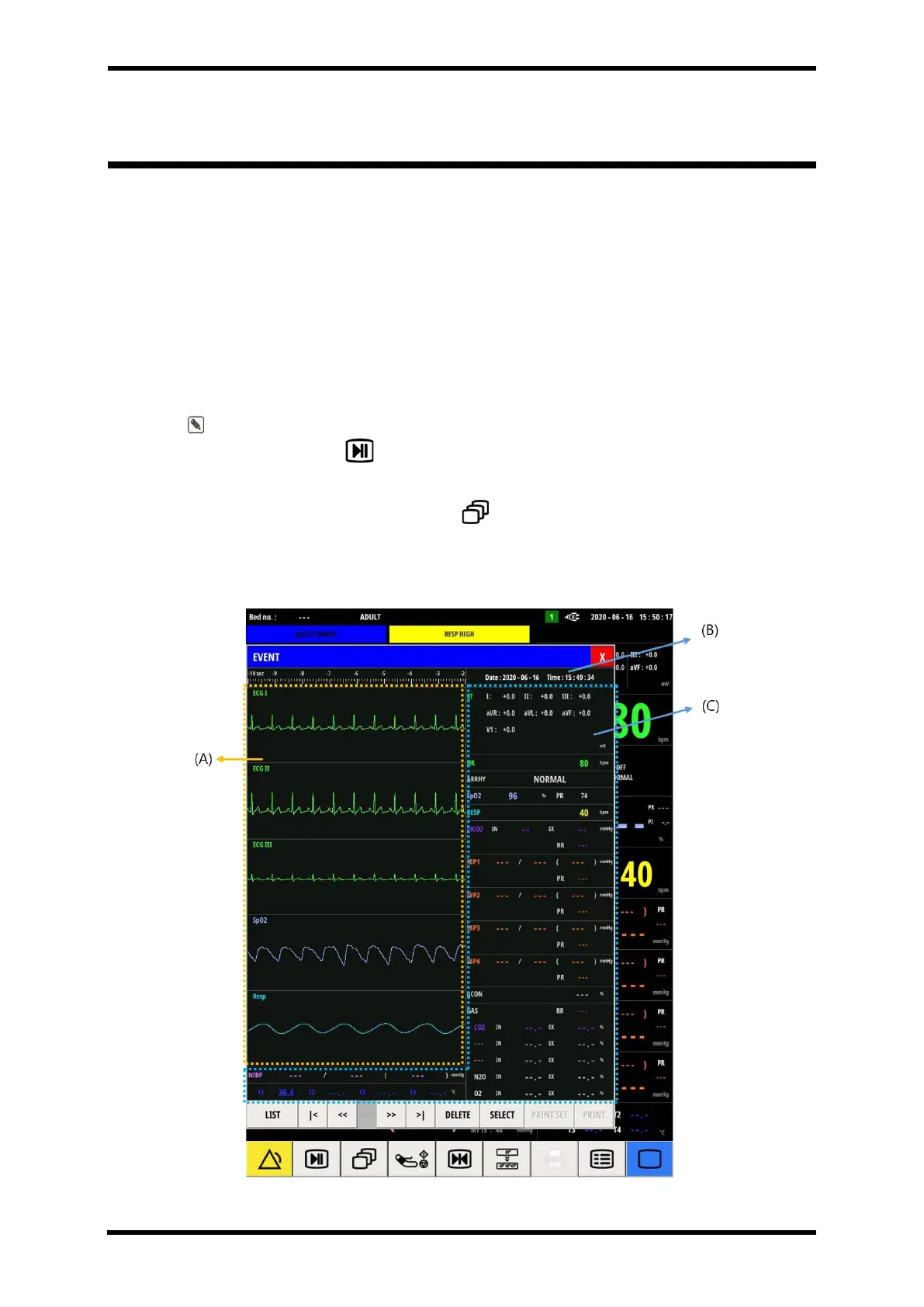
When an alarm condition occurs while measuring a patient's vital signs, it is saved as event
data, and the saved event data can be reviewed in the event window.
Up to 20 event data are stored, and when it exceeds 20, the oldest data is deleted.
The most recent event data is updated from the top line of the List menu, and can be checked
with the date and time when the data was saved
Numerical data is stored when the event occurs, and wave data is stored for a total of 20
seconds, 10 seconds before and after from the occurrence of event
Note. Even when the alarm is not triggered, the user can save the event data using the
manual event button ( )at the bottom of the screen.
To have EVENT popup screen,
⚫ Select SCREEN smart button ( ) → EVENT
Screen Layout
Figure 10-1. EVENT Popup Screen Layout



 To Next Page