VM15 User Manual Alarms and Limits
84
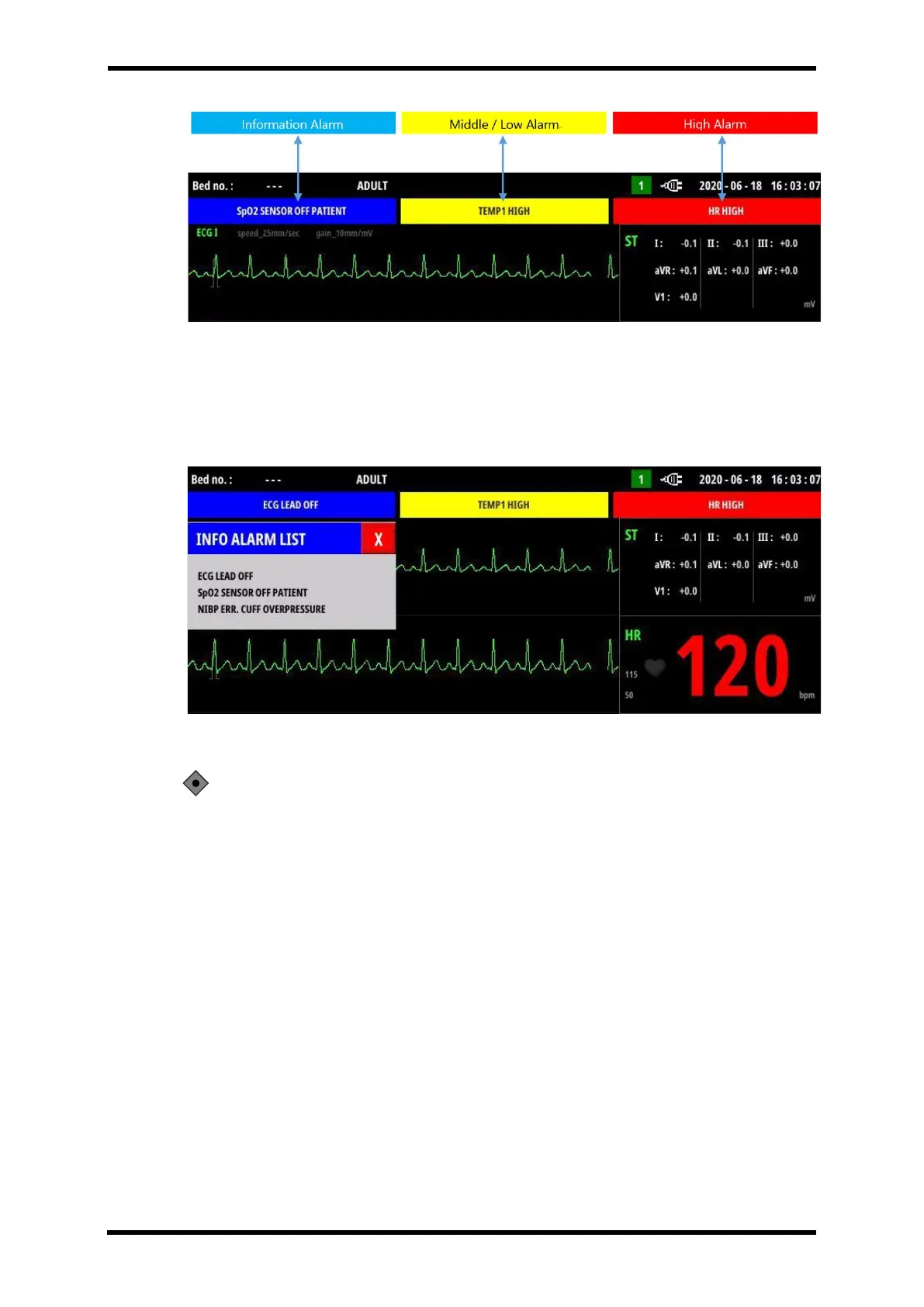
Figure 9-4. Displays Alarm
In the alarm display window, the list of currently active alarms is displayed sequentially.
For all alarms, if you touch the alarm display window as shown in Figure 9-5(information
alarm) below, an alarm message window showing all currently active alarms is displayed.
Figure 9-5. Information Alarm Messages Window
CAUTION: Middle alarm and low alarm are displayed at the same location, so
if two kinds of alarms occur at the same time, only the middle alarm item is
displayed in the upper display window according to the priority.
In this case, the low alarm should be checked with the parameter color.



 To Next Page