VM15 User Manual Temperature Monitoring
174
General
Thermistor changes its internal impedance according to the changes of the surrounding
temperature. The temperature of the patient can be obtained with this character.
Temperature sensor checks the changing volume of the impedance. After calculation, the
temperature of the patient is displayed on the screen.
Setup Connection
Preparation of the Patient
Select the proper sensor for measurement (Rectal, Oral, Skin types)
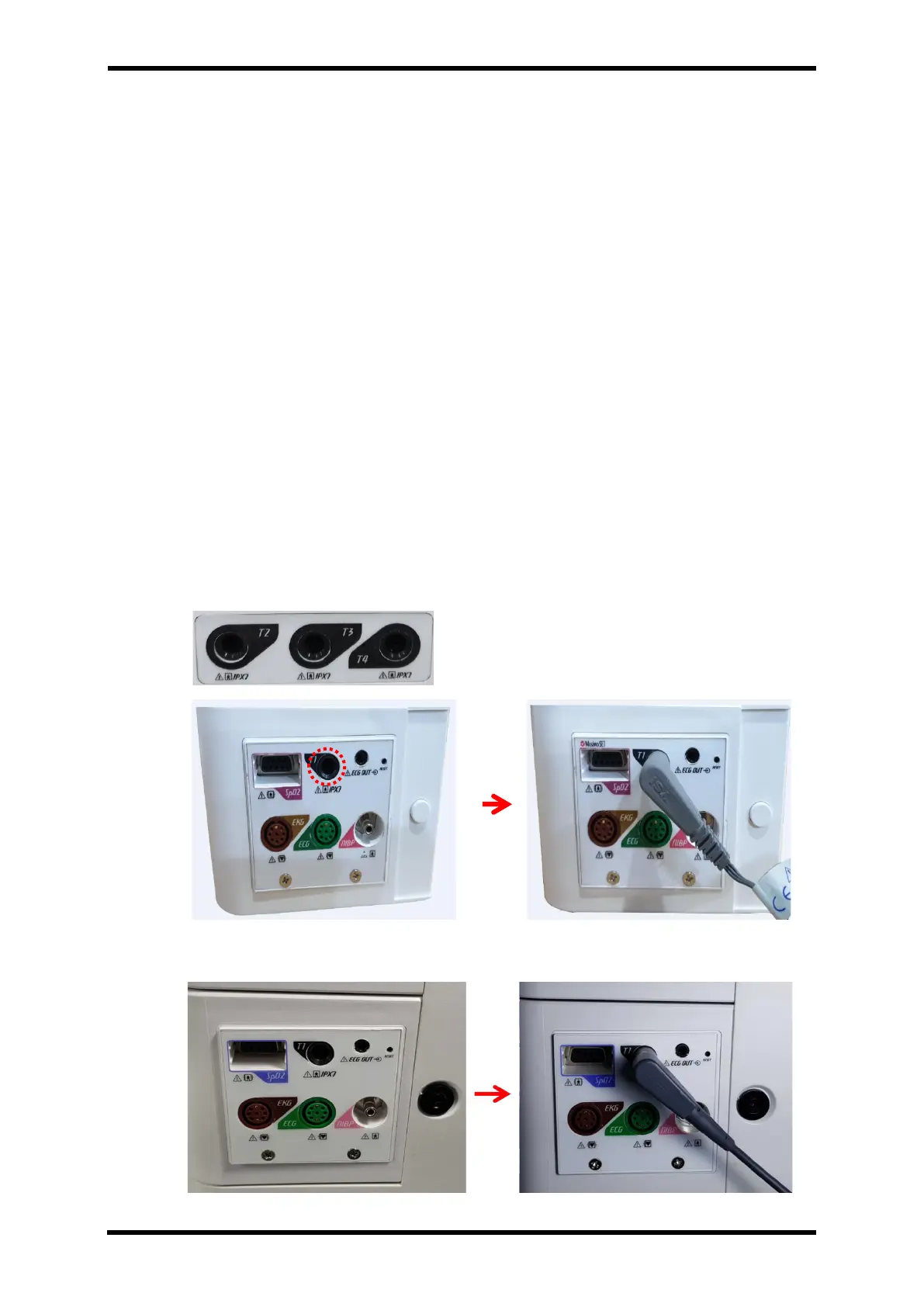
Begin the measurement process when the sensor is connected at the socket T1, T2, T3, T4 at
the right side of the main unit.
How to connect Accessory
Connect Temp Sensor connector to the main unit.
Figure 26-1. TEMP Cable Connection – STD1
Figure 26-2. TEMP Cable Connection – STD2



 To Next Page