VM15 User Manual Printing (Option)
208
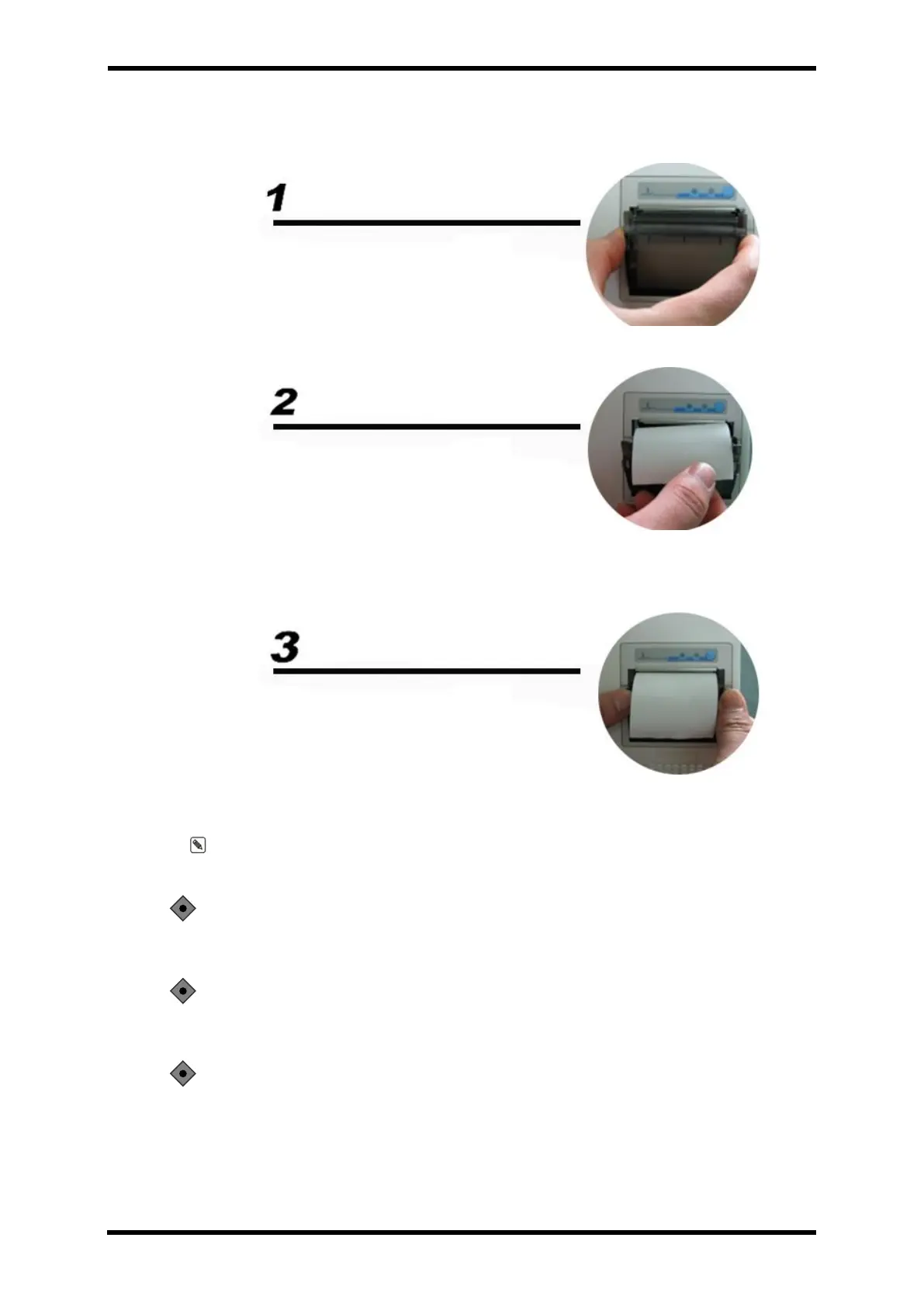
How to change the paper
⚫ Open the cover of the printer in the right part of the main unit.
⚫ Insert the authorized printer paper like the pictures on the above. ( Be careful with
paper location: upper side).
⚫ Close the printer cover correctly. If not, it may cause incorrectness and out of order.
Note: When the green lamp is on, it works properly. When the red lamp is on, it does not
work.
CAUTION: Please contact Votem Co., Ltd or the regional distributors for the
details on the installation of the printer.
CAUTION: Battery consumption increases when using the printer in Battery
mode. As a result, it leads to a shortened operating time.
CAUTION: If the printer error light is on, check if the paper runs out. Change
into a new one if necessary.



 To Next Page