VM15 User Manual Reviewing TrendsDrug Dose Calculation
88
11. Reviewing Trends
The VM15 periodically stores all past measurement data every 1 minute while measuring vital
signs of the patient.
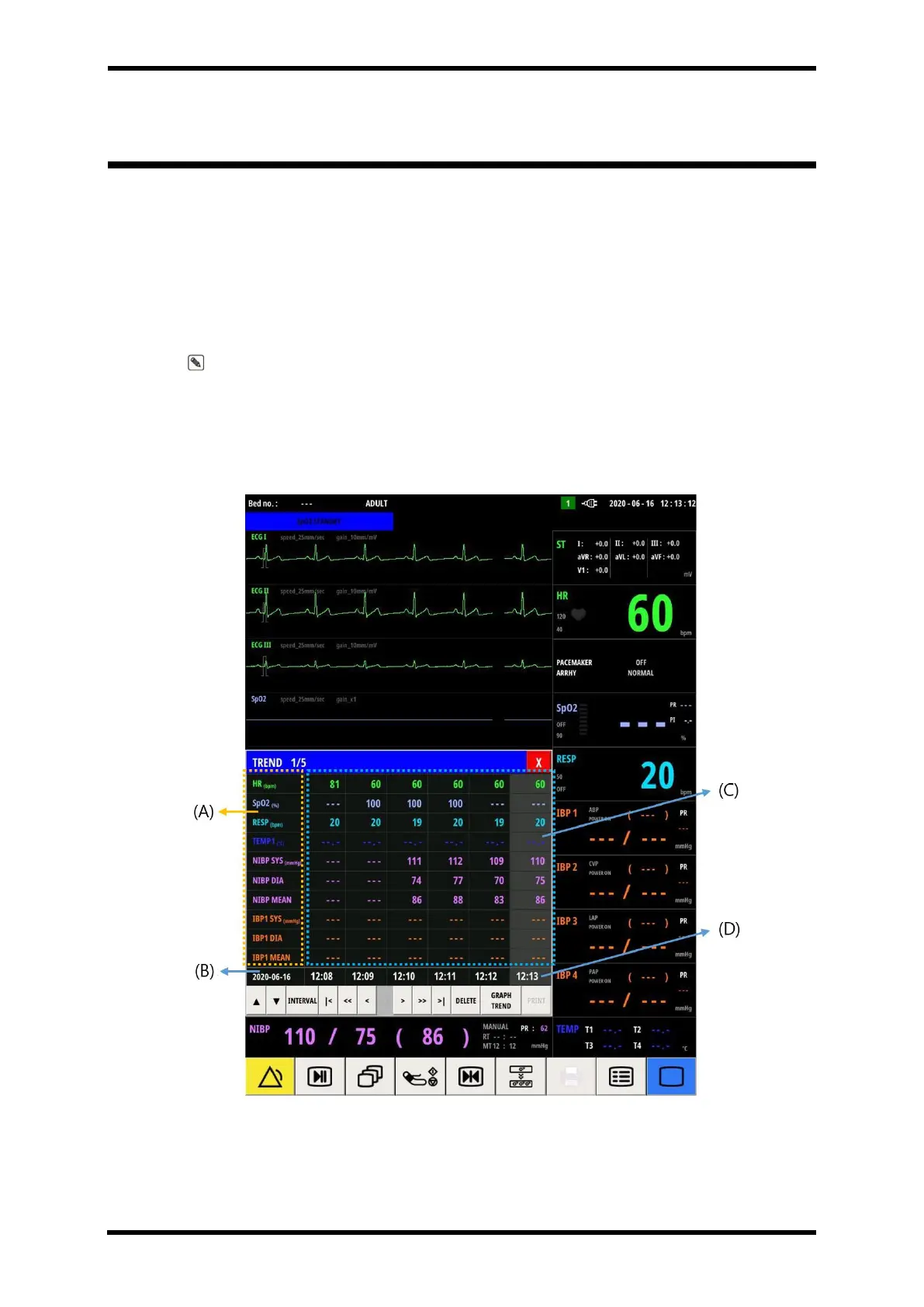
The saved trend data can be reviewed in two ways: Text trend and Graph trend.
The graph trend screen makes it easier to check the patient's condition change by allowing
the stored numerical data to be viewed as a trend line.
Note. Trend data stores a total of 7 days of data, and if it exceeds 7 days, the oldest data
is deleted sequentially.
Text Trend Screen Layout
Figure 11-1. Text Trend Popup Screen Layout



 To Next Page