100-412-234 REV. 06 113
6.7 Weld Results
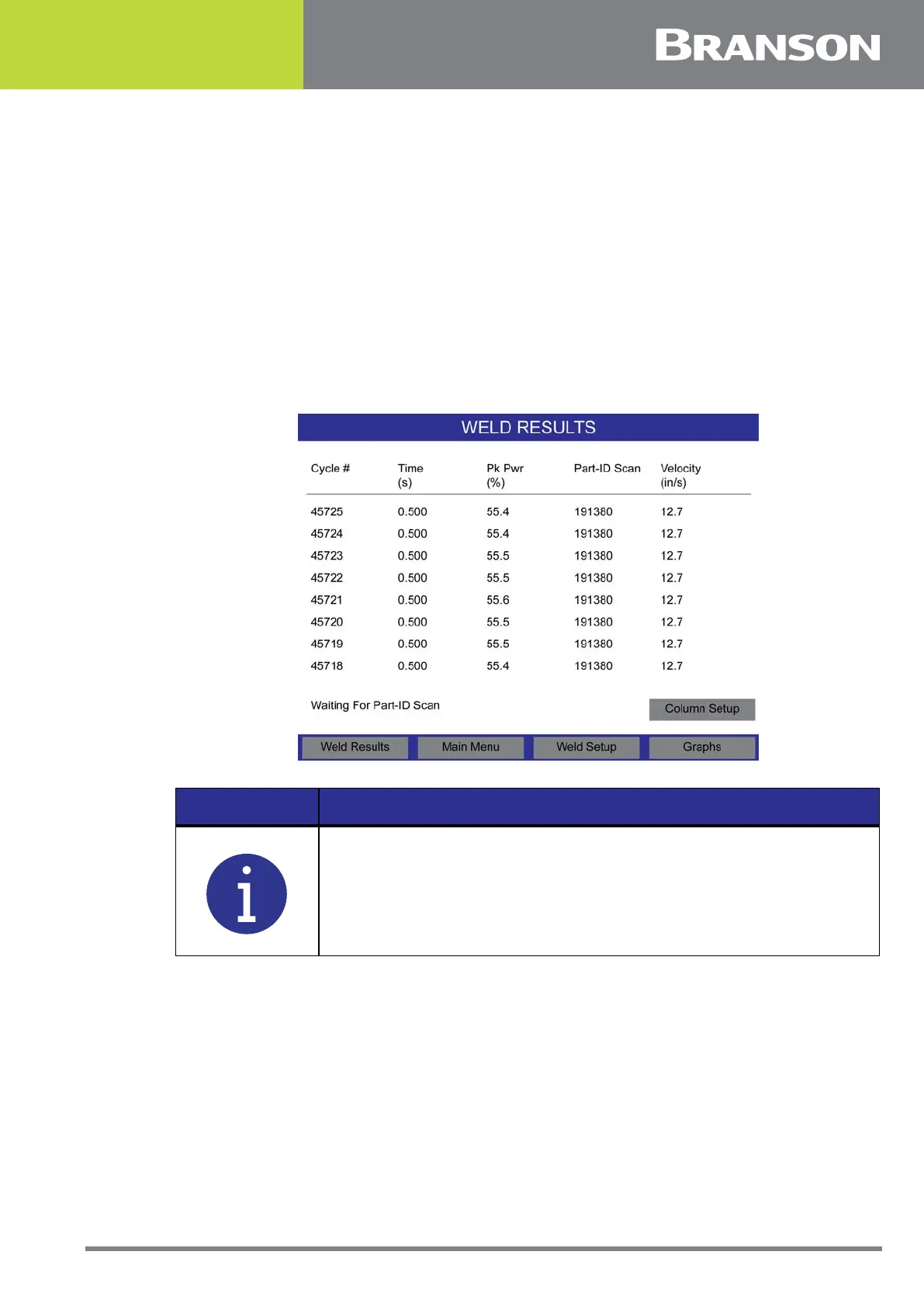
Pressing the Weld Results button displays the cycle number and 4 user configurable
parameters. The values are updated at the end of the weld cycle. The top of the screen
displays the current running preset’s name, current cycle state, and batch count
parameter.
The format for the batch counter is XXXXXX/YYYYYY where XXXXXX is the number of weld
happened in this batch and YYYYYY is the total number of welds in this batch.
Users can scan a part ID barcode and the system will associate the next weld with the
scanned part ID. Users can also scan a preset barcode and the system will recall the
required preset from the preset list according to the scan. If Part-ID Scan is enabled, the
lower left button will display Waiting For Part-ID Scan until it has been received.
Figure 6.5 Weld Results
NOTICE
Part ID can be up to 18 characters in length. If a part ID is longer, the
system will truncate it. When displaying the part ID in a column on
the Weld Results screen, only the first 10 characters will be shown.



 To Next Page