204 100-412-234 REV. 06
8.6 Troubleshooting
When the 2000Xc Power Supply encounters a situation that is outside of the normal
conditions, an alarm is generated. If there is any alarm condition, the Front Panel displays
the number of alarms and generates an audible alarm. Pressing the Alarm button will
display a message for corrective action. Some types of alarms have a secondary button to
press to address the alarm. If no additional information is displayed, refer to the System
Alarm Tables.
If you use the emergency stop button on the actuator to terminate a weld, twist the
button to reset it. (The welder will not operate until this button is reset.) You must then
press Reset at the power supply.
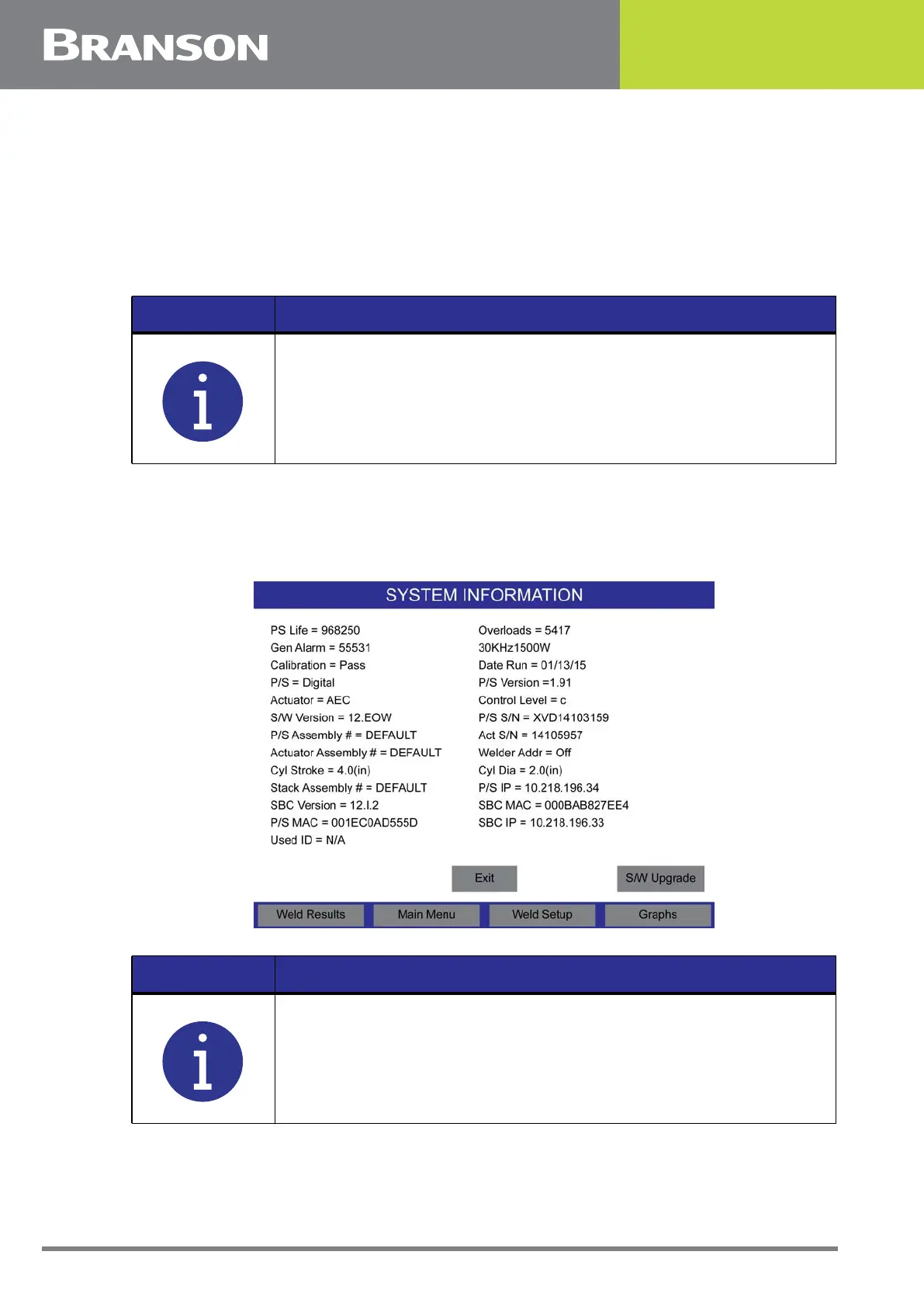
Figure 8.2 Alarm Signal Displayed on the System Information Screen
NOTICE
The power supply MUST be set to the correct cylinder size for the
actuator to function properly.
The regulator will click as it is regulating or maintaining a pressure
setting. If there is excessive noise, the supply pressure to the
regulator maybe too low for the requested setting.
NOTICE
If you have been directed to this Section from an alarm message on
the power supply screen, go directly to the table for the alarm type
specified in the message. Location of the alarm tables is detailed in
the following text.



 To Next Page