140 100-412-234 REV. 06
6.10.18 Column Setup
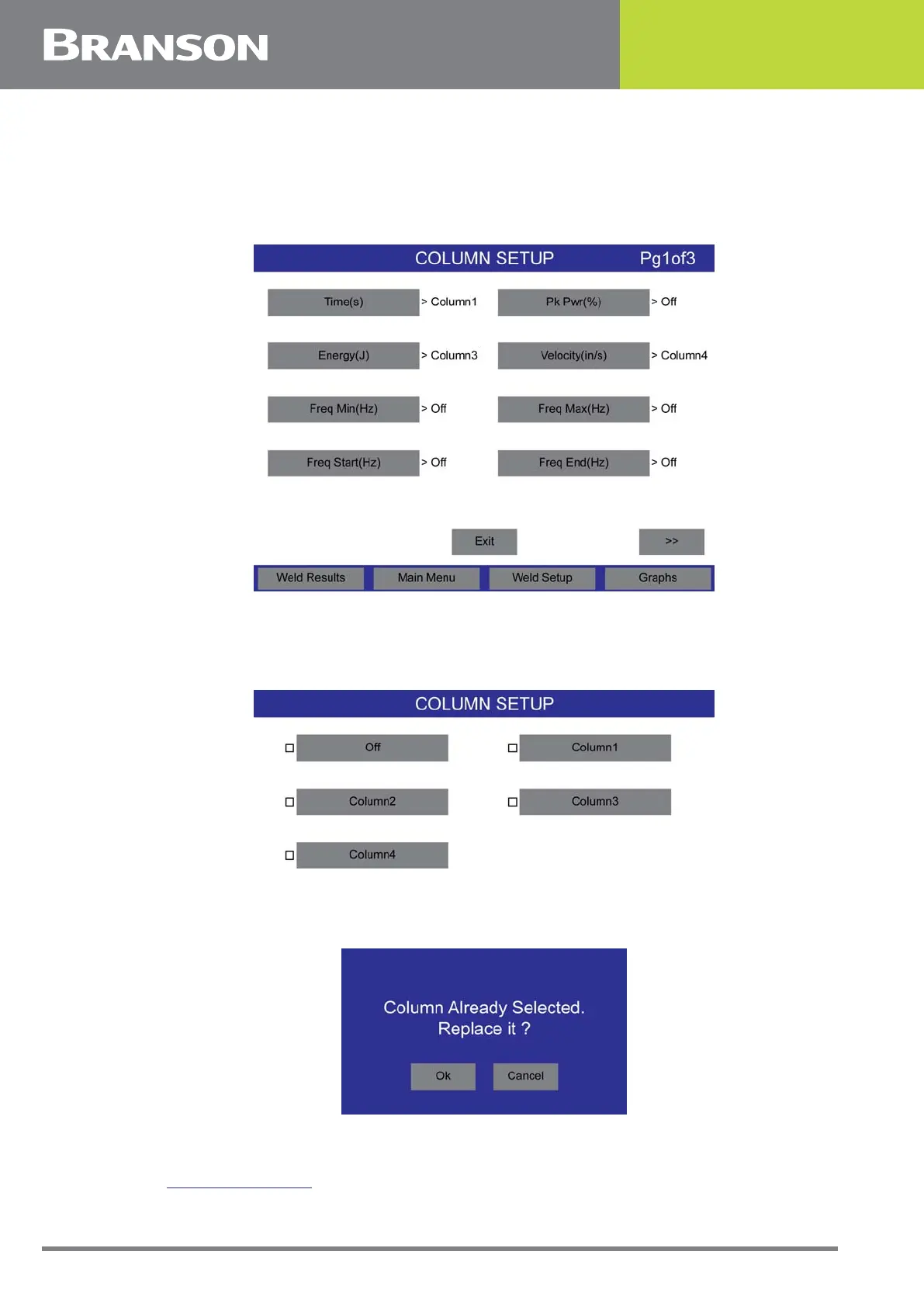
Up to 4 parameters from the Column Setup menu screens can be selected to be viewed in
the Weld Results screen.
Figure 6.34 Column Setup
Select the parameter to be tracked by pressing the desired parameter button. You can
select to turn a parameter off or select the column number position.
Figure 6.35 Column Setup
If you select a previously used column, you will be asked if you want to replace it.
Figure 6.36 Column Already Selected
6.10.19 Screen Setup
See 6.11 Screen Setup for more information.



 To Next Page