118 100-412-234 REV. 06
6.9.9 Absolute
Set the vertical distance (in inches or millimeters) that the horn travels from the home
position before ultrasonics are terminated.
6.9.10 Scrub Time
Set the amount of time after detection of a ground condition to the termination of
ultrasonics.
6.9.11 Scrub Amplitude
Sets the scrub amplitude in percent when ground detect mode is selected.
6.9.12 Hold Time
Sets the duration (in seconds) of the Hold step (the step during which there is no
ultrasonic energy transmitted to your part, but pressure is maintained) in welding your
parts.
You can turn off this function.
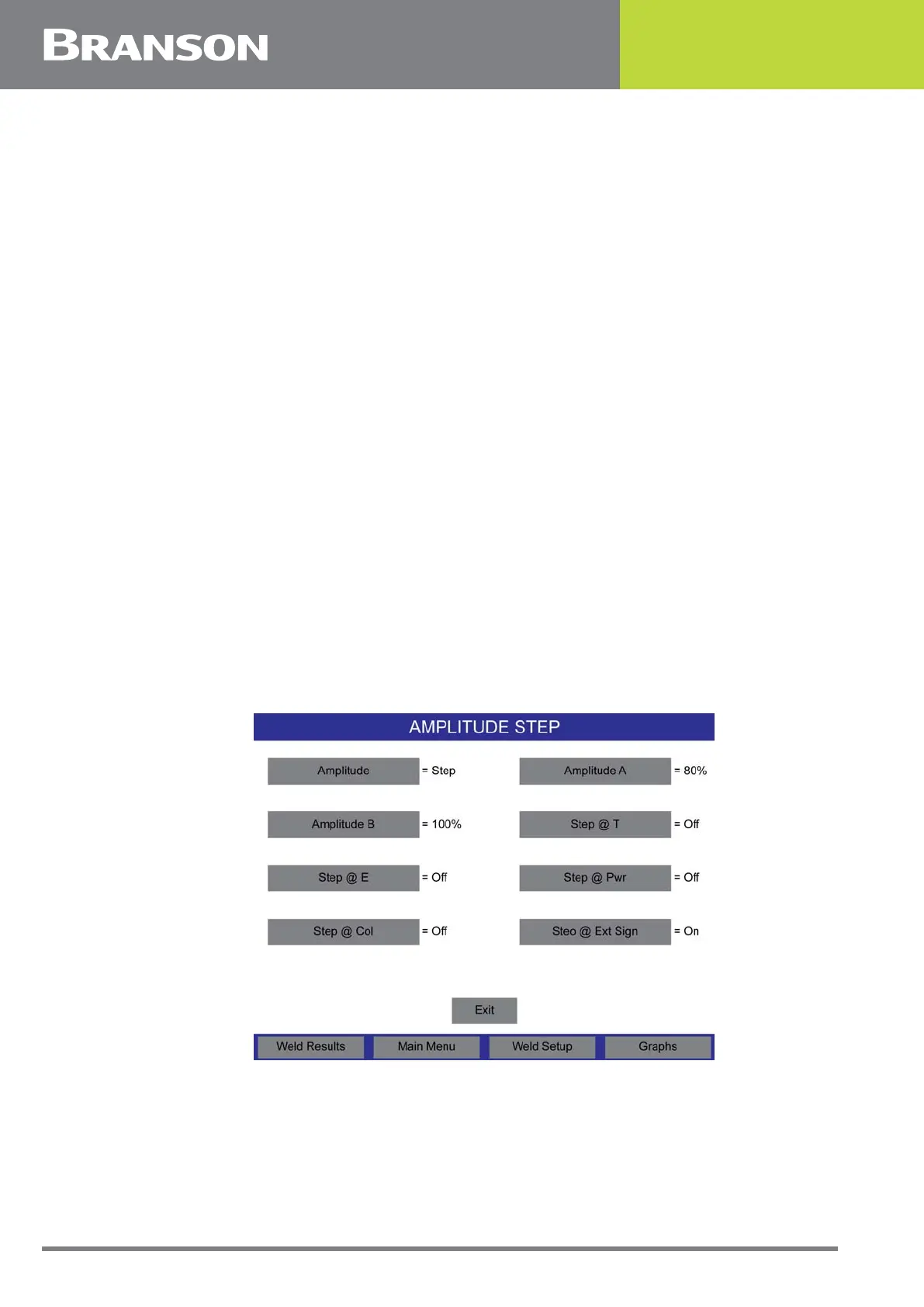
6.9.13 Amplitude Step
You can select whether you want to apply a fixed or stepped amplitude to the part during
welding. If Step was selected ON from the Weld Setup page the following screens will be
shown. Pressing Amplitude displays a screen with two choices, STEP or FIXED. If FIXED
was selected ON from Weld Setup, the screen with 2 choices, STEP or FIXED is displayed.
If you choose to use a stepped amplitude, you must also choose the first and second
amplitudes (each as a percentage of the maximum) to use before and after the step point,
as well as the criteria to use the step.
Figure 6.6 Amplitude Step
6.9.14 Amplitude
You can set the amplitude of the ultrasonic energy that will be delivered in any welding
mode. The power supply’s default is to use 100% of the available amplitude. By changing
the amplitude to some lesser percentage of the total available, or by setting the amplitude



 To Next Page