24 100-412-234 REV. 06
2.4 Power Supply Front Panel Controls
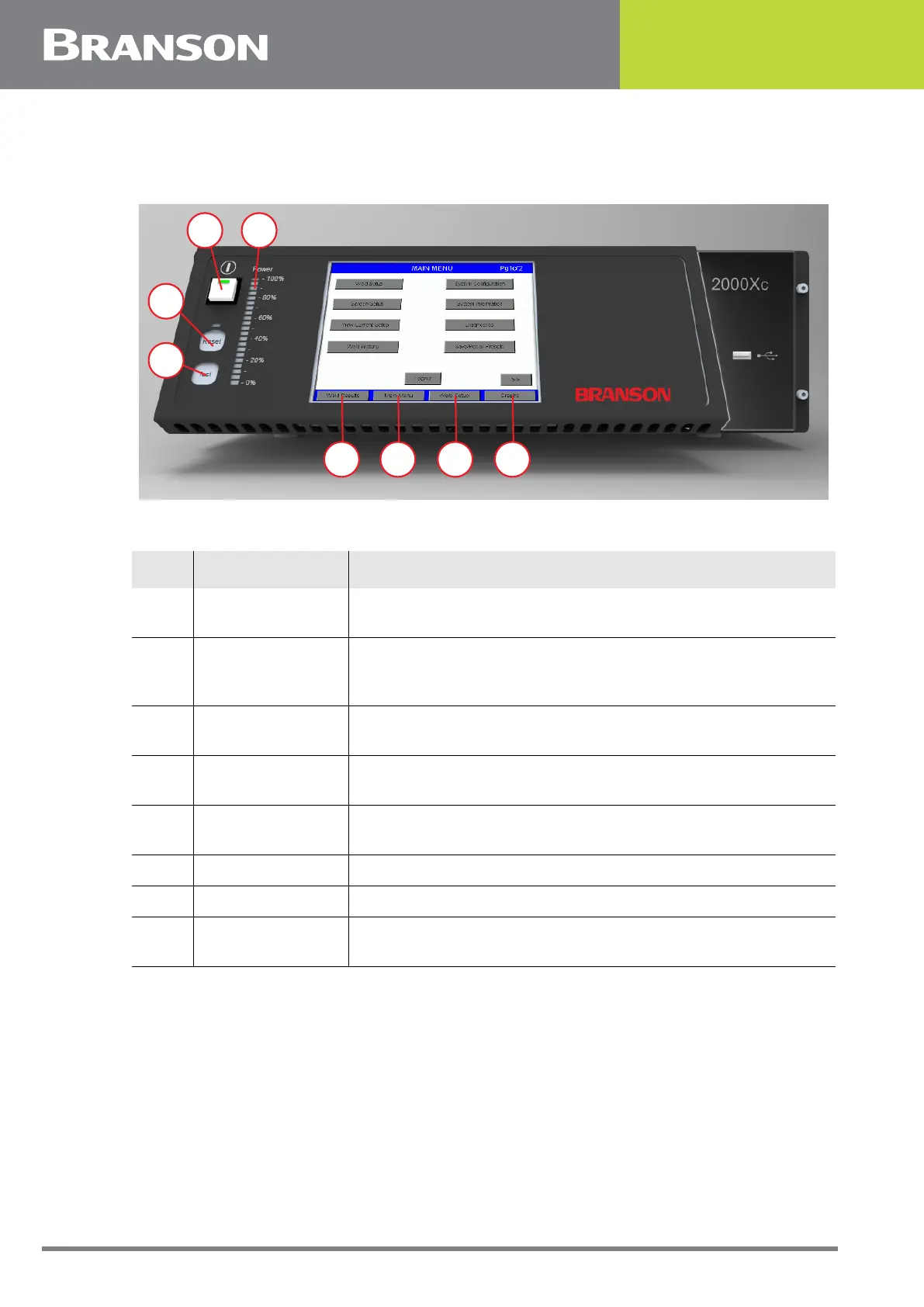
Figure 2.2 2000Xc Power Supply Front Panel Display after Power-Up
Table 2.2 2000Xc Power Supply Front Panel Display after Power-Up
Item Name Function
1 Power Button
Press to turn the system On and Off. When you depress the
button, it lights to indicate power is On.
2 Power Bar Graph
Indicates the percentage of rated power delivered either
during the last weld cycle or when Test is running. The
indicator's scale can be increased for low-power settings.
3 Reset Button
Press to clear alarms. Reset only functions on the Run
screen.
4 Test Button
Press to display a menu you can use to test the ultrasonic
power supply, horn, booster, and converter.
5 Weld Results
Press to view 4 preselected parameters for the last 7 weld
cycles
6 Main Menu Press to return to the Main Menu.
7 Weld Setup Press to go to the Setup menu.
8 Graphs
Press to select to view graphs of Power, Amplitude, Velocity,
Frequency, Distance, Auto Scale, or X Scale
21
3
4
5 6 7 8



 To Next Page