84 100-412-234 REV. 06
5.7 Rack Mount Installation
If the system is Rack Mounted, you need to order the Rack Mount handle kit. The kit
includes two rack mounting handles and two corner pieces, which support the handles and
provide the rack mount interface.
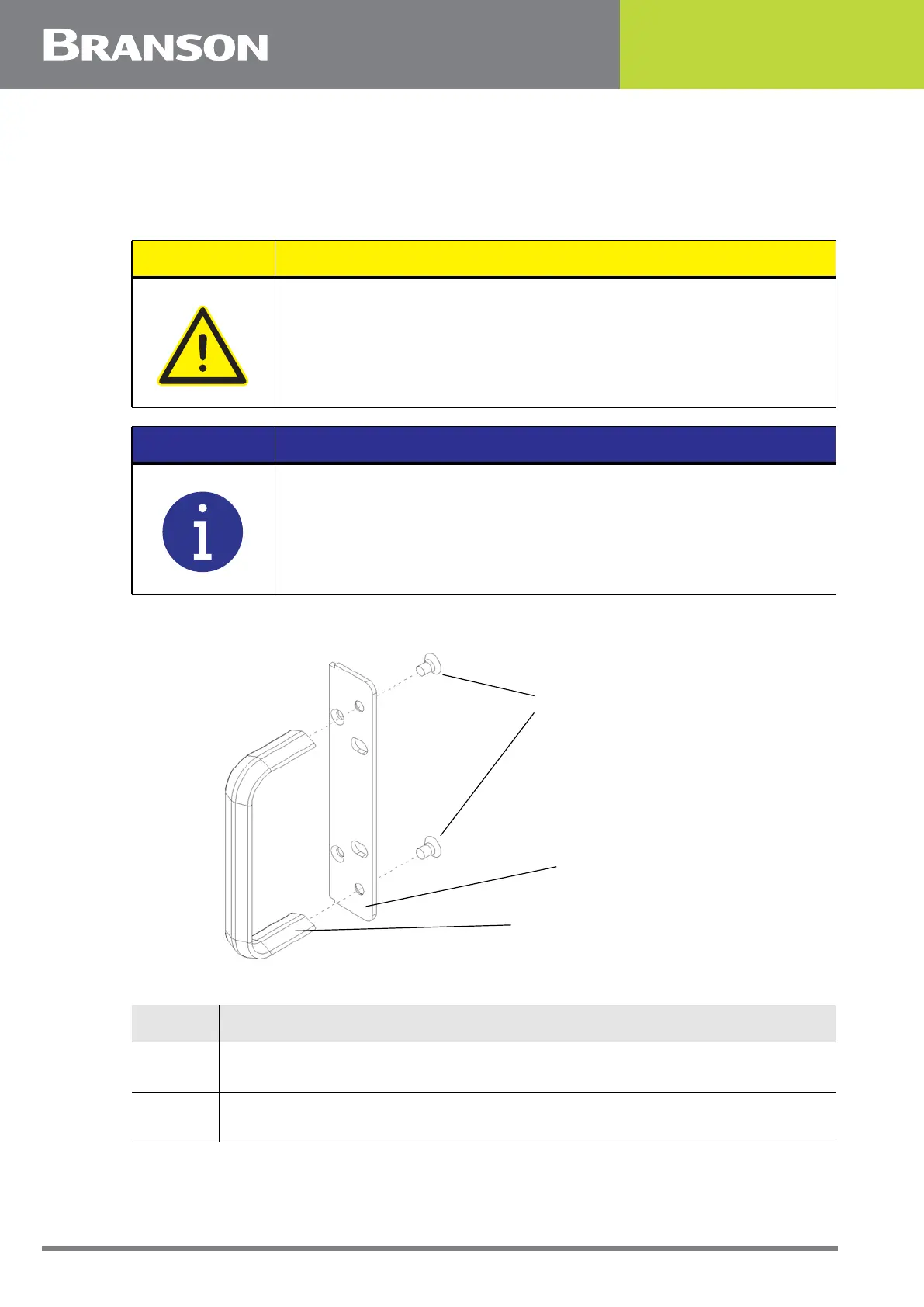
Figure 5.14 Detail of Rack Mount Handle Kit Assembly
CAUTION
The Rack Mount handle kit does NOT support the power supply in the
rack. The weight of the power supply must be supported by integral
brackets of the rack itself.
NOTICE
Do not permanently remove the cover from the power supply
because it is required for proper system cooling.
Table 5.8 Rack Mount Installation
Step Procedure
1
Order and obtain the rack mount kit for your power supply. The brackets in
the kit are designed for standard 19-inch rack mounting options.
2
From the front corners of the power supply, remove the corner trim pieces
by removing the two Phillips screws. Save the screws.
Insert two flat-head screws
through the bracket and
into each handle, as shown
Right-side Rack Mount handle
Rack Mount bracket
(right side shown)



 To Next Page