100-412-234 REV. 06 169
6.17.2 Recall Preset
To recall a preset, scroll to the desired preset number and press the Recall button.
6.17.3 Clear Preset
To clear a preset, scroll to the desired preset number and press the Clear button.
6.17.4 Verify Preset
To verify a preset, scroll to the desired preset number and press the Verify button.
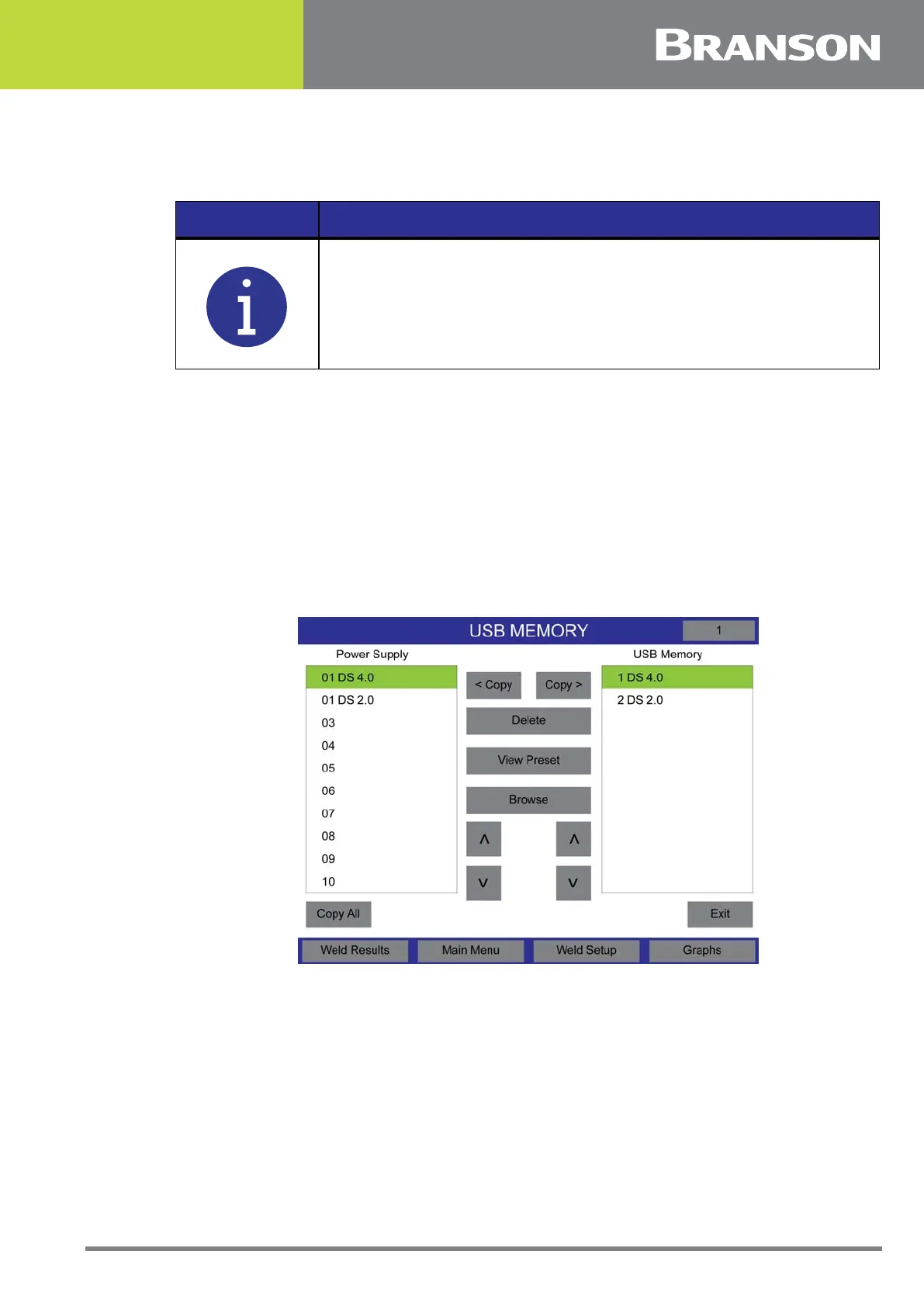
6.17.5 USB Memory
Press the USB Memory button to save the preset to a USB stick.
Figure 6.59 USB Memory
To copy a preset from the power supply to a USB stick, scroll to the desired preset number
under the power supply list and press the Copy > button.
To copy a preset from the a USB stick to the power supply, scroll to the desired preset
number under the USB Memory list and press the < Copy button.
Press the Delete button to delete the selected preset on the USB stick.
Press the View Preset button to view the current setup before saving.
Press the Copy All button to copy all the preset from the power supply to the USB stick.
NOTICE
A preset recall is not allowed if a cycle is in progress.



 To Next Page