Loading Heavyweight Sheets in the Front Paper Feed Slot
Important
• Always load POP Board in the Front Paper Feed Slot for printing. Loading it in other ways may impair operation and
damage the printer.
• One sheet of paper can be loaded at a time. Do not load multiple sheets. This may cause paper jams.
• Straighten paper if it is warped before loading it.
• Load the paper straight. Loading paper askew will cause an error. (See "Paper loaded askew..") ➔ P.907
• Once you load the paper, you cannot shift it sideways. Load the paper straight.
• If paper other than POP Board is loaded in the Front Paper Feed Slot, you might not be able to shift the paper or pull it
out from the front.
Note
• Store unused paper in the original package, away from high temperature, humidity, and direct sunlight.
Follow the steps below to perform loading procedures in a printer with no Spectrophotometer Unit (option).
When using a printer with a Spectrophotometer Unit (option), {G:anc3,i:For Printers with a Spectrophotometer Unit
(option)}
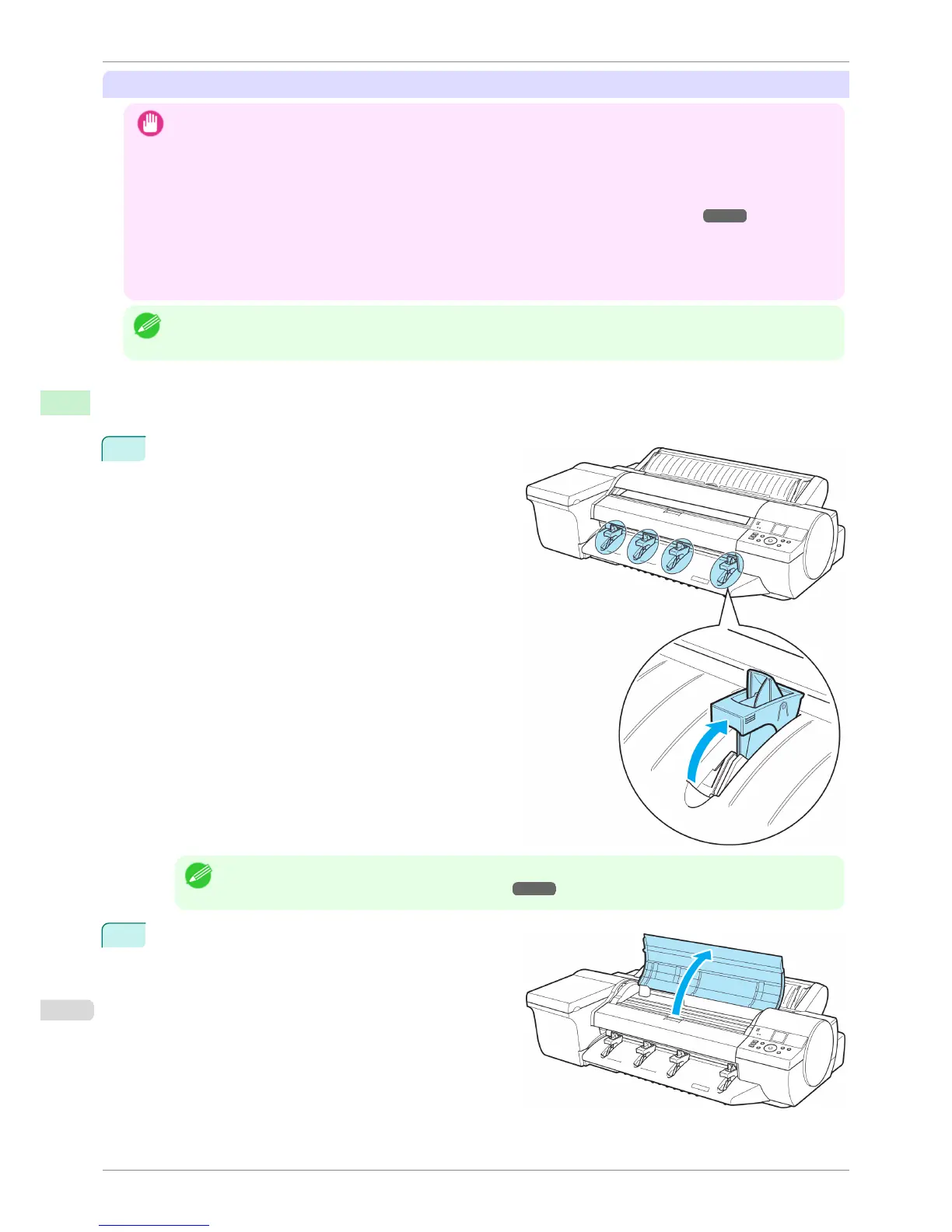
1
If the message "Leave 70cm (28") space behind
printer." is displayed, check the space behind the print-
er, pull up the four Front Tray Guides above the Ejec-
tion Guide, and press the OK button.
Note
• Sufficient space behind the printer is required when loading paper in the Front Paper Feed Slot. For details on
the installation space required, see "Specifications." ➔ P.926
2
After "Open top cover." is displayed, open the Top
Cover.
Loading Sheets in the Feed Slot
iPF6400S
User's Guide
Handling and Use of Paper Handling sheets
498













 To Next Page