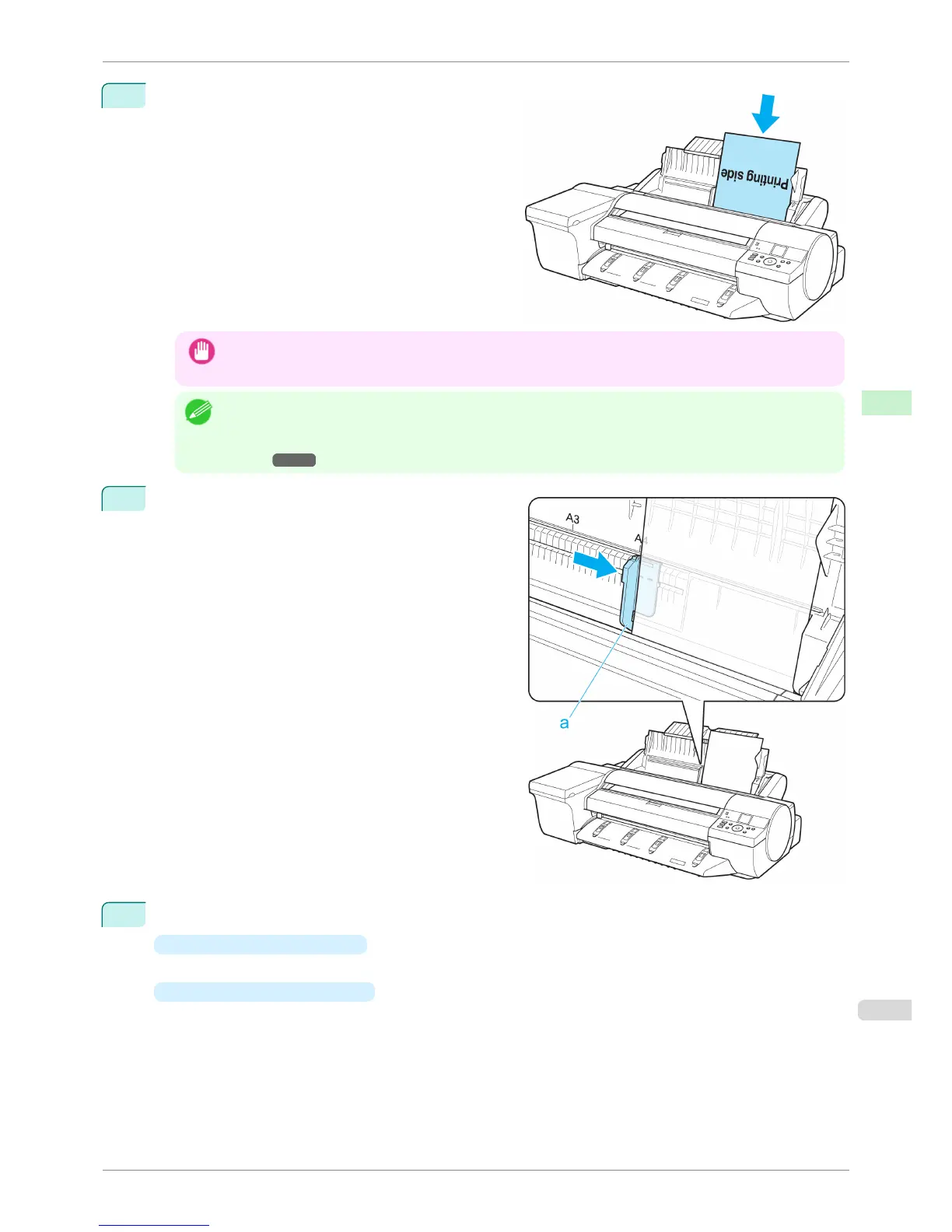
3
Load one sheet, printing-side up, in the Top Paper
Feed Slot.
Insert the paper until it touches the far end of the tray
lightly.
Important
• If you load a sheet larger than A2, the sheet may fall behind the printer under its own weight. Put your hand
under the sheet to support it and prevent it from falling.
Note
• If it is difficult to load rolls from the front of the printer, load them from the back of the printer.
If the printer has a Spectrophotometer Unit (option), lowering the Up-down Unit makes it easier to perform oper-
ations from the front of the printer. (See "Lowering the Up-down Unit of the Spectrophotometer Unit (option) Man-
ually.") ➔ P.494
4
Move the Width Guide (a) to match the size of paper
loaded.
Set the Width Guide against the edge of the paper to
prevent the paper from becoming crooked or wrinkled.
5
Press the OK button.
•
If a print job was received
After the paper is advanced, the printer starts printing the print job.
•
If no print job was received
The printer now starts feeding the paper.
iPF6400S
Loading Sheets in the Feed Slot
User's Guide
Handling and Use of Paper Handling sheets
497













 To Next Page