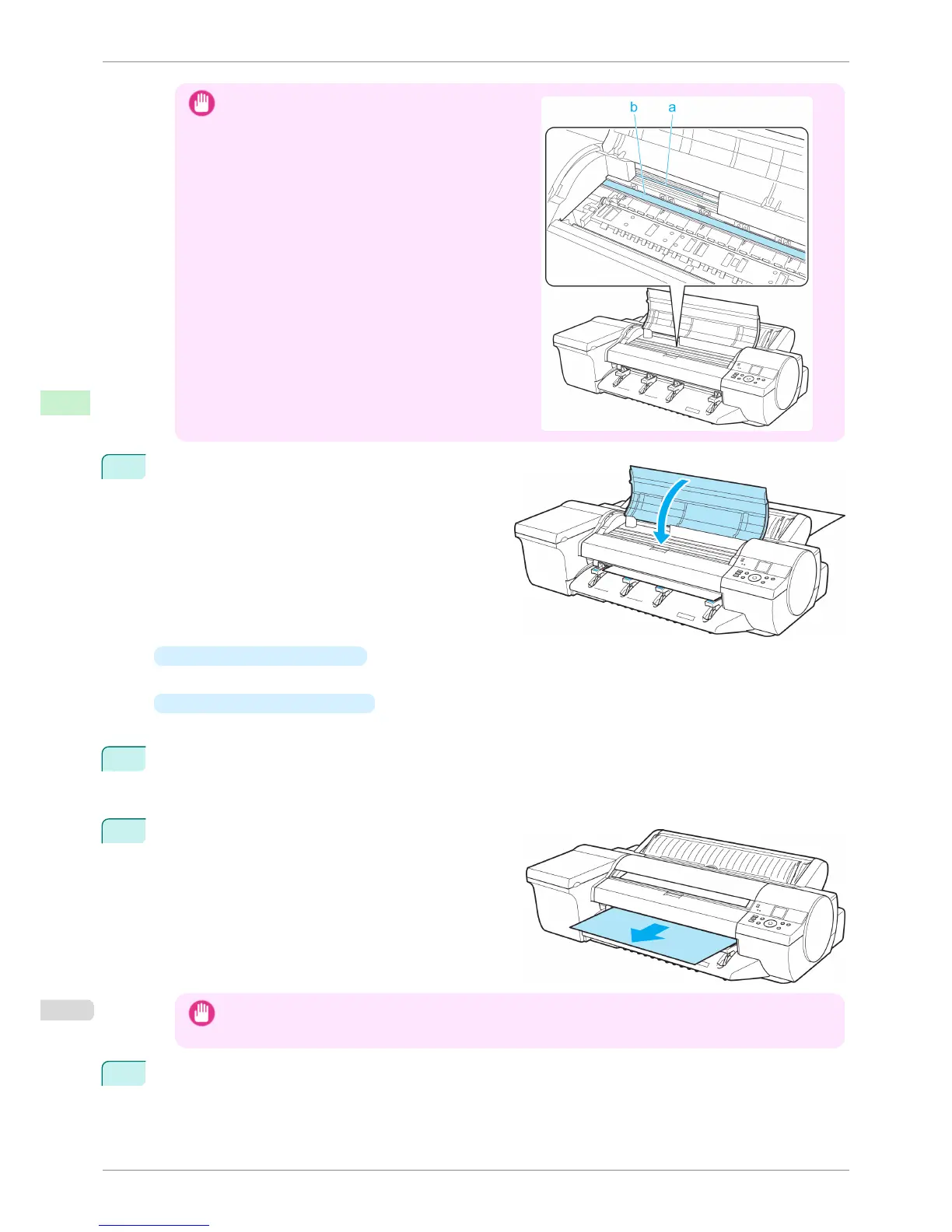
Important
•
Do not touch the Linear Scale (a) or Carriage Shaft
(b). This may stain your hands and damage the print-
er.
5
When "Close top cover." is displayed, close the Top
Cover and press the OK button.
The sheet is held between the Platen and Back Cov-
er, and feeding begins.
•
If a print job was received
After the paper is advanced, the printer starts printing the print job.
•
If no print job was received
The printer now starts feeding the paper.
6
After printing, the printer will temporarily stop advancing the paper while the trailing edge is still in the rollers
to prevent the sheet from dropping.
Once you press the OK button, the paper can be removed.
7
Remove the sheet, keeping the front edge level as you
pull it out.
Important
• If POP Board is accidentally removed at an angle, it may scratch the printed surface.
8
Press the OK button.
Loading Sheets in the Feed Slot
iPF6400S
User's Guide
Handling and Use of Paper Handling sheets
500













 To Next Page