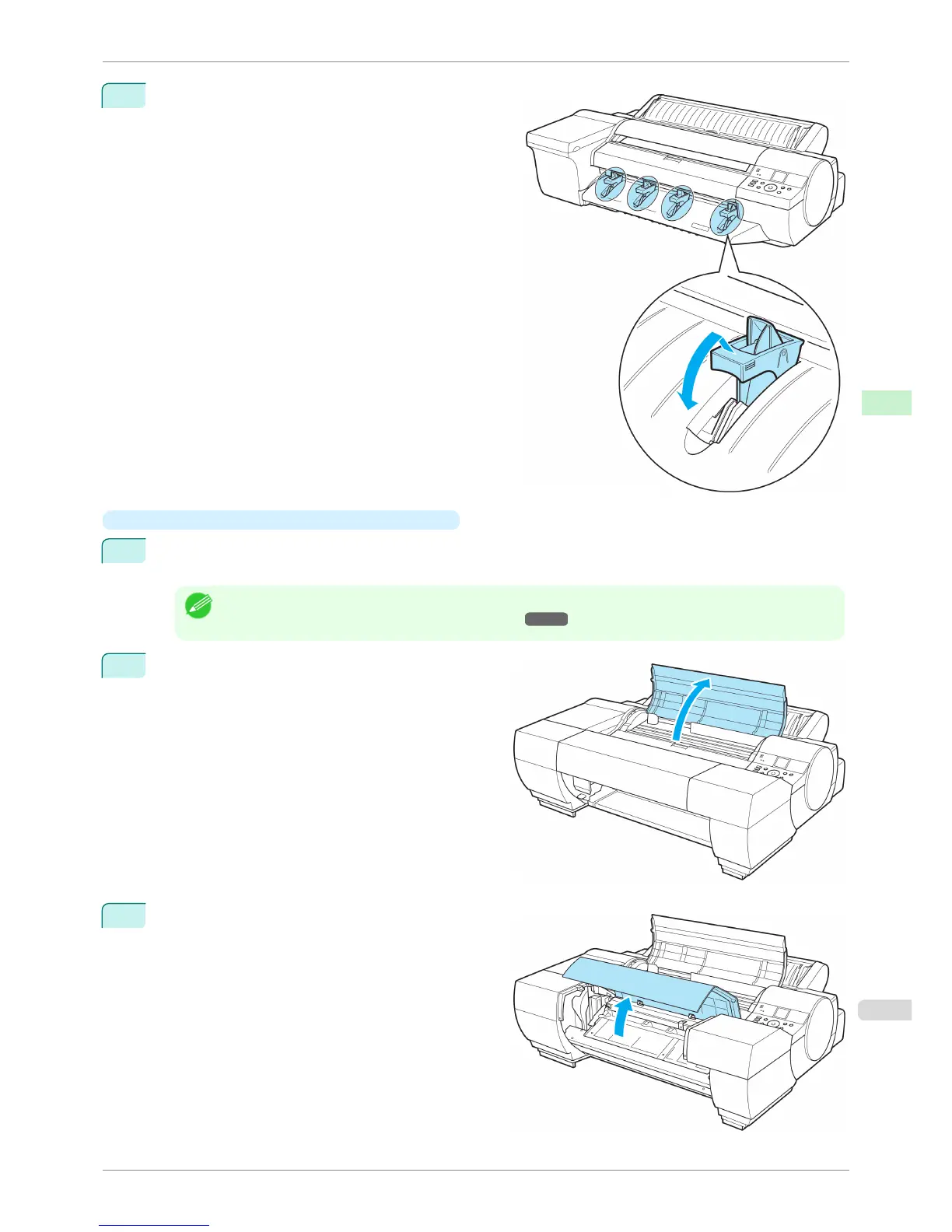
9
Lift the four Front Tray Guides above the Ejection
Guide, store them toward the front, and then press the
OK button.
•
When using the Spectrophotometer Unit(option)
1
When the "Leave 70cm (28") space behind printer." message appears, make sure that there is sufficient
space behind the printer and press the OK button.
Note
• There needs to be sufficient space behind the printer to load paper into the Front Paper Feed Slot. For more
information on installation space, see "Specifications." ➔ P.926
2
When the "Open top cover." message appears,
open the Top Cover.
3
When the "Open the Spectrophotometer Unit cov-
er." message appears, open the Spectrophotometer
Unit Cover.
iPF6400S
Loading Sheets in the Feed Slot
User's Guide
Handling and Use of Paper Handling sheets
501













 To Next Page