4
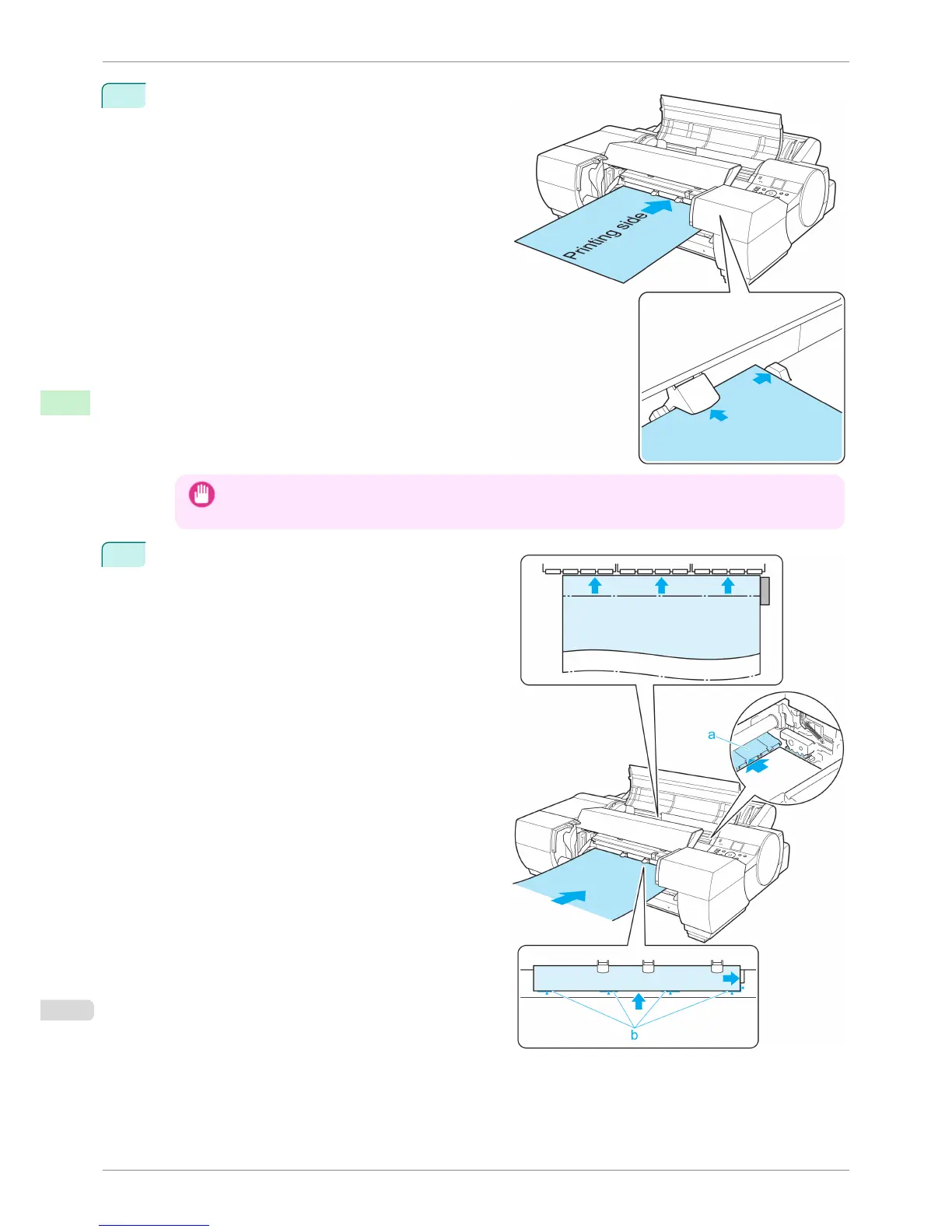
Insert one sheet of paper along the guide side of the
Up-down Unit, making sure it is level.
Important
• When you insert the paper into the Front Paper Feed Slot, keep it level as it goes into the paper feed slot.
Failure to do so may scratch the printed surface.
5
Looking at the inside of the Top Cover, hold the pa-
per parallel to the Paper Retainer (a), place it be-
tween the Platen and the Paper Retainer (a), and
then align it with the orange Paper Alignment Line
(b).
Loading Sheets in the Feed Slot
iPF6400S
User's Guide
Handling and Use of Paper Handling sheets
502













 To Next Page