List of Color Management Functions ➔ P.733
Correcting Colors (Color Calibration)
You can perform the following operations depending on the number of printers you are using.
•
When operating with only one printer
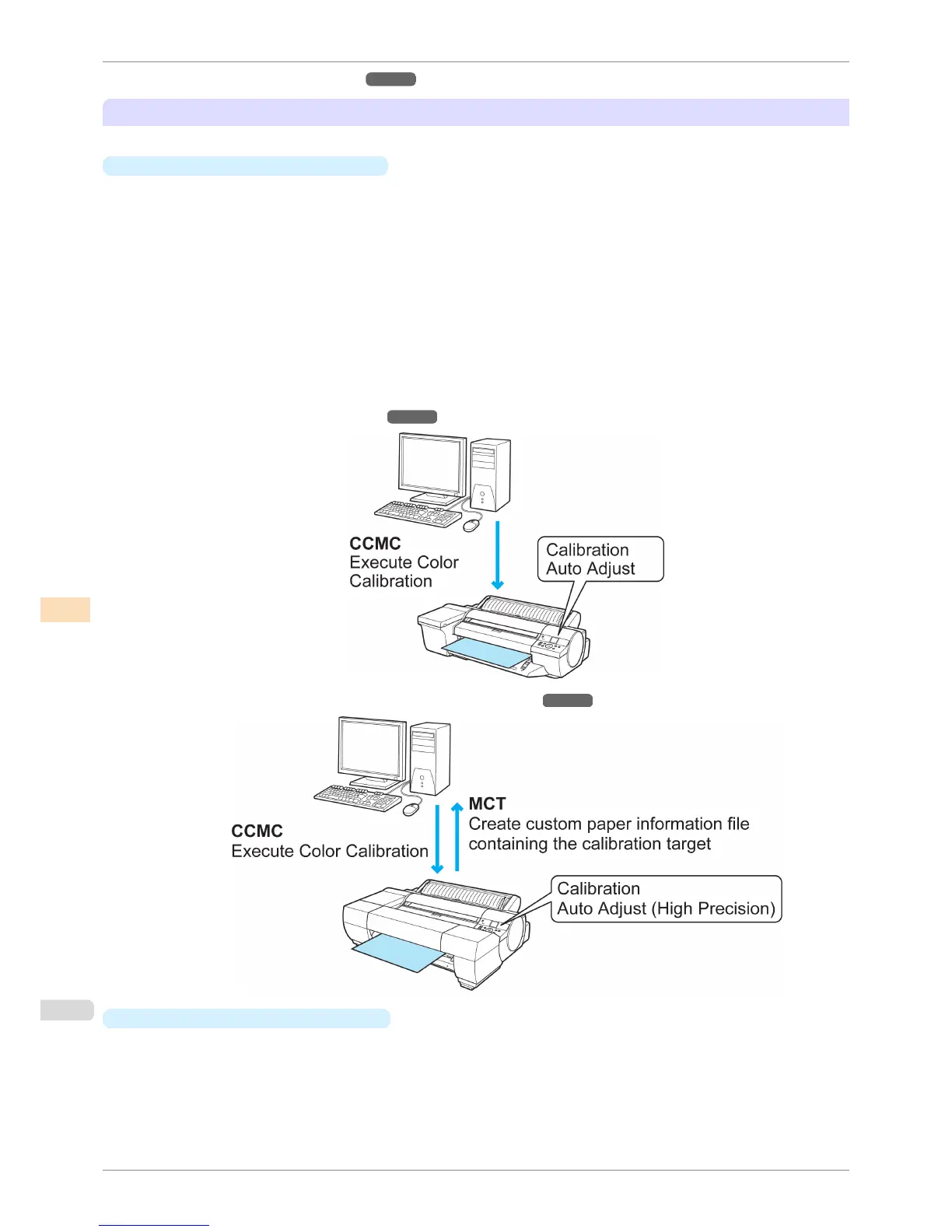
You can correct for variations in the color tones on the printer you are using by executing color calibration by
using the printer sensor. If you are using the Spectrophotometer Unit (optional), you can perform color calibra-
tion with even higher precision.
You can create a Calibration Target for paper other than genuine Canon paper and feed certified paper by
using the Spectrophotometer Unit (optional) together with the included MCT. When you have a Calibration
Target, it allows you to execute color calibration even on paper other than genuine Canon paper and feed cer-
tified paper. Since you can execute color calibration on the paper you are using, this efficiently reduces varia-
tions in the color tones of the printing.
In order to create a Calibration Target for paper other than genuine Canon paper and feed certified paper,
you need to register a media information file in advance using Add Custom Paper.
Color calibration can be executed from the printer control panel or from the CCMC color management utility.
For a detailed explanation, see the following.
•
Managing Colors Using Printer Sensors ➔ P.735
•
Color Management Using the Spectrophotometer Unit (Optional) ➔ P.738
•
When operating with multiple printers
If you have multiple printers, you can make the color tones of the printers the same by executing color calibra-
tion on each of the printers.
Furthermore, using the CCMC color management utility allows an administrator to centrally manage multiple
remotely connected printers from a single computer, and to reduce the variations in color tone between the
printed material output from multiple printers.
Managing Colors
iPF6400S
User's Guide
Color Management Color Calibration
730













 To Next Page