3
Press ▲ or ▼ to select Rep. Ink Tank, and then press the OK button.
A message on the Display Screen requests you to open the Ink Tank Cover. Remove the Ink Tank at this
point.
Remove the Ink Tanks
1
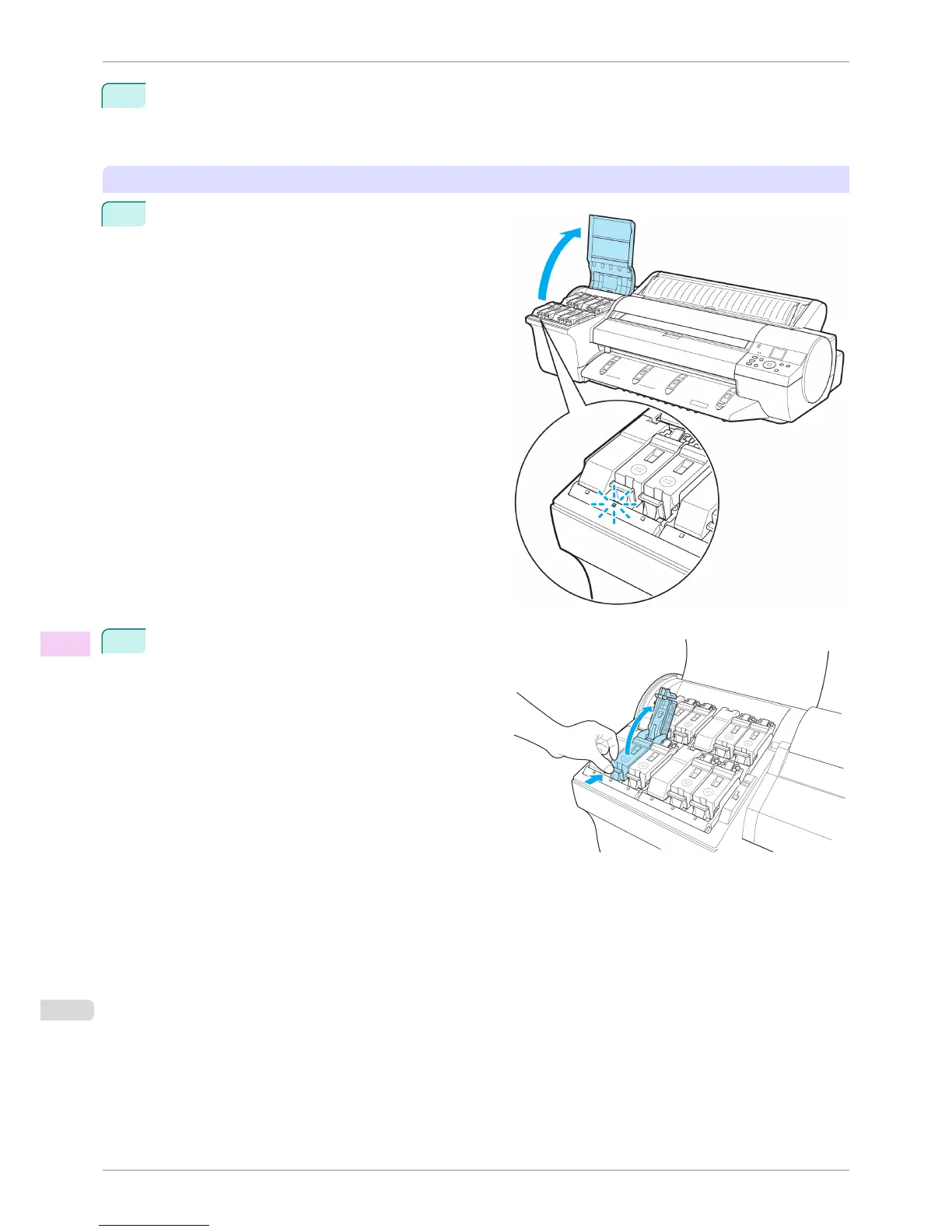
Open the Ink Tank Cover and check the ink lamps.
Ink lamps flash when there is little ink left.
2
Press the tip of the Ink Tank Lock Lever of the color
for replacement horizontally and lift the Ink Tank Lock
Lever to open it.
Replacing Ink Tanks
iPF6400S
User's Guide
Maintenance and Consumables Ink Tanks
818













 To Next Page