6
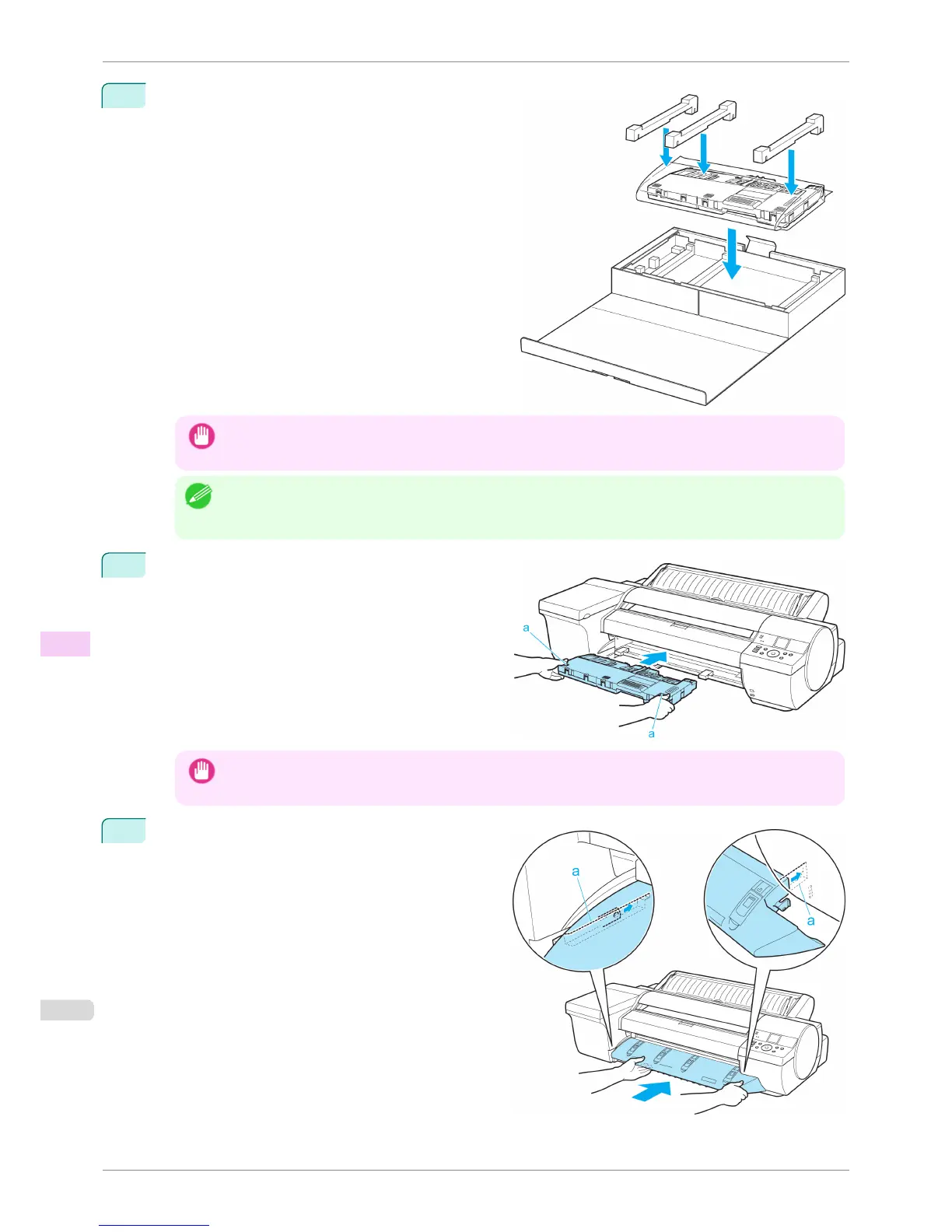
Put the used Maintenance Cartridge and packaging
material in the box, just as the new Maintenance Car-
tridge was originally packaged, and store the used
cartridge keeping it level.
Important
• Always put the used Maintenance Cartridge back in the box and store the box on a flat surface. Otherwise, ink
may leak and cause stains.
Note
• In accordance with active and ongoing environmental programs, Canon supports recycling of used maintenance
cartridges. Follow the instructions provided with the new Maintenance Cartridge that describe how to process
the used Maintenance Cartridge.
7
Holding the handles (a) on both sides of the new
Maintenance Cartridge, insert it completely, keeping it
level.
The printer now initializes the Maintenance Cartridge.
Important
• Do not remove the Maintenance Cartridge during initialization immediately after replacing the Maintenance
Cartridge. The Maintenance Cartridge may become damaged.
8
Hold the Ejection Guide on both sides by the near
end. Aligning the Ejection Guide with the guides (a),
insert it into the printer until it locks in place.
Replacing the Maintenance Cartridge
iPF6400S
User's Guide
Maintenance and Consumables Maintenance Cartridge
836













 To Next Page