5
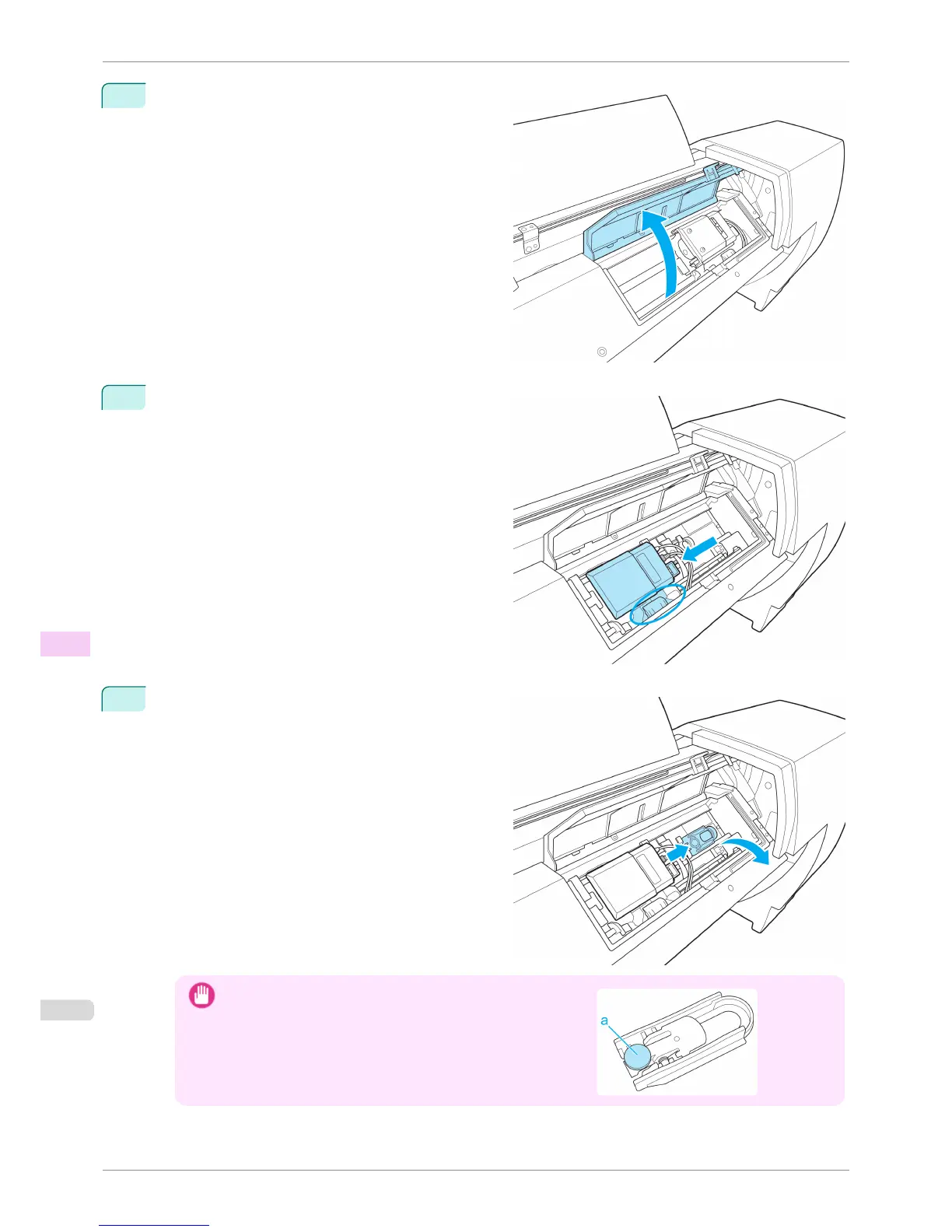
Open the Up-down Unit cover.
6
Grasp the part with the blue label in the central part
of the Spectrophotometer Carriage and move it to the
position shown in the diagram.
7
Move the White Calibration Tile Holder in the direc-
tion of the arrow and remove it from the Up-down
Unit.
Important
•
Do not touch the (a) part of the White Calibration Tile Holder ex-
cept when removing the White Calibration Tile.
Doing so may cause the White Calibration Tile to fall, which can
lead to damage.
Cleaning the Spectrophotometer Unit (option) Parts
iPF6400S
User's Guide
Maintenance and Consumables Cleaning the Printer
844













 To Next Page