12
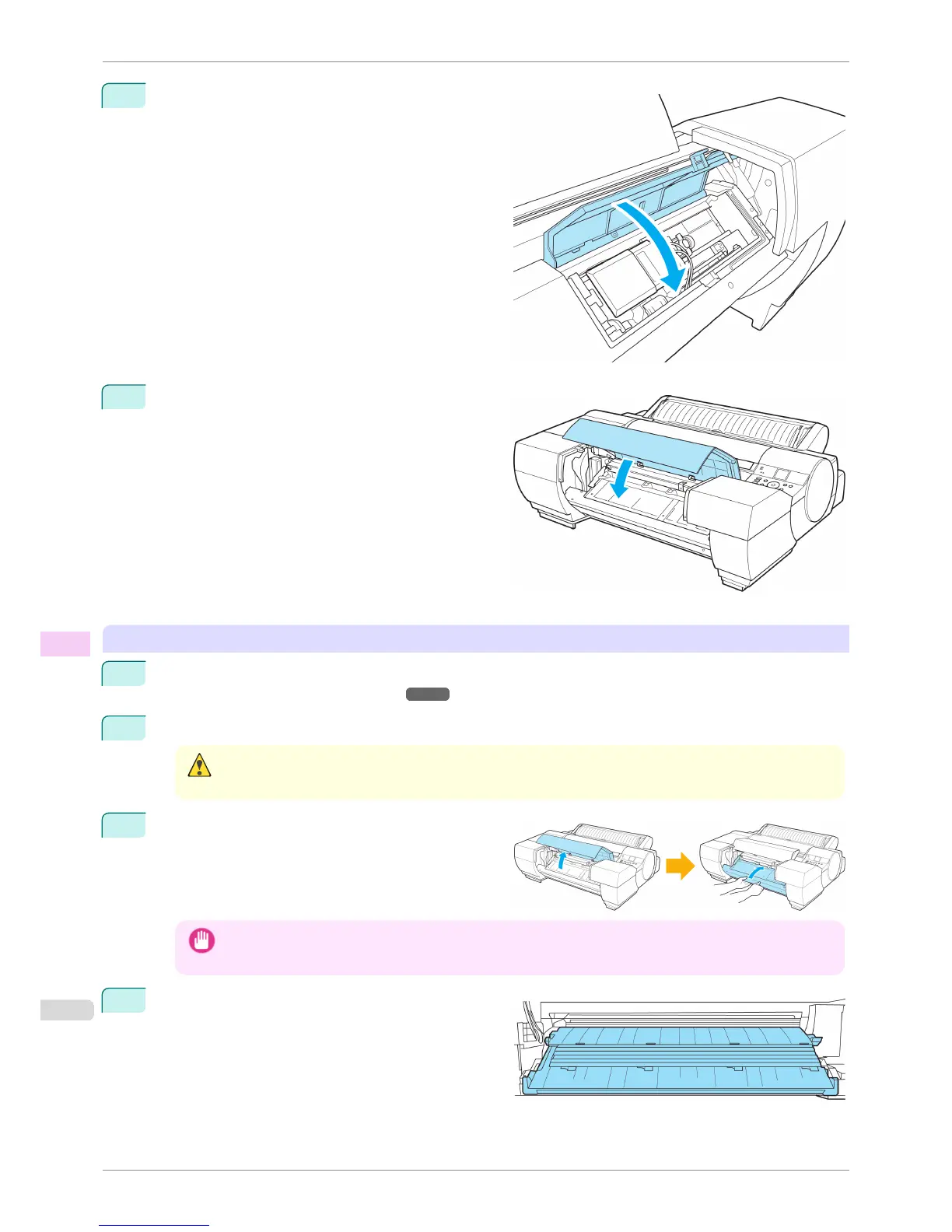
Close the Up-down Unit cover.
13
Close the Spectrophotometer Unit Cover.
Cleaning the Spectrophotometer Eject Guide
1
Turn the printer off.
(See "Turning the Printer On and Off.") ➔ P.21
2
Unplug the power cord from the outlet.
Caution
• Always turn off the printer and unplug the power cord before cleaning or maintenance. Accidentally leaving the
printer on poses a risk of injury if you touch moving parts inside the printer.
3
If the Up-down Unit is lowered, open the Spectropho-
tometer Unit Cover and lift up the central part (near
the blue label) of the Up-down Unit.
Important
• Lifting up the ends of the Up-down Unit may cause damage.
4
Wipe the surface of the Spectrophotometer Eject
Guide and the surface of the White/Black Backing
Plate clean with a dry, soft cloth.
If it is particularly dirty, use a damp cloth that you
have wrung out completely to wipe clean and use a
dry cloth to dry the surface.
Cleaning the Spectrophotometer Unit (option) Parts
iPF6400S
User's Guide
Maintenance and Consumables Cleaning the Printer
846













 To Next Page