5
If you are using the optional Spectrophotometer Unit, remove the Spectrophotometer Unit from the printer
as needed.
(See "Removing and Attaching the Spectrophotometer Unit.") ➔ P.852
6
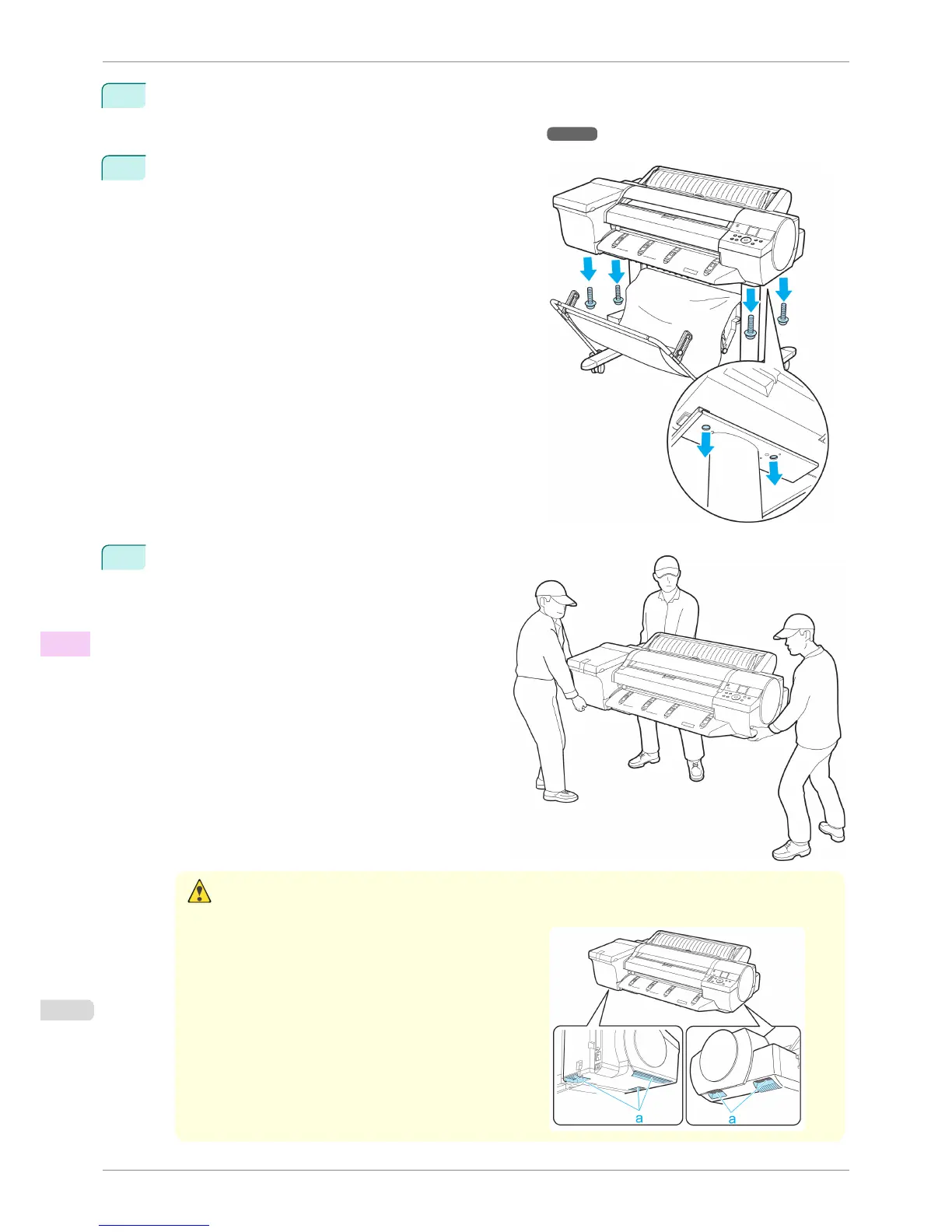
Remove the securing bolts using the Allen wrench.
7
Remove the printer from the Stand and carry the
printer.
Caution
• Moving the printer requires at least three people, holding it on both sides and from behind. Be careful to avoid
back strain and other injuries.
•
When moving the printer, firmly grasp the Carrying Han-
dles under each side and in back. The printer may be
unsteady if you hold it at other positions, which poses a
risk of injury from dropping the printer.
Carrying the Printer
iPF6400S
User's Guide
Maintenance and Consumables Other Maintenance
850













 To Next Page