4
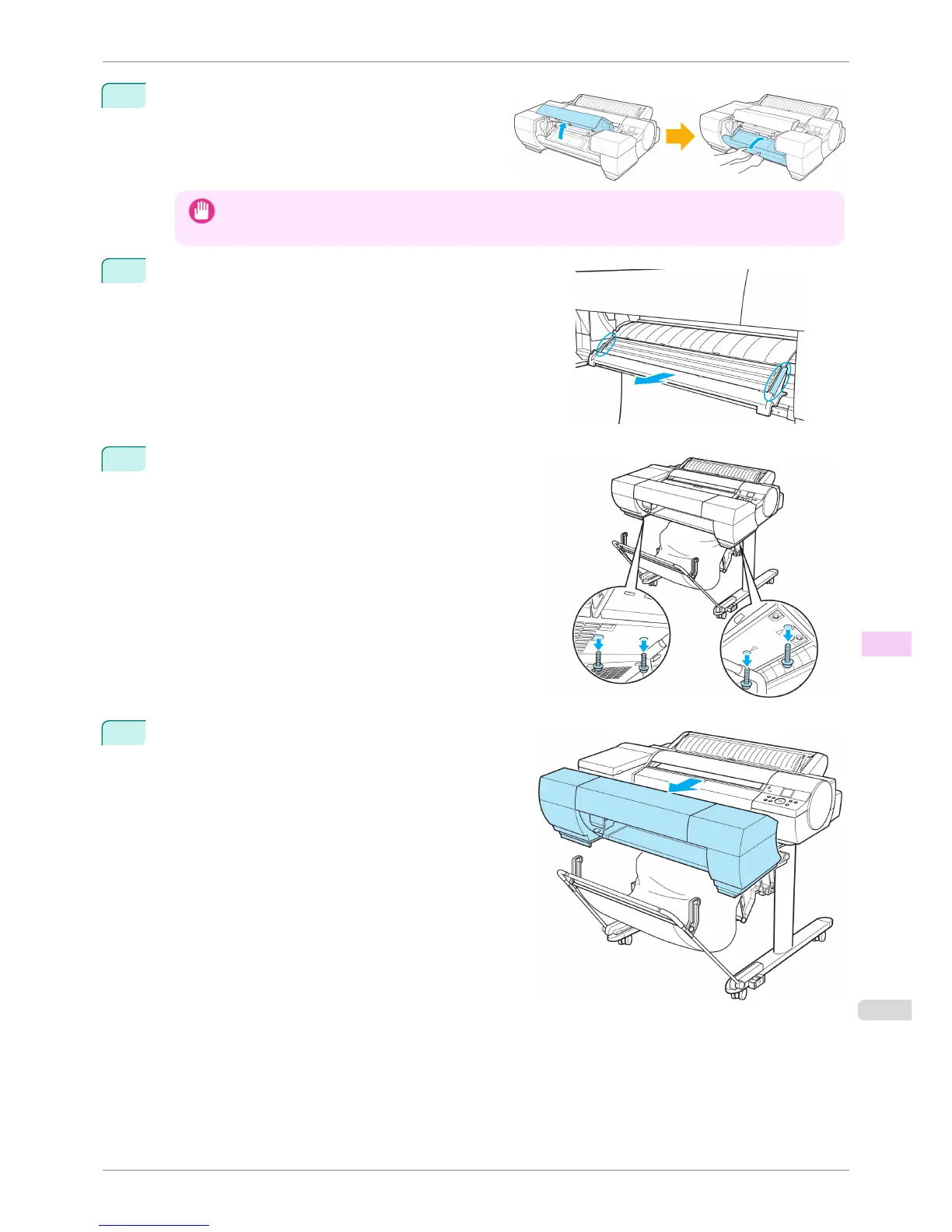
If the Up-down Unit is lowered, open the Spectropho-
tometer Unit Cover and lift up the central part (near
the blue label) of the Up-down Unit.
Important
• Lifting up the ends of the Up-down Unit may cause damage.
5
Grasp the blue handles on the left and right sides of the Spec-
trophotometer Eject Guide and remove the Spectrophotometer
Eject Guide from the Spectrophotometer Unit.
6
Remove the securing bolts using the Allen wrench.
7
Remove the Spectrophotometer Unit from the Stand.
iPF6400S
Carrying the Printer
User's Guide
Maintenance and Consumables Other Maintenance
853













 To Next Page