Note
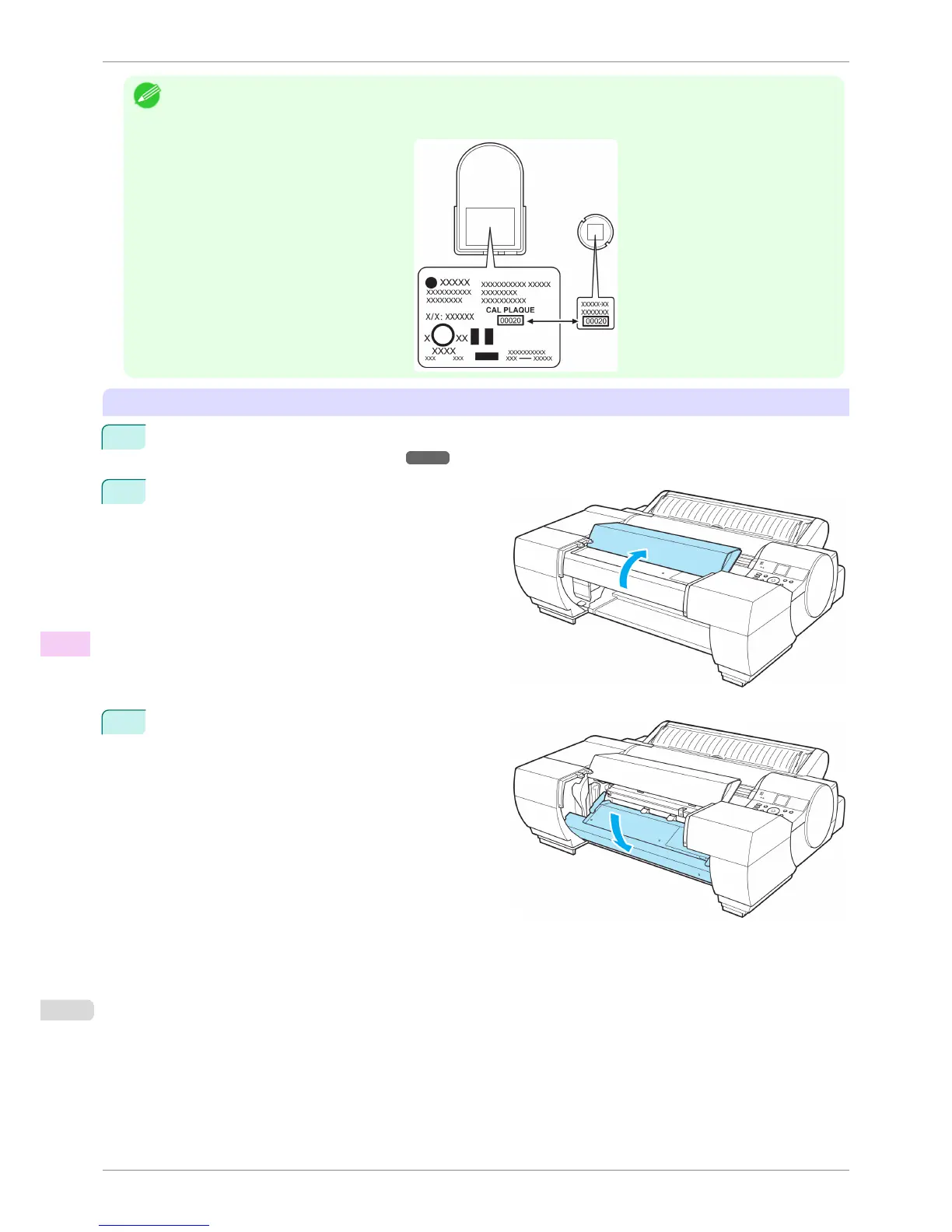
• Before installing the Spectrophotometer Sensor and White Calibration Tile, check to make sure that their serial numbers
match.
If the serial numbers do not match, contact your Canon dealer.
Removing the Spectrophotometer Sensor and White Calibration Tile
1
Turn the printer off.
(See "Turning the Printer On and Off.")
➔P.21
2
Open the Spectrophotometer Unit Cover.
3
Press down on the center (near the blue label) of the
Up-down Unit to lower the Up-down Unit.
Replacing the Spectrophotometer Sensor of the Spectrophotometer Unit (option)
iPF6400S
User's Guide
Maintenance and Consumables Other Maintenance
860













 To Next Page