4
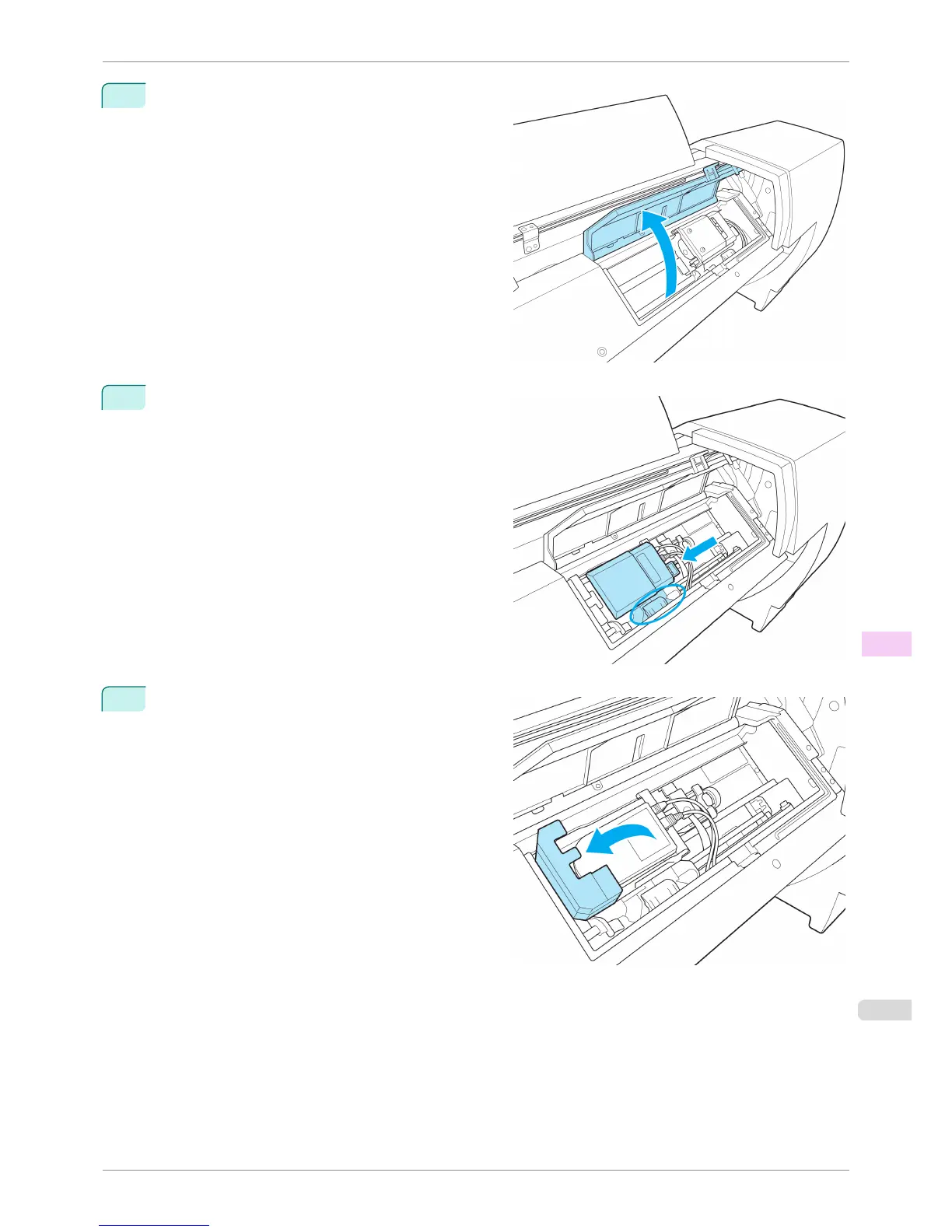
Open the Up-down Unit cover.
5
Grasp the part with the blue label in the central part
of the Spectrophotometer Carriage and move it to the
position shown in the diagram.
6
Open the Spectrophotometer Sensor Cover.
iPF6400S
Replacing the Spectrophotometer Sensor of the Spectrophotometer Unit (option)
User's Guide
Maintenance and Consumables Other Maintenance
861













 To Next Page