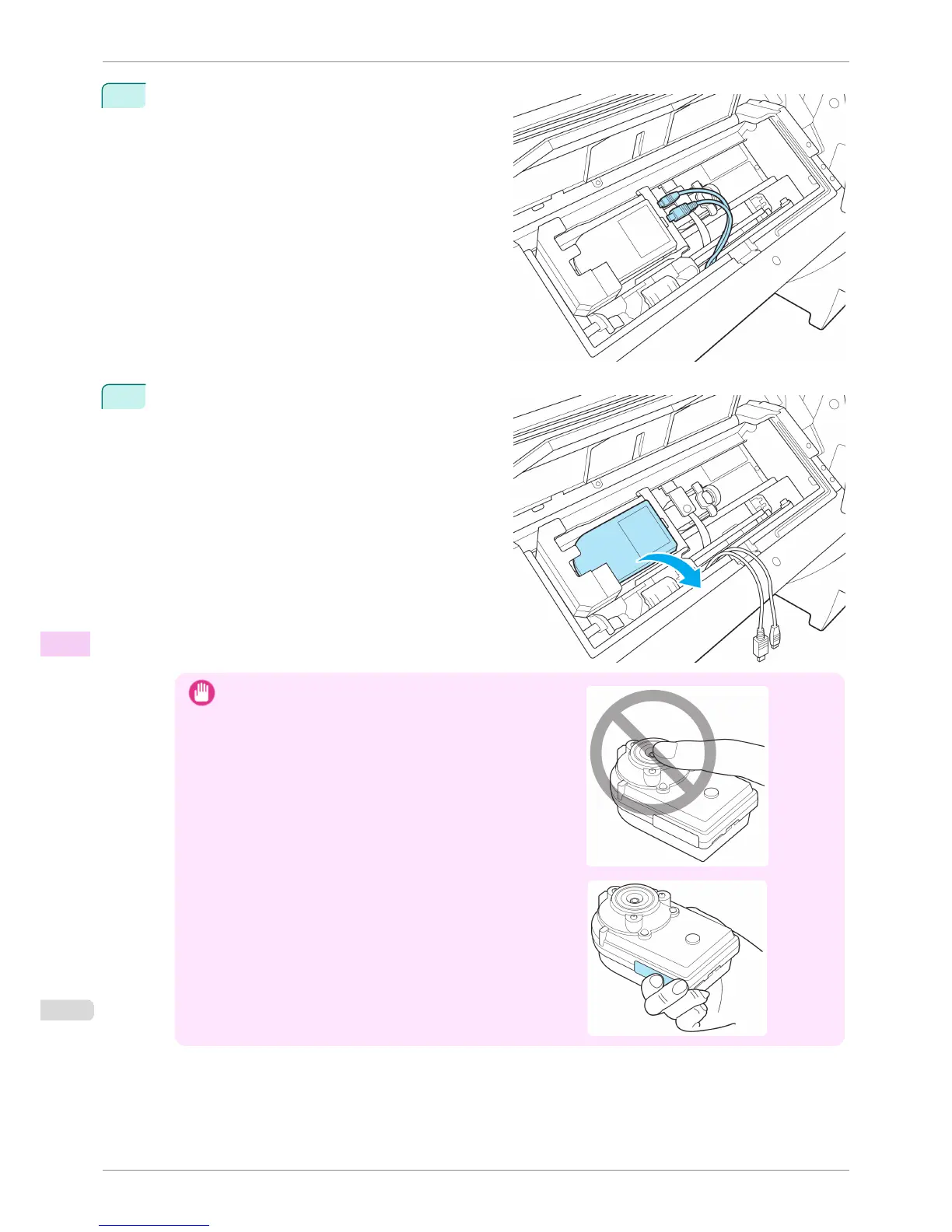
7
Remove the Power Supply Connector and Mini USB
Connector from the Spectrophotometer Sensor.
8
Remove the Spectrophotometer Sensor.
Important
•
Never touch the sensor area of the Spectrophotometer Sen-
sor.
If the sensor area is dirty, the printer may not be able to obtain
the correct color measurement results.
When handling the Spectrophotometer Sensor, hold it by the
blue part on the side.
Replacing the Spectrophotometer Sensor of the Spectrophotometer Unit (option)
iPF6400S
User's Guide
Maintenance and Consumables Other Maintenance
862













 To Next Page