2
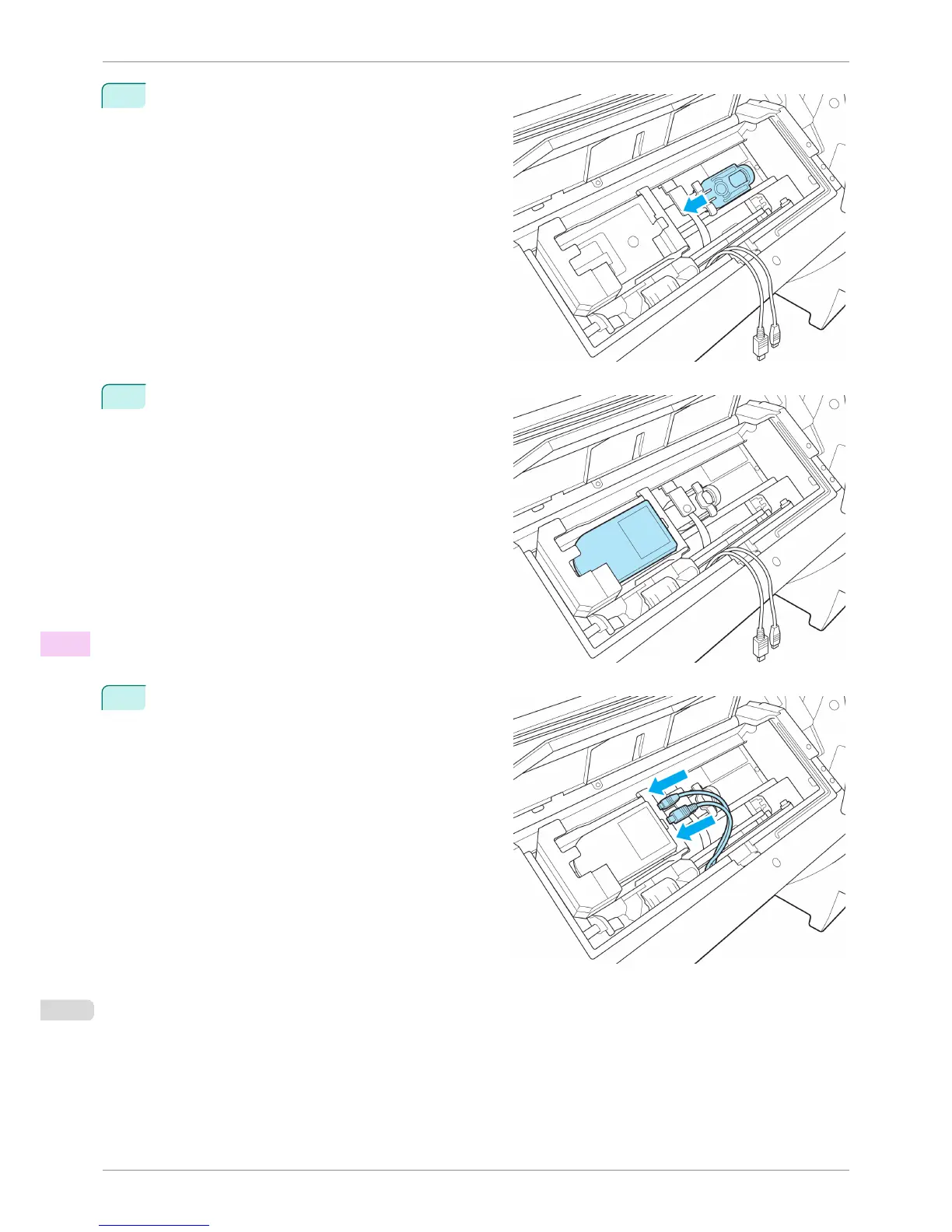
Install the White Calibration Tile Holder on the Up-
down Unit as shown in the figure and move the hold-
er in the direction of the arrow to fix it in place.
3
Place the Spectrophotometer Sensor in the position
shown.
4
Connect the Power Supply Connector and Mini USB
Connector to the Spectrophotometer Sensor.
Replacing the Spectrophotometer Sensor of the Spectrophotometer Unit (option)
iPF6400S
User's Guide
Maintenance and Consumables Other Maintenance
864













 To Next Page