98 Hog 4 Operations Manual
Trackball Keys
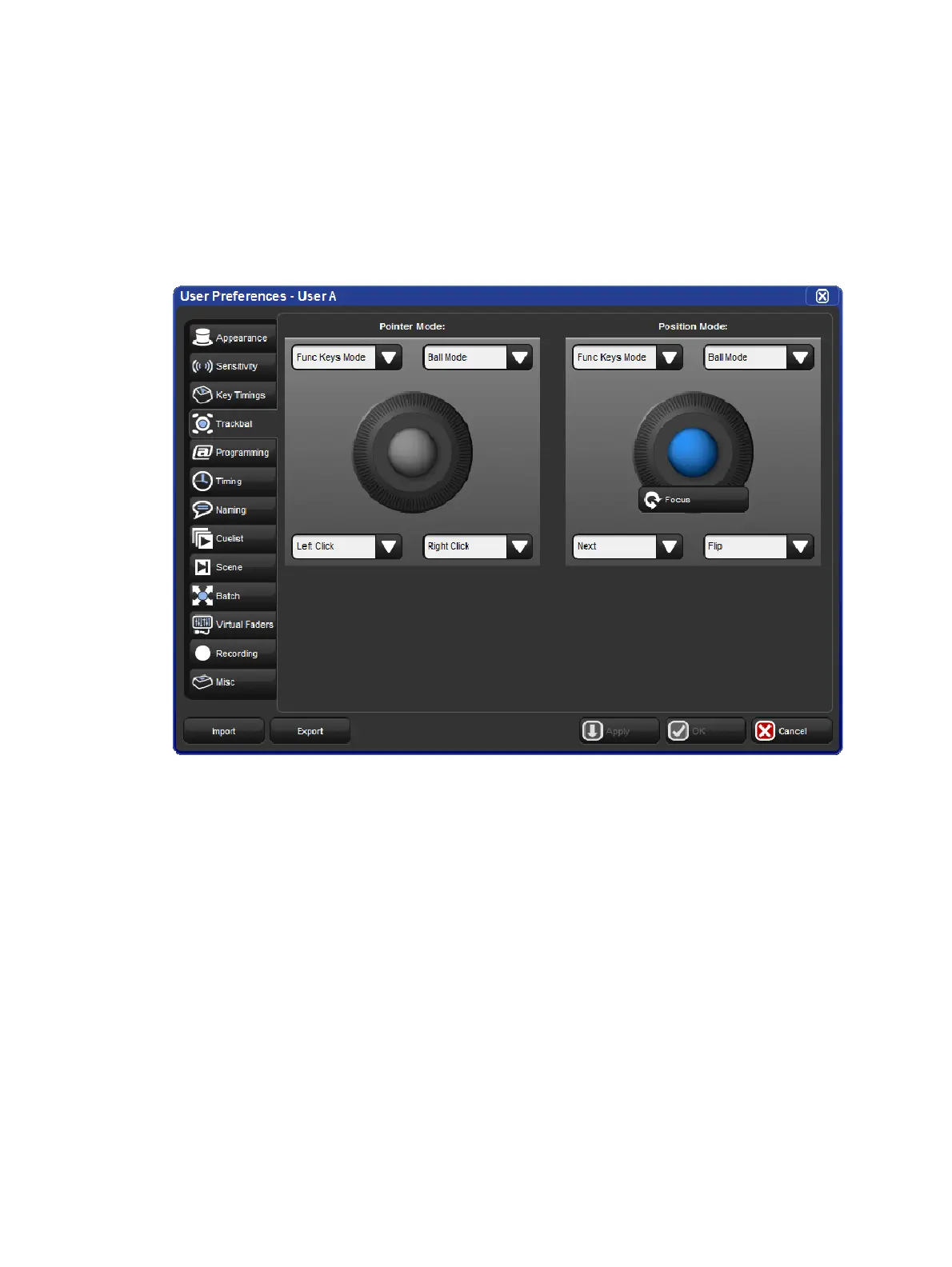
You can configure the function of the four keys surrounding the Trackball according to the
current mode (pointer or position). For example, in pointer mode you can have Right Click,
Left Click, Flip and Ball Mode mapped while in position mode you could have Flip, Next,
Ortho Toggle and Ball Mode mapped. The Trackball keys are assigned in the Track Ball
pane of the Use r Prefe ren ces window.
The Track Ball pane of the User Preferences window
The following navigation functions are available:
Ball Mode: switches the Trackball between position and pointer modes.
Ortho Toggle: switches the Trackball between Ortho and Normal. When in position
mode, with ortho on, the Trackball will only control pan or tilt, not both at the same time.
This can be useful for accurately setting fixtures.
Right Click: the same as a right-click with the mouse. This is usually used to bring up
a contextual menu with commands such as copy and paste.
Left Click: the same as left-click with the mouse.
Open: mimics the open button on the front panel
Set: the same as the Set key, but closer to the Trackball for quick cell editing. (not
compatible with trackball POS mode)
Close Window: closes the active window.
Toggle Kind Keys/Cmd keys: toggles the function keys between kind mode and
command key mode.
In addition, the following fixture and playback functions are available:











 To Next Page