6. Selecting and Modifying Fixture Parameters 151
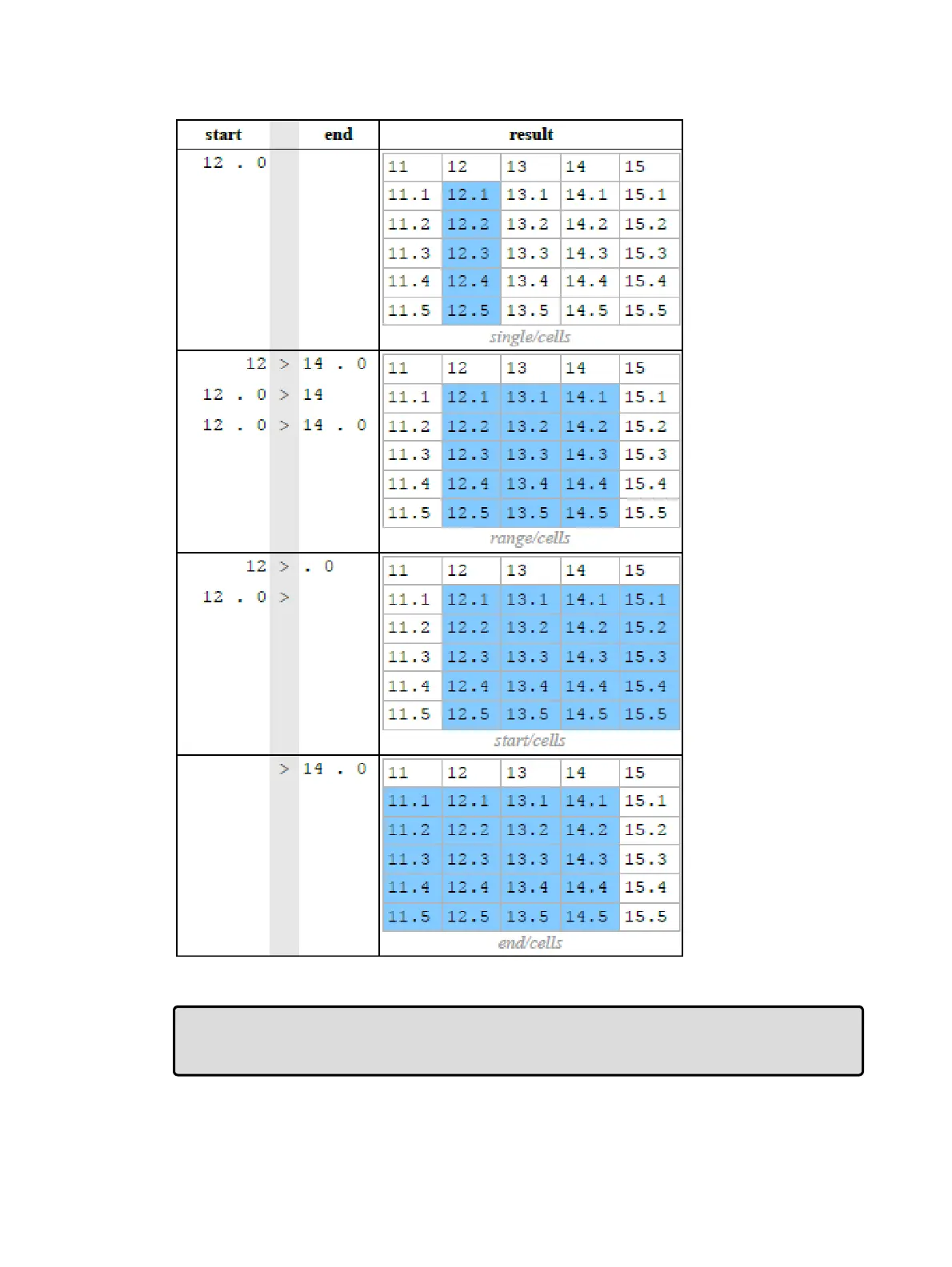
Part Portion Selections with .0
Tip: Open ended fixture selections stop when a break (gap) in the whole portion of the user
numbers is detected. In addition, open ended selections made within a range of part number
portions will stop if a break (gap) is discovered in the part number portion of the selection.











 To Next Page