166 Hog 4 Operations Manual
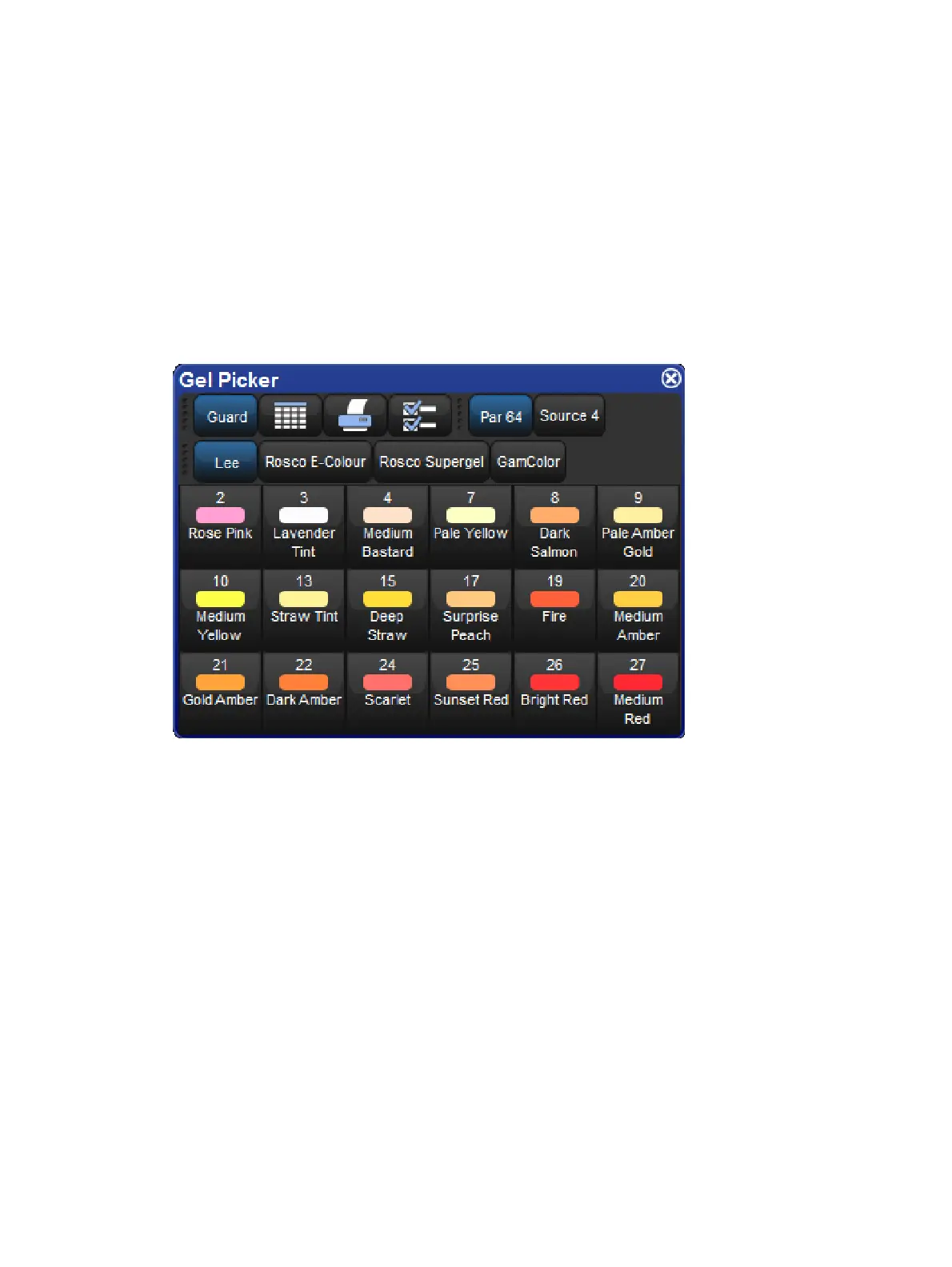
The Gel Picker
You can use the G el Picker to select Colours matched to traditional gels. Clicking on a
button in the Gel Picker sets the Hue and Saturation parameters of the selected fixtures to
values that match the selected Colour as closely as possible.
You can select Colours from the Lee, Rosco E-Colour, Rosco Supergel and GamColour
ranges, using the buttons in the toolbar at the top of the window. You can also select whether
to match to the gel as it would appear in a Par 64 or similar conventional tungsten source, or
in a Source 4, which has a slightly bluer light output.
There is a button to open the Gel Picker in the Colour Directory window.
The Gel Picker
Note that the Gel Picker Colours are not palettes, and will not be embedded in programming;
they are simply shortcuts to the appropriate HS values. Gel Picker Colours are a closer
match when applied to Colour calibrated fixtures than non calibrated ones.
6.3.6 Fine Control
Holding the Pig key and moving the encoder wheel allows fine adjustment of the currently
selected parameter, so that each turn of the wheel will change the parameter value by a
smaller amount. This is useful for making exact adjustments to values.











 To Next Page