168 Hog 4 Operations Manual
Using Pig + Touch
You can bring parameter values into an editor without touching them using Pig + Touch. As
the parameters haven't been touched, they won't be recorded as part of the contents of the
editor. This can be useful if you want to have the parameter values in the editor in order to
copy them to other fixtures.
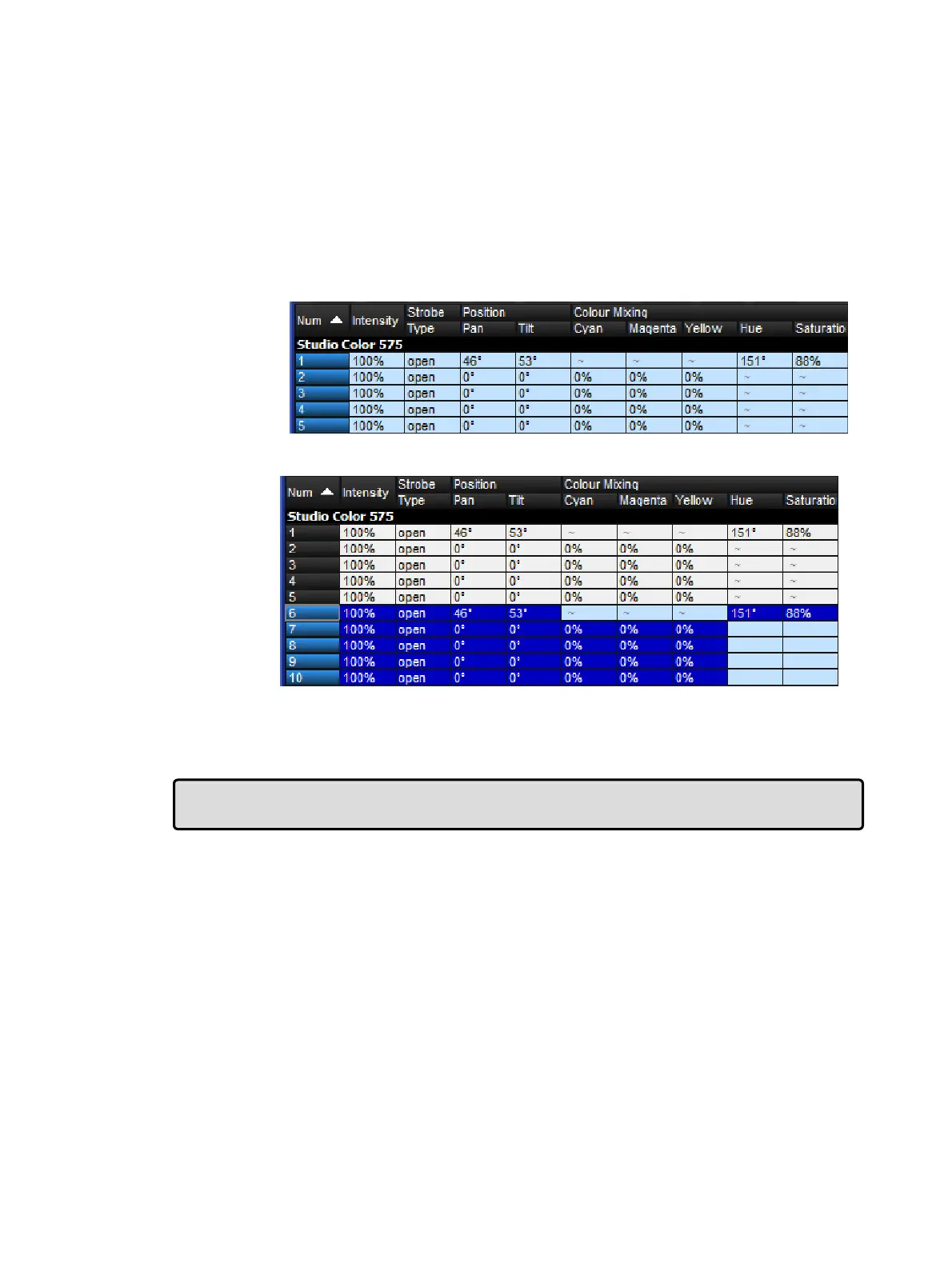
For example, to copy parameter values from fixtures 1-5 that are on stage to fixtures 6-10 in
the current editor:
1. 1 Thru 5 Pig + To uch : select the fixtures 1-5, and bring their onstage values into the
editor without touching them:
2. Co py 6 Thru 1 0 , Enter : copy the parameter values to fixtures 6-10:
3. Re cord : the contents of the editor is recorded with only fixtures 6-10, not 1-5.
If the above example had used Touch instead of Pig + Touch, then you would have to untouch
or knockout 1-5 before recording.
Tip: Values with a dark or light blue background in the Programmer or editor are recordable,
while those with a white or gray background are not recordable.











 To Next Page