190 Hog 4 Operations Manual
8.6.2 Recording Palettes with Kind Masking
The Hog 4 OS determines which function values are recorded into palettes based on the kind
masking specified at the time of recording. If the kind mask is empty (no kinds are selected)
then the directory's kind mask will determine which function values are recorded into the
palette. In this section we will look at using kind masking as a method for filtering which
function values are recorded into palettes.
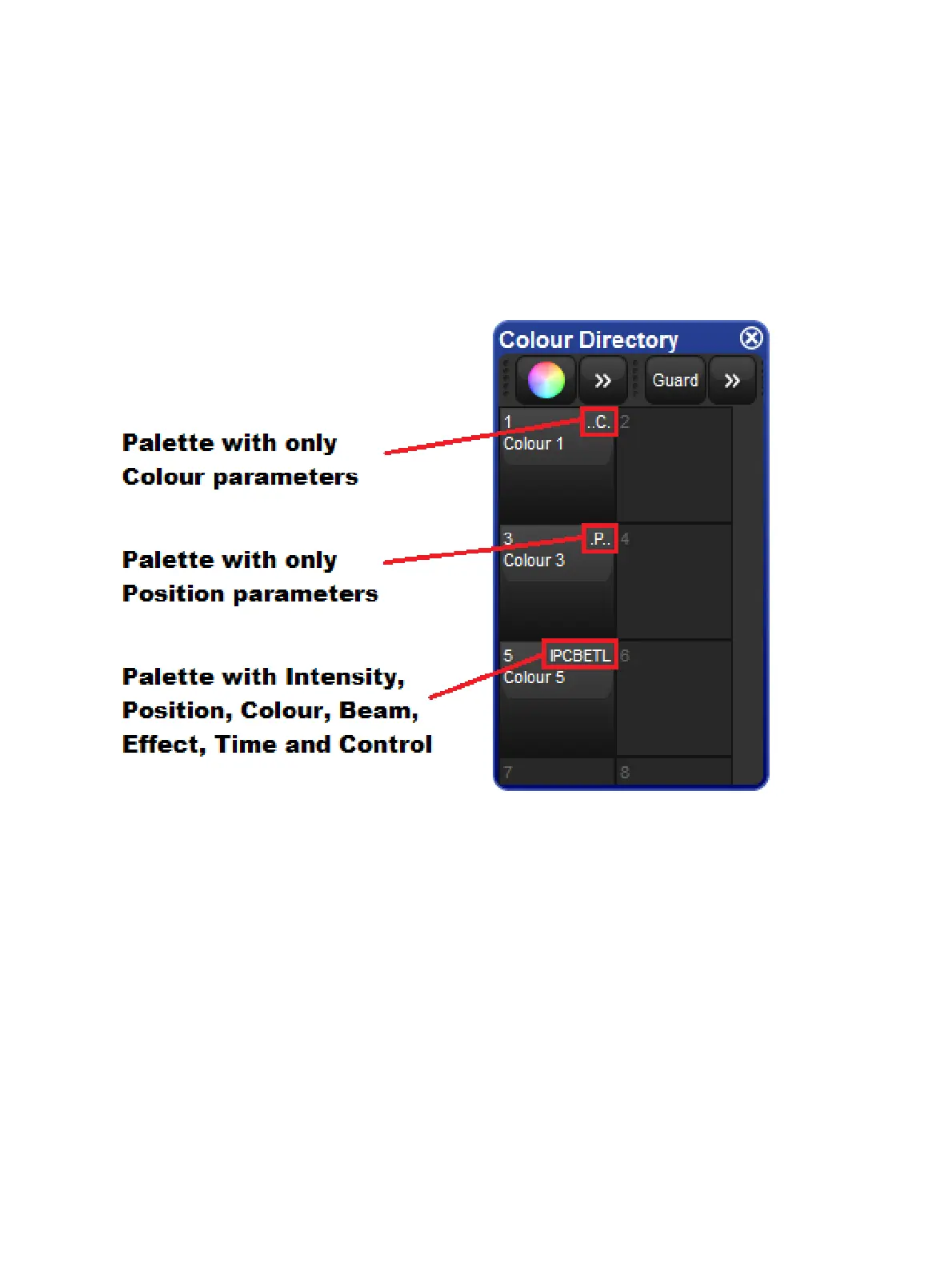
The Palette Directory will display which fixed kinds are included in each palette, indicated by
I for intensity, P for position, C for colour, B for beam, E for effect, T for time and L for control
Below is an example of Palettes containing different parameter types.
Masking Using the Record Options Toolbar
To specify masking when recording a palette using the Reco rd Options Toolbar:
1. Assign the parameters of the fixtures as required.
2. Press Record. The Kind Mask menu will automatically pop up above the record
options toolbar and displays a grid of buttons containing all of the fixed kinds and user
kinds included in your show. (If kind masking menu does not automatically appear then
check the "Automatically show kind masking toolbar" option in Programming pane of
the user preferences window)
3. Deselect which kinds you do not want to include in the palette by toggling off the
buttons.
4. Press one of the fixed kind keys to choose a palette type destination, for example
Colour . The Palette Directory will open.











 To Next Page