9. Directory Windows 201
9.4.3 Button Across
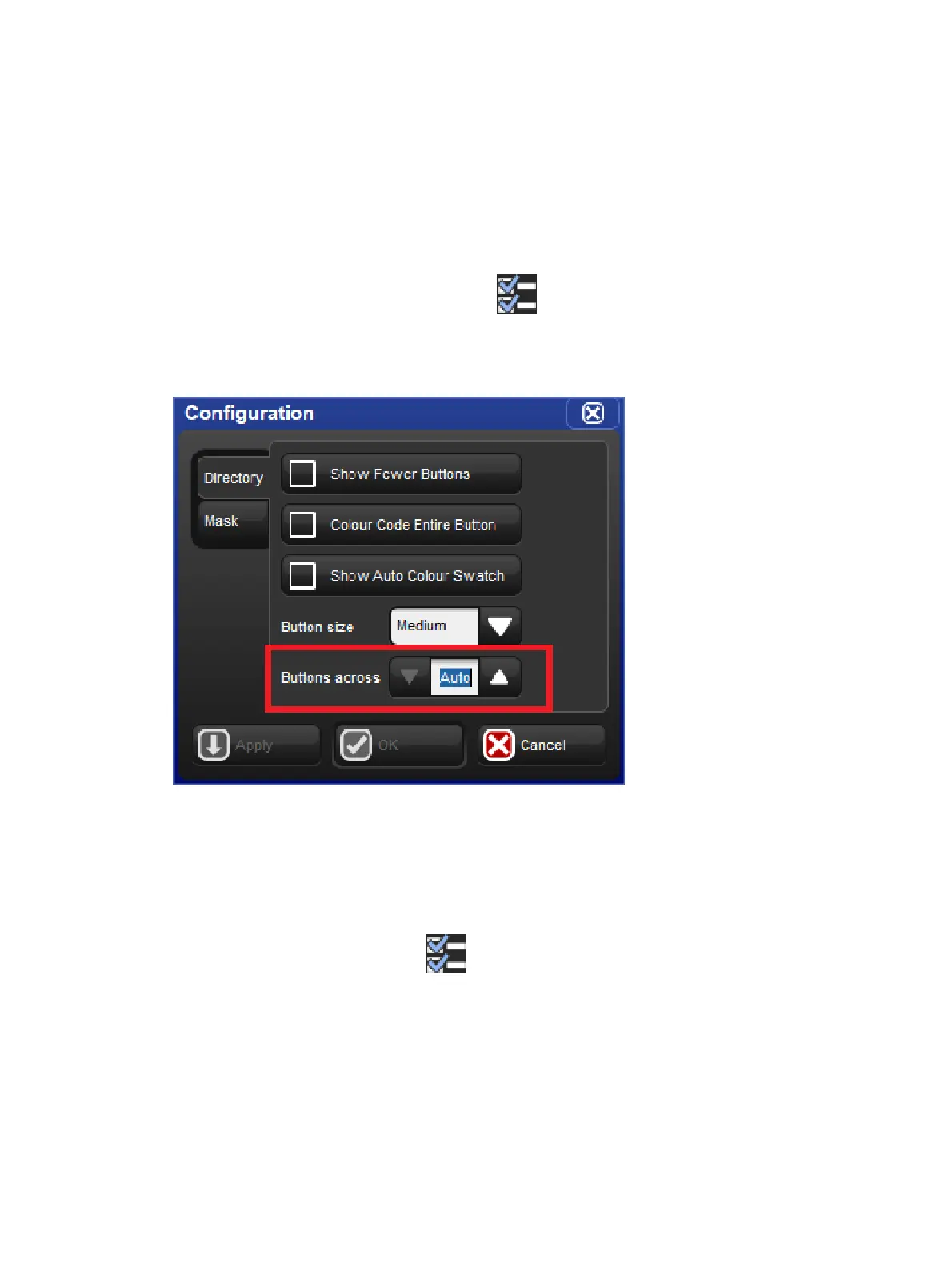
By default each directory window will display as many buttons across as can possibly fit into
the dimensions of the directory window as it is sized on the screen. The buttons across
option allows users to specify exactly many cells across the directory window should draw
before starting a new row of buttons. This is handy for users who like to cycle directory
windows through different sizes but would prefer the button layout remains the same. A
horizontal scrollbar is displayed in cases where the “buttons across” value is greater than the
number of buttons that the directory window can physically fit across the window due to its
current size. For legacy Hog behavior use the “auto” option. To change the buttons across
option for any directory window click on the icon to open the window configuration
menu and adjust the buttons across value. The option to change the number of buttons
across the directory window is unique to each directory and is also stored in views.
9.4.4 Show Auto Colour Swatch
The "show auto colour swatch" option is available only in palette directory windows and is
only useful in cases where the user has programmed colour mixing values into a palette
within that directory. When this option is turned on any buttons in the directory window that
contain palettes with colour mixing data will display a small colour swatch in the middle of the
button to indicate a dominant mixed colour is recorded in that palette. To enable the "auto
colour swatch" option click on the icon and enable the "show auto colour swatch"
option. The option to show the auto colour swatch is unique to each directory window and is
also stored when you record a directory window into a view.











 To Next Page