268 Hog 4 Operations Manual
14.1 Table Effects
Effects can be used to create a repeating change or ‘movement’ in the value of fixture
parameters. Effects are recorded as part of cues, scenes and palettes.
Table effects are effects applied to fixture functions using wave tables that apply
mathematical functions (such as sine or tangent) to values against time. Table effects have
seven main attributes: table, size, rate, offset, length, bounce, direction, and sync. Each
effect table also has its own timing parameters for fade, delay, and path.
There are three ways to apply table effects to a fixture selection:
Predefined Effect Palettes: A range of pre-programmed effects can be found in the
effects directory window that can be quickly applied and then tweaked if desired
The Effects Engine: A special editor window where users can assign and edit the
effects values for the current fixture selection.
Using the Programmer / Cue Editors: You can assign and edit effects values for
specific fixture in editors such as the programmer just as you do with other values.
14.1.1 Effect Tables
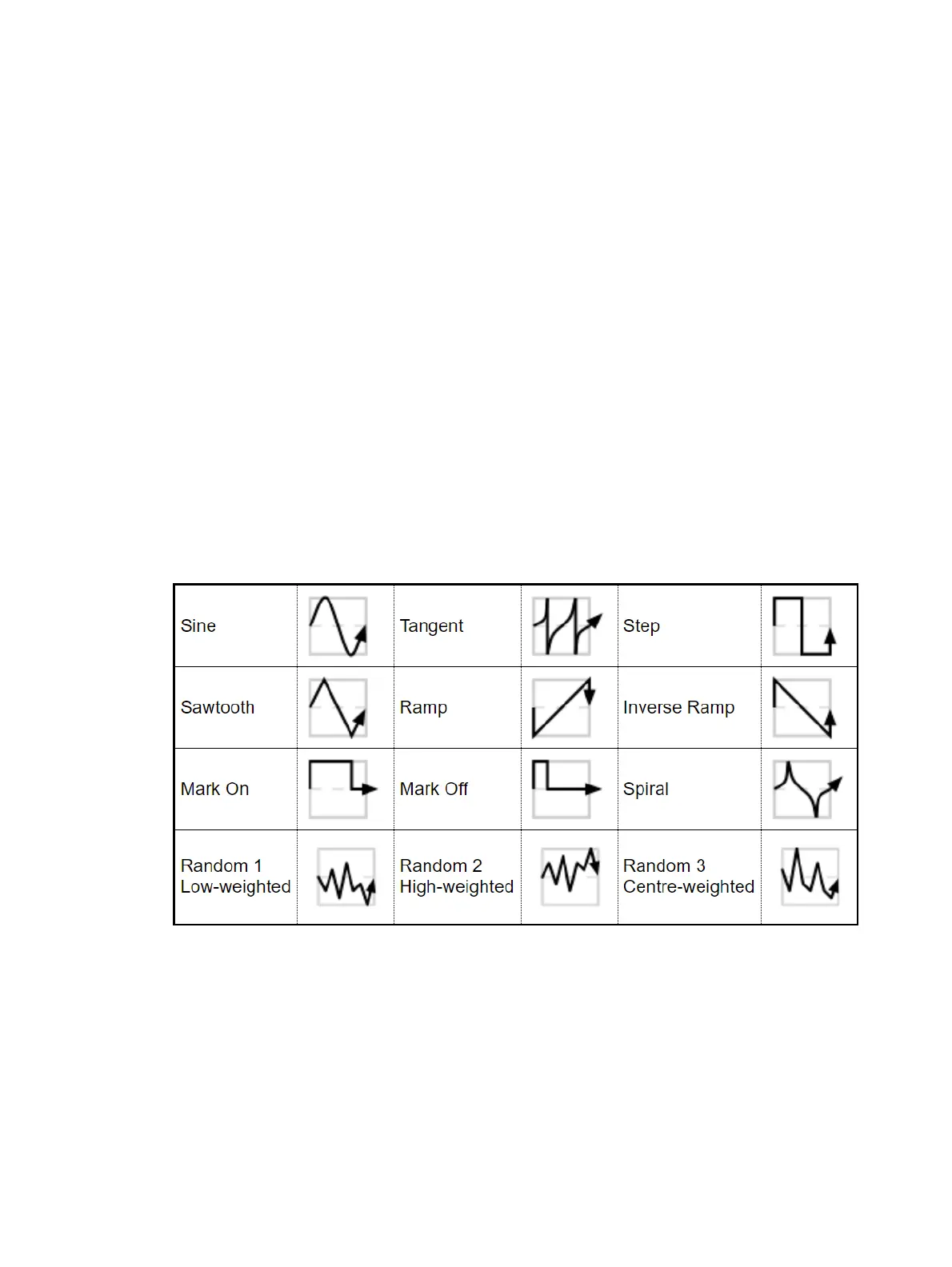
One of the main components of a table effect is the effect table itself, which applies a
mathematical function (such as sine or tangent) to the parameter values. The available
tables, and how the parameter value varies over time, are shown below.
Note that the effects table varies the value of the parameter either side of its base level,
represented by the dotted line in the diagrams. The three types of random table are weighted
differently, biasing the random parameter values towards the low, high or middle part of the
possible range.











 To Next Page