17. Playback 325
To change a cuelist's priority:
1. Open + Choo se → O ptio ns → Cuelist
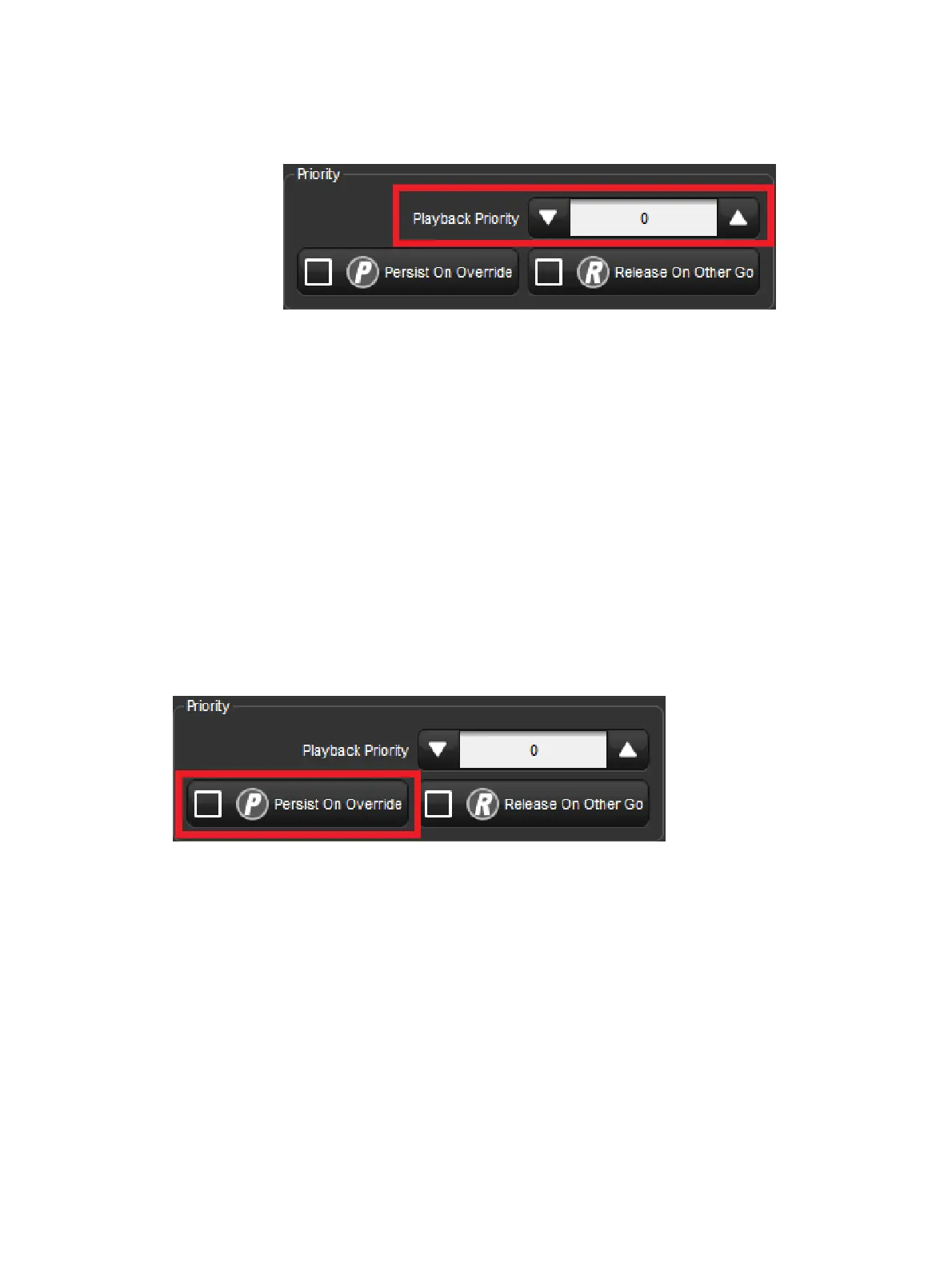
2. Select the Pla yback Prior ity cell:
3. Set 5 0 , Enter : change the priority to 50.
Alternatively, you can assign the Playback Priority for all new cuelists in the Cu elist pane of
the User Prefe ren ces window:
Setup → Preferences → Cuelist
In the event that two or more cuelists share the same priority level, normal LTP rules are
applied.
Persist on Override
Hog 4 OS automatically releases cuelists when all of their parameter contents have been
overridden by other cuelists. However, sometimes it is useful to return to a cuelists's look
when overriding cuelists have been released; in this case you can use Persist on Override.
When this option is activated, the overridden cuelist will not automatically release and will
remain active when the overriding cuelist is later released.
To turn Persist on Override on for a cuelist:
1. Open + Choo se → O ptio ns → Cuelist
2. Select Pe rsist on Overr ide:
Alternatively, you can assign Persist on Override for all new cuelists in the Cuelist pane of
the User Pre ferences window:
Setup → Preferences → Cuelist











 To Next Page