18. Pages 351
18.3.2 Matching Levels When Changing Page
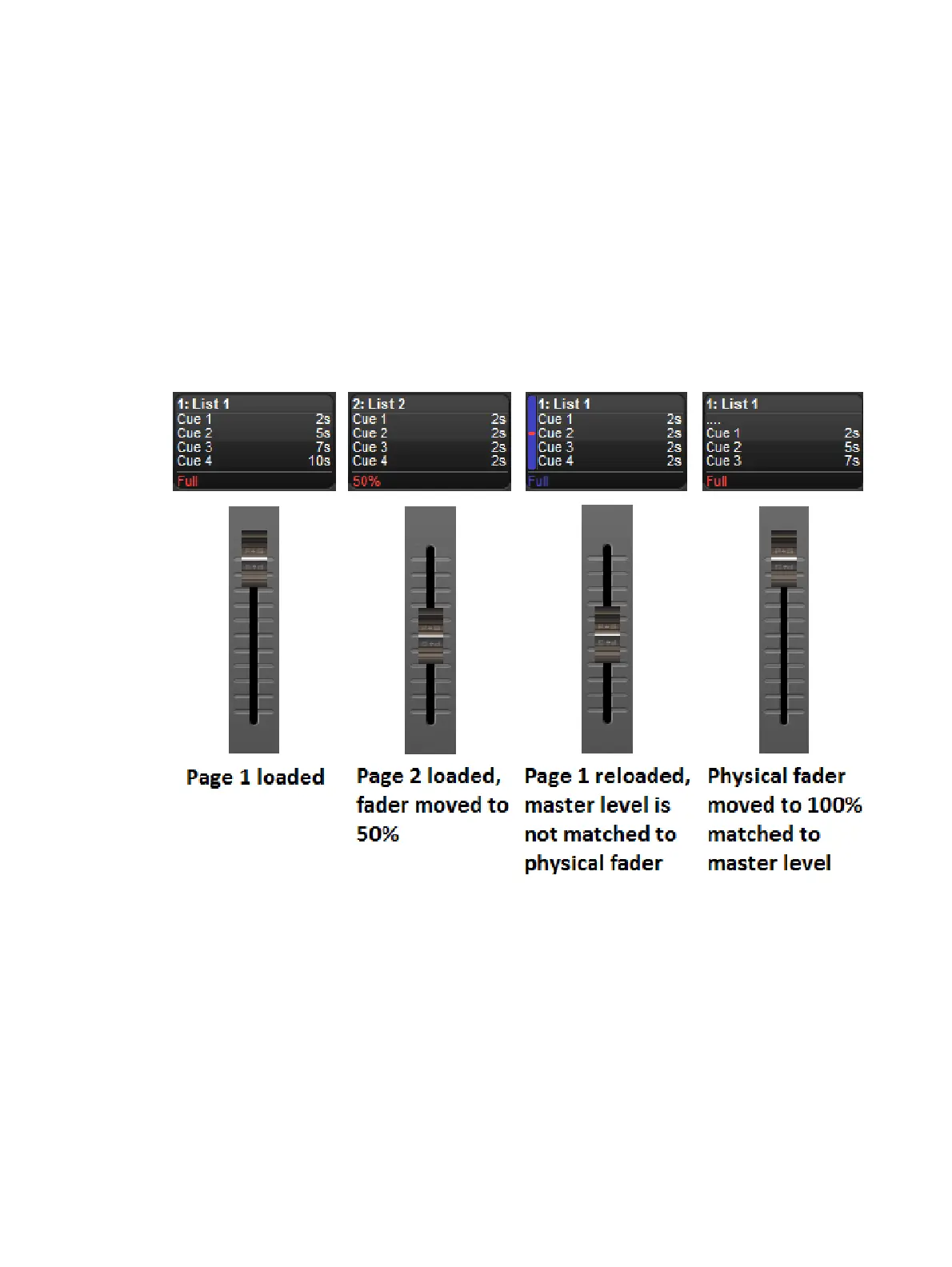
When you change page using Leave In Background, it is possible for the actual position of the
physical master faders to be different to the stored master level of the cuelist. For example, if
you have the physical fader at 100% while on Page 1, then go to Page 2 and reduce the
physical fader to 50%, and then go back to Page 1 the console must resolve the difference
between the stored value of the master and the new physical position of the fader.
If this situation happens on a Hog 4, Hog 4-18, or Full Boar 4 console the built-in motorized
faders will automatically adjust themselves to match the master's stored level. Console such
as the Road Hog 4 and Nano Hog 4 that do not feature motorized faders or for connected wing
hardware that does not feature motorized faders, the master level of the cuelist will be shown
on the Playback Bar in blue, together with a red dot showing the physical fader position. This
state is known as having the fader "unlocked". To "relock" (rematch) the levels, move the
fader until it is at the same level as the blue bar; at this point the fader will take control of the
cuelist master level in the normal way.











 To Next Page