40 Hog 4 Operations Manual
Priority of Aggregated Sections
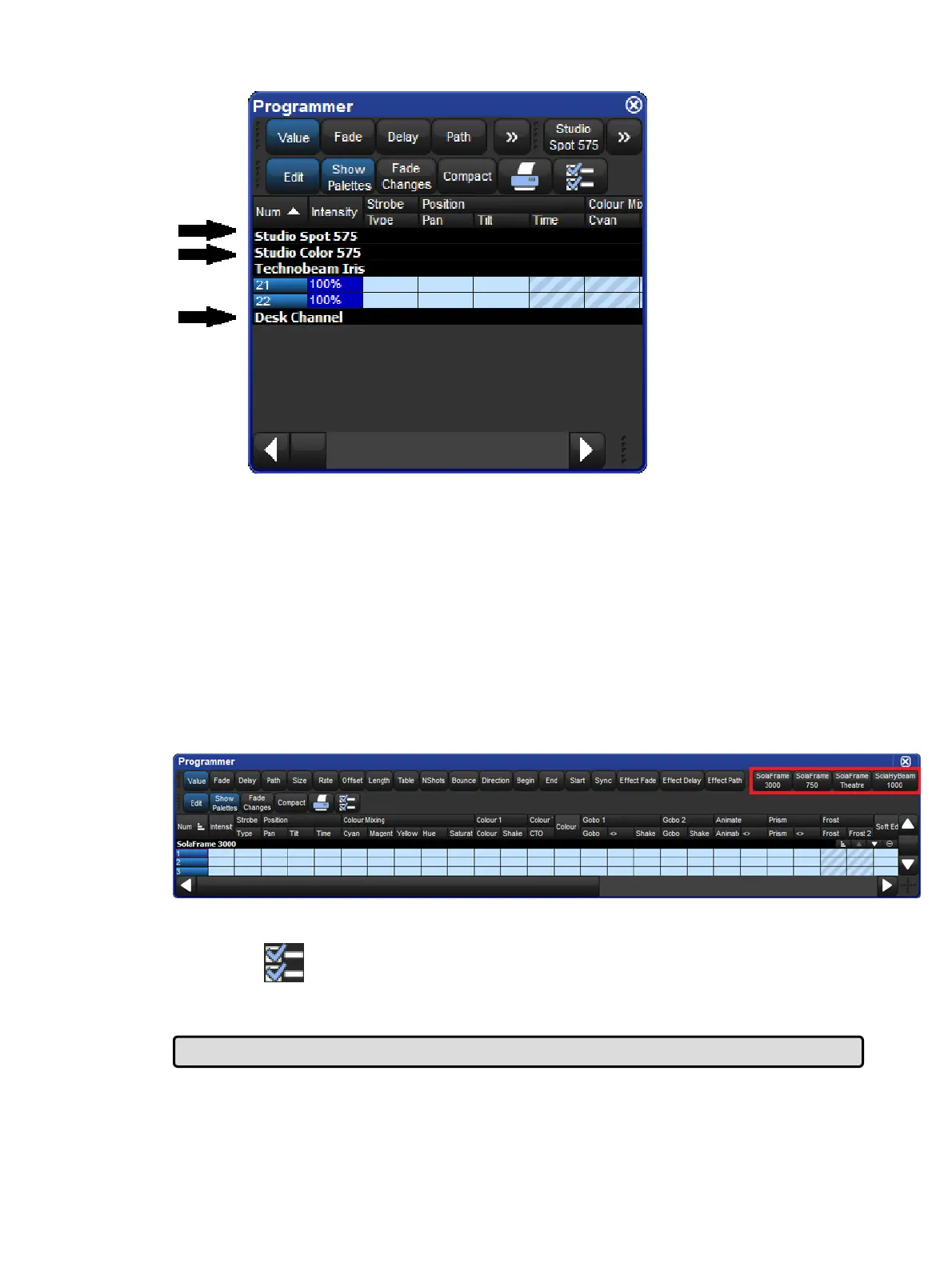
You can change the position of an aggregation section in the list by altering its priority.
Raising a section's priority will make it appear nearer the top of the spreadsheet.
To move an aggregate row up or down in priority, right click the section's black header bar
and then select Raise Prior ity or Lo wer Pr iority.
Jumping Between Aggregated Sections
You can quickly bring aggregated sections into view using the Jump Toolbar located on the
upper right of a spreadsheet window. This has a button for each aggregation section; clicking
a button will scroll the list to bring the section into view.
The Jump Toolbar
To enable the jump toolbar:
1.
Press button to open the Configuration window.
2. Select En able Jump To olbar.
3. Click on Ap ply.
Tip: The jump toolbar is turned on by default in all editors, such as the Programmer.
2.8.3 Cut, Copy and Paste
Cell contents can be copied and pasted using the following methods:











 To Next Page