2. Hog OS Fundamentals 39
2.8.2 Aggregation
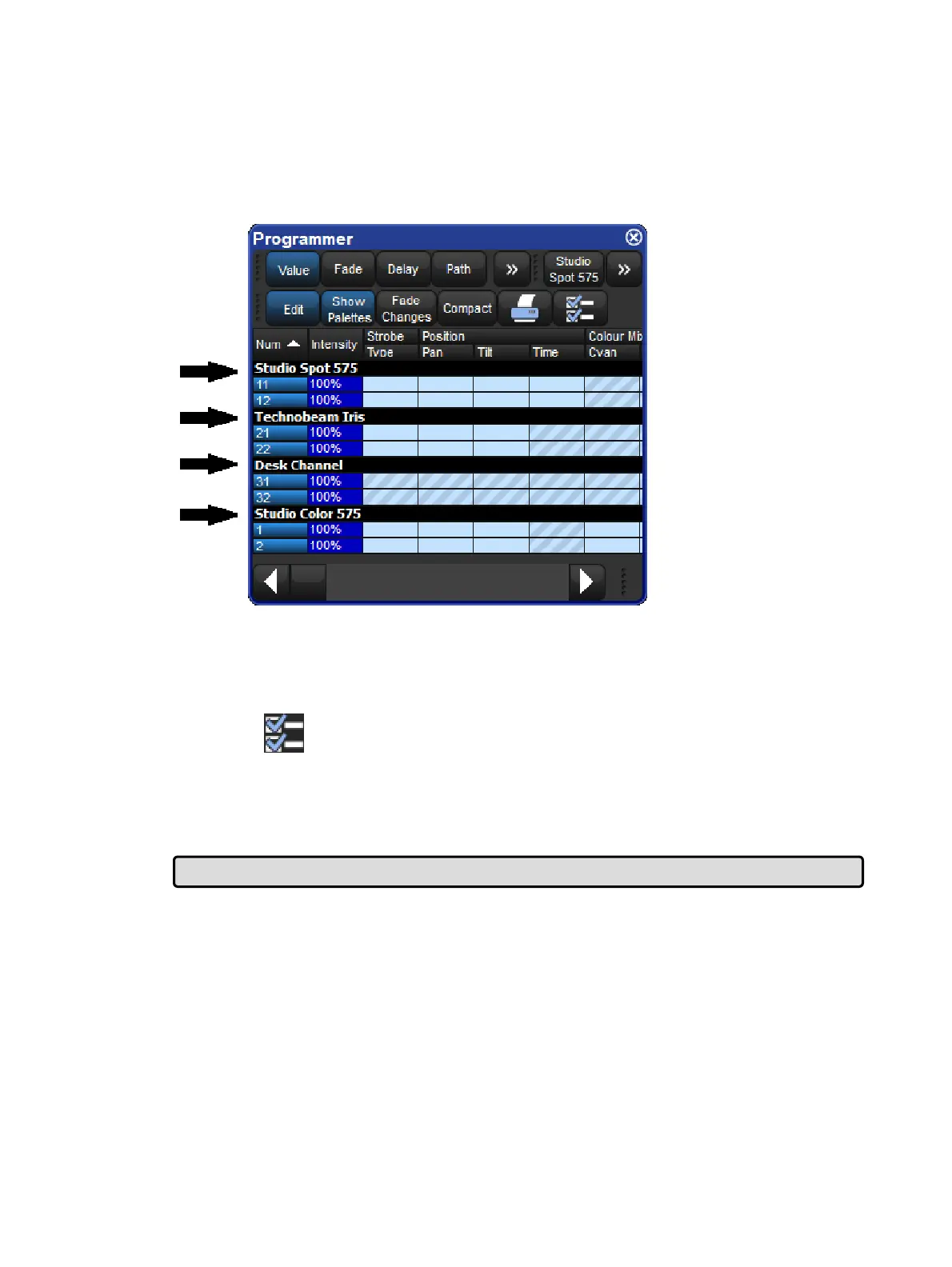
In windows such as the Programmer, it is often useful to keep fixtures of the same type
together; this is known as ‘aggregation’. The spreadsheet effectively becomes a list of
fixtures in fixture type order, with headings in the list separating each fixture type.
A Spreadsheet with Aggregation Turned On
To use aggregation:
1. Make sure the spreadsheet is sorted by Fixture Type: right click on the Type column
and select So rt. If the Type column isn't visible, right click on any column heading and
select Type.
2.
Press to open the Config ura tion window.
3. Select En able Ag gre gation.
4. Click on O K.
Note that aggregation is always on if the spreadsheet is in compact mode. See: Compact
Mode.
Tip: Aggregation is turned on by default in all editors, such as the Programmer.
Collapsing Aggregated Sections
You can collapse aggregated sections to hide all the rows in that section as shown in the
image below.
To collapse an aggregate section, rig ht click the black heading bar and select Co llap se.
To expand the aggregation section again, right click the section's black heading bar and
select Expand.
An Aggregated Spreadsheet With Collapsed Rows











 To Next Page