436 Hog 4 Operations Manual
Fixture Builder Basic View
The Basic tab of the fixture builder provides a simplified user interface for adding and
modifying the basic DMX attributes of a fixture type. The first thing you will notice about the
basic view are the large grey boxes labeled on the left with a number. These blocks represent
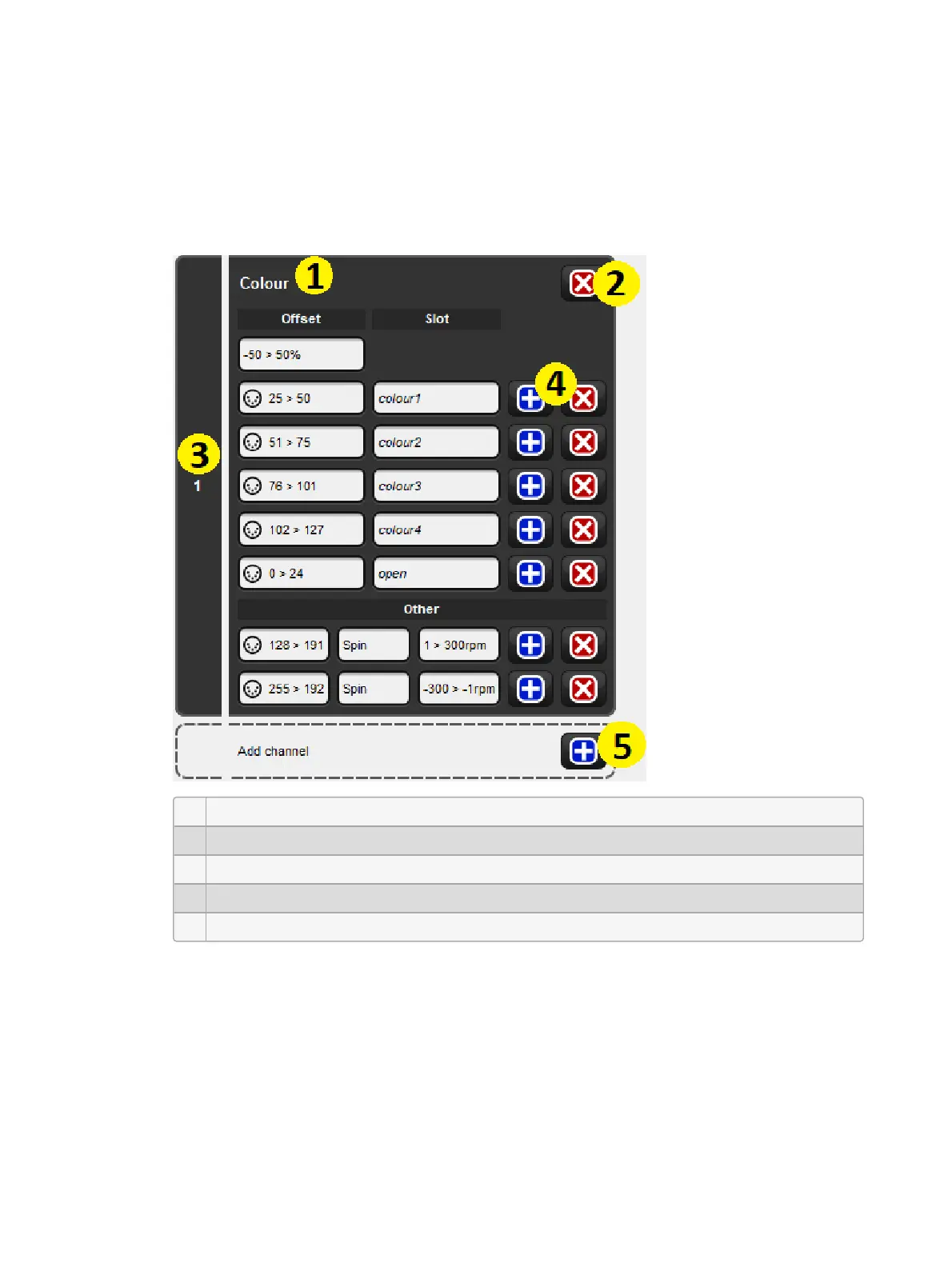
the DMX channels of the fixture and are called DMX channel blocks. The diagram below
shows the anatomy of a DMX channel block.
1 Describes which function(s) are controlled by this channel.
2 Removes the function definition and leaves the DMX channel block as "unused".
3 DMX channel number.
4 Adds / Removes individual entries for the DMX channel.
5 Adds a new DMX channel block to the fixture profile.











 To Next Page