446 Hog 4 Operations Manual
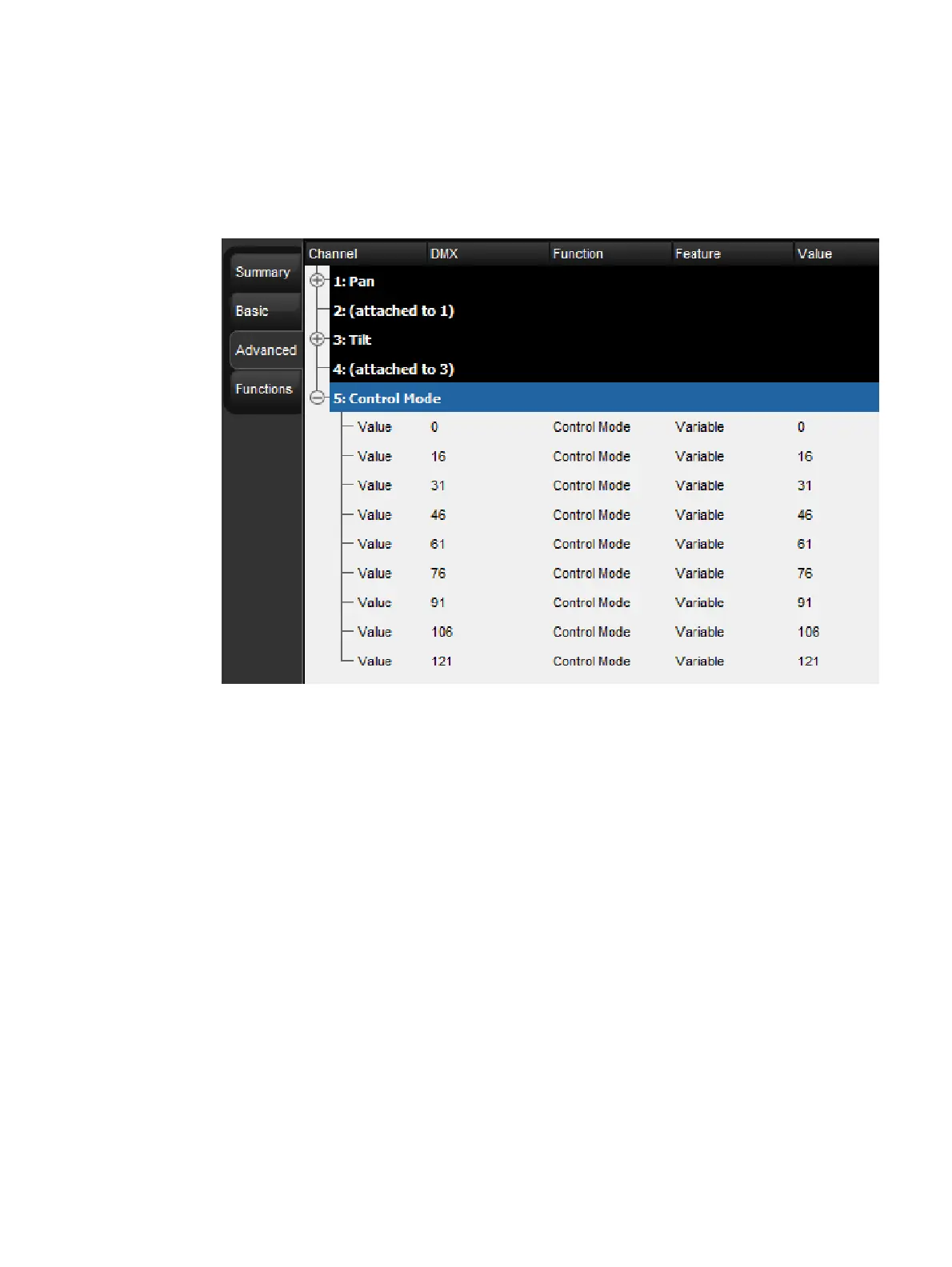
11. Now we will add a series of DMX entries for channel 5. To add the first DMX entry
press the Ad d Value button. Refer to the Uno's DMX chart. The DMX value of the first
entry on DMX channel 5 is 0. Click on the DMX cell, input a DMX value of 0 and
confirm by pressing the Green Ch eck Mar k button. Next we will select Control
Mode as the function, Variable as the feature, and 0 as the real world value.
12. Continue adding DMX entries to channel 5 using the Ad d Belo w button and fill in the
appropriate values until channel 5 looks like the figure shown below.
Fixture Builder Tutorial, Uno Channel 5
13. Now let's go back to basic view and add a definition for DMX channel 6. Click on the
Basic tab.
14. Click on the Blue Plus button in the Add chann el rectangle to begin defining channel
6. Once again we need to refer to the DMX chart. Here we see that channels 6 thru 10
control the I Red, I Green, I Blue, and I White functions of the fixture. Let's quickly
assign channels 6 thru 9 to these functions by choosing the RGBW component from the
basic view's template menu. The fixture builder will automatically fill in the function
definitions for channels 6 thru 9.
15. Now we move on to DMX channel 10. As you can see in the DMX chart, channel 10 is a
shutter (strobe) channel. Press the Blue Plus button in the Add chann el rectangle,
then press the Basic button in the Strobe section of the template menu. This will auto-
populate channel 10 with a few strobe function / feature combinations. Since these
entries don't match the DMX profile of the Uno, we will need to edit them.
16. Refer back to the DMX chart. The Uno has three different strobe modes defined in
channel 10. Each of these modes (or features) needs to be added to channel 10 in the
fixture builder. Since these entries only establish the strobe modes (features) and do
not specify a real world value, each entry should have a real world value of ANY.











 To Next Page