16-28 PROPULSION / ENGINE
ICON A5 / MAINTENANCE MANUAL CHANGE C2
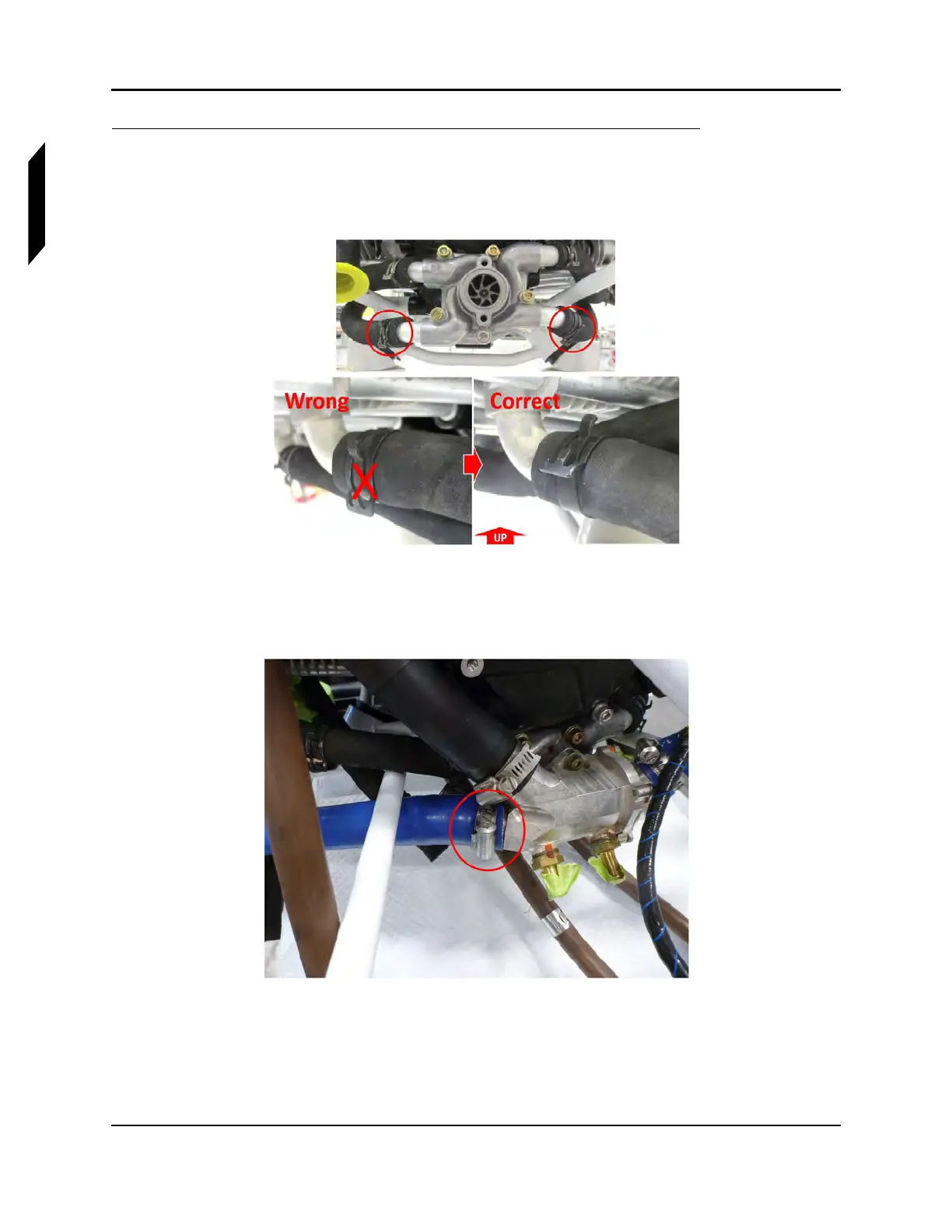
1. Remove the engine. (See “Engine Removal” on page 16-19.)
2. Disconnect the two coolant hoses where they attach to the lower water pump fittings as shown
in the upper image of Figure 16-15.
FIGURE 16-15
THERMOSTAT SHOWN REMOVED FOR CLARITY.
3. Loosen the hose clamp and remove thermostat-radiator coolant hose where it attaches to the
lower-right fitting at the thermostat (Figure 16-16).
FIGURE 16-16
LOWER-RIGHT FITTING AT THE THERMOSTAT
4. Remove the six M10 screws that attach the ICA007128 engine mount to the engine case (see
Figure 16-17).



 To Next Page