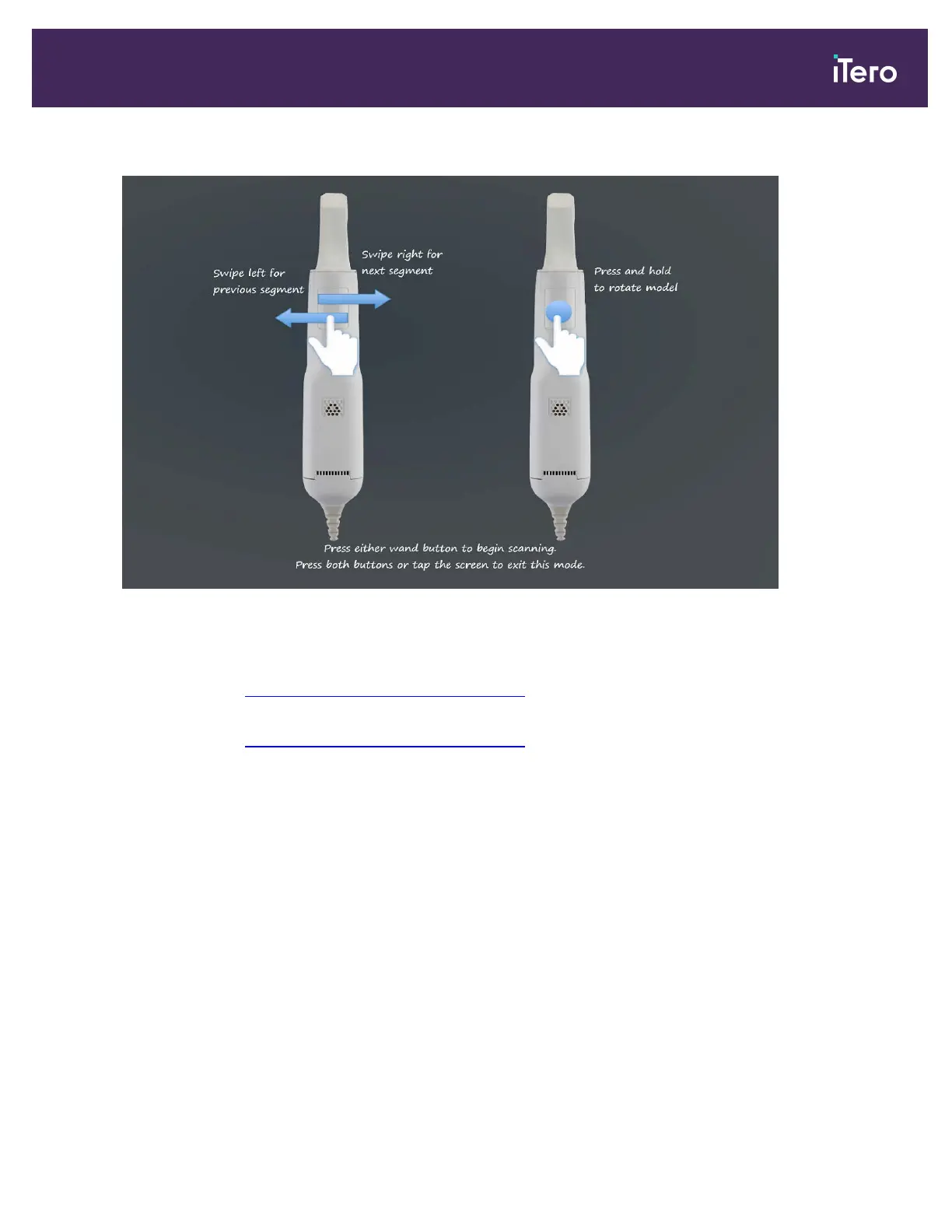
In addition, if you press both wand buttons simultaneously, the following guidance is displayed:
Figure 98: Wand guidance
To allow optimal capturing of the NIR images, the wand should be held 0-3 mm above the patient’s teeth.
For a detailed description on how to scan restorative cases, refer to the iTero Element Restorative eGuidebook on
the iTero website: http://www.itero.com/en/training/literature
For a detailed description on how to scan orthodontic cases, refer to the iTero Element Orthodontic eGuidebook on
the iTero website: http://www.itero.com/en/training/literature
4.5.2 Scanning best practices
iTero recommends the following best practices for use of the scanner and accessories:
l Ensure that the wand barrier sleeves remain in the labeled box until the point of use.
l Inspection of the wand barrier sleeve should take place before the application on the wand and after the scan.
l CAUTION: If the patient bites down on the wand barrier sleeve, stop the procedure and inspect the wand barrier
sleeve for visible damage.
o
If damage is observed, remove the wand barrier sleeve and visually inspect the optical tip of the wand.
l If cracks are observed on either the optical surface or the tip of the wand, do not use the wand and contact
iTero Support.
o
If no damage to the wand is observed, replace the wand barrier sleeve and continue the scan.
iTero Element® 5D Plus User manual
© 2020 Align Technology, Inc. All rights reserved. 89



 To Next Page