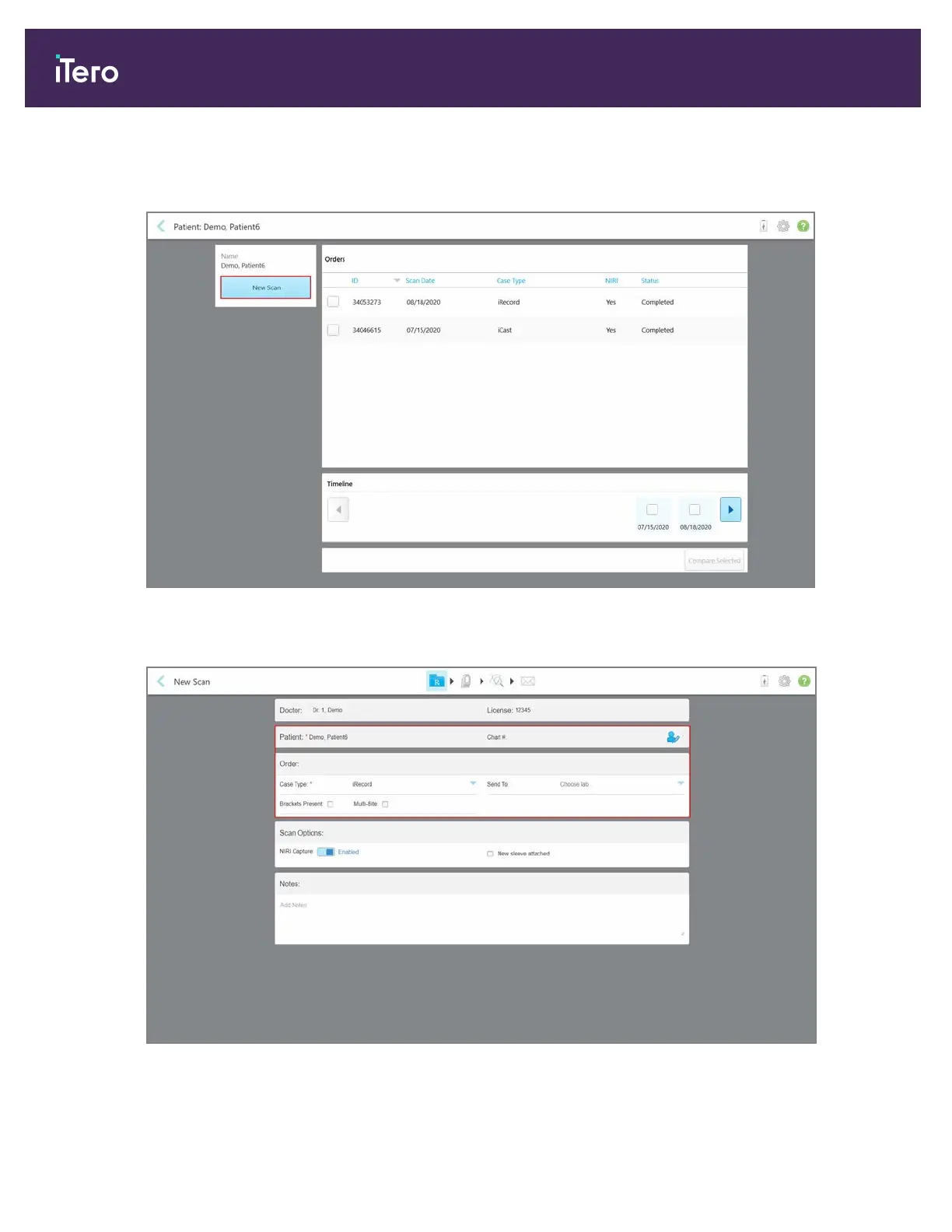
To create a new scan for a specific patient:
1. In the patient’s profile page, tap New Scan.
Figure 123: Patient’s profile page – New Scan option
The New Scan window is displayed, with the patients details already filled in.
Figure 124: New Scan window with patient’s details already filled in
2. Fill in the rest of the Rx details according to the new requirements.
iTero Element® 5D Plus User manual
108 © 2020 Align Technology, Inc. All rights reserved.



 To Next Page