If required, tap to move the scan to the default occlusal view – lower arch with anterior teeth at the bottom
and upper arch with anterior teeth at the top and both arches in a frontal view like the iRecord default view.
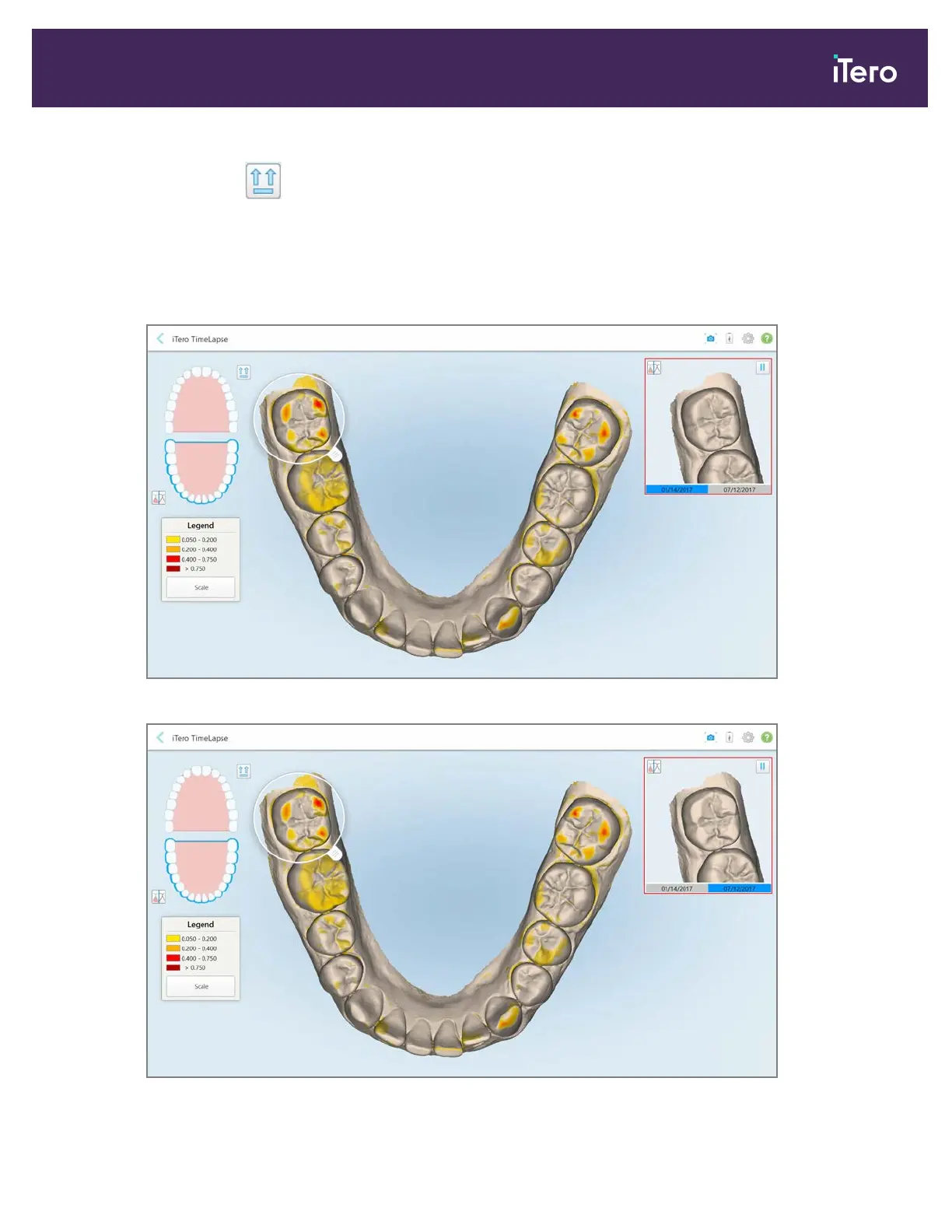
4. Drag the loupe onto the model to view areas of interest and potential treatment areas in the animation window.
An animation is displayed, comparing the state of the teeth in the current area of interest on the selected scan
dates.
Figure 135: Area of interest from the first scan displayed in the animation window
Figure 136: Area of interest from the second scan displayed in the animation window
iTero Element® 5D Plus User manual
© 2020 Align Technology, Inc. All rights reserved. 123



 To Next Page