9.3 Invisalign Outcome Simulator
The Invisalign Outcome Simulator is a software tool that enables you to show the patients the simulated outcome of
their Invisalign treatment.
You can make real-time adjustments to the simulated outcome while showing the patient. This tool provides
additional information for the patient in their decision to accept treatment.
For more information on the Invisalign Outcome Simulator, refer to the Invisalign Outcome Simulator User Guide
http://storagy-itero-production-us.s3.amazonaws.com/download/en-us/iOSim_User_Guide.pdf
9.4 Invisalign Progress Assessment
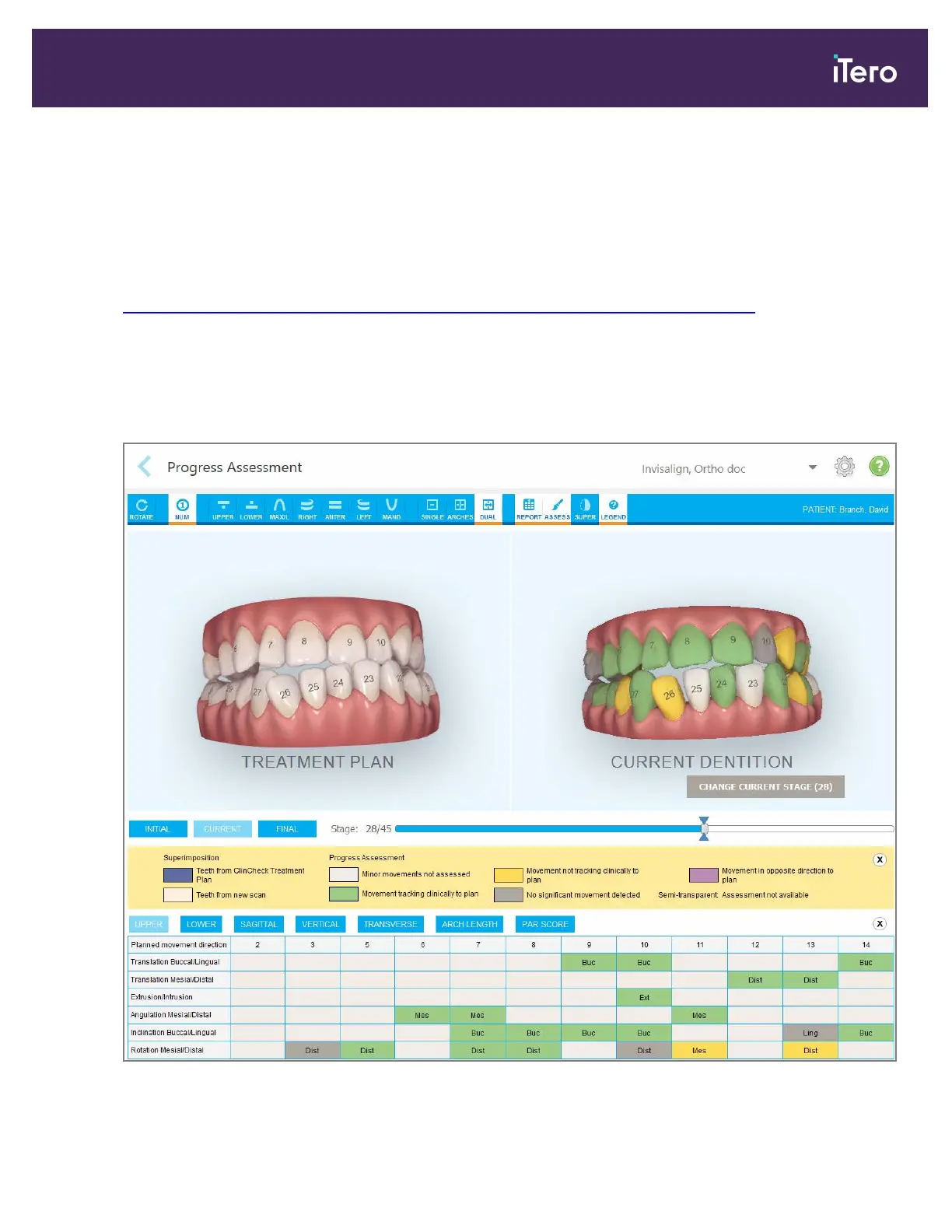
The Progress Assessment tool includes a report that is a color-coded tooth movement table to assist the user in
making treatment decisions to track the patient’s progress in their ClinCheck treatment plan.
Figure 138: Progress Assessment window
iTero Element® 5D Plus User manual
© 2020 Align Technology, Inc. All rights reserved. 125



 To Next Page