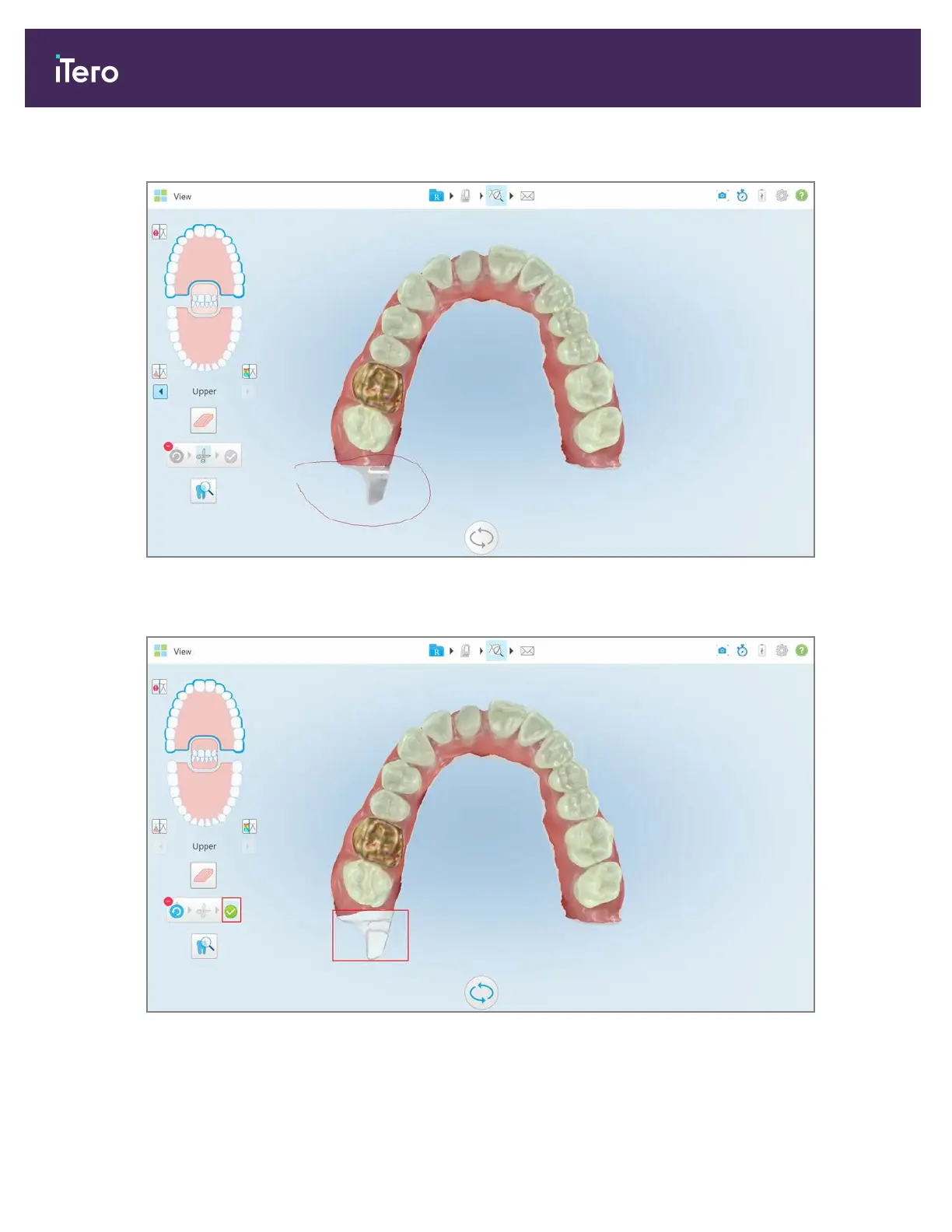
2. With your finger, mark the area you would like to trim away.
Figure 158: Mark the area to be trimmed away
The area to be trimmed away is highlighted and the confirmation icon is enabled.
Figure 159: Selected area is highlighted and the confirmation icon is enabled
iTero Element® 5D Plus User manual
140 © 2020 Align Technology, Inc. All rights reserved.



 To Next Page