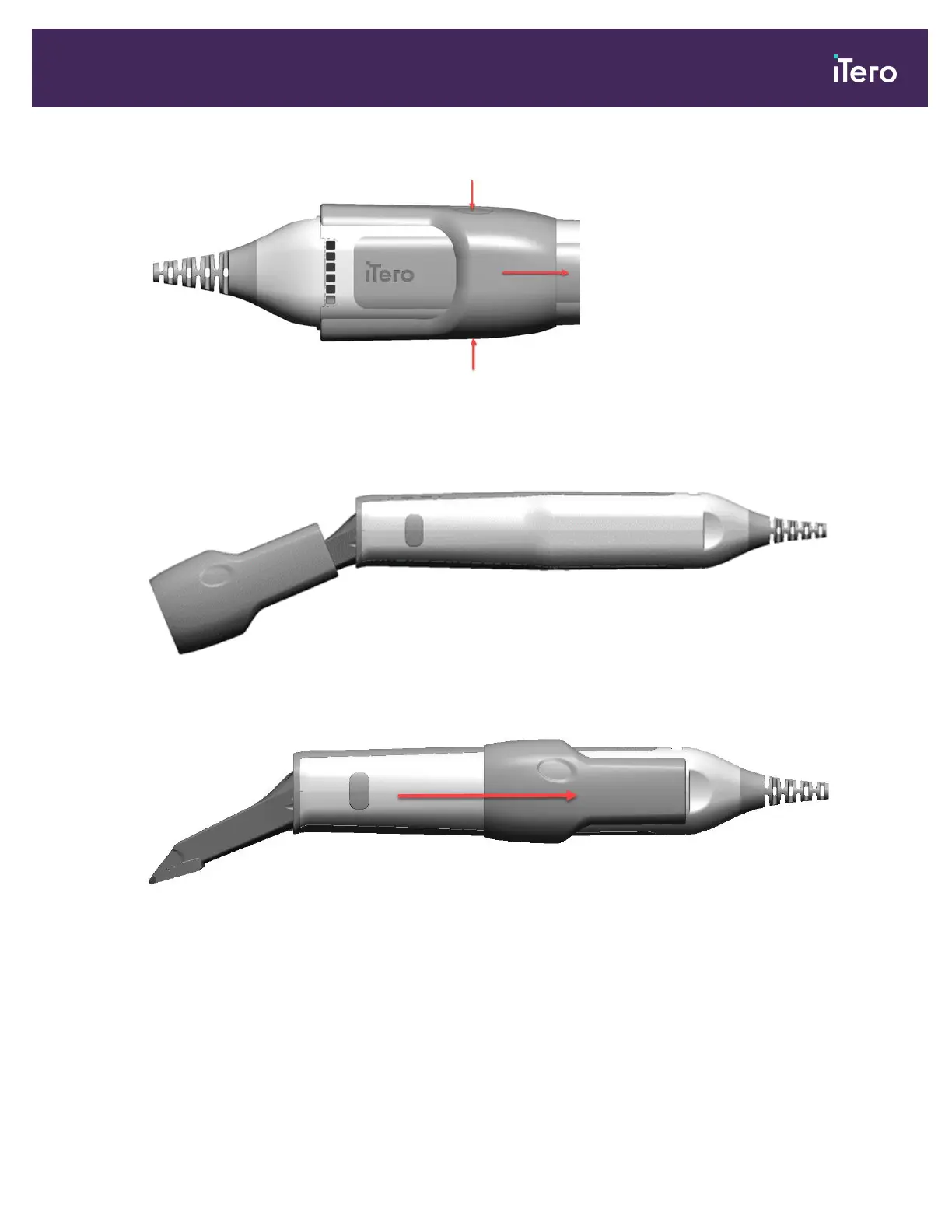
Figure 187: Release and remove the vent cover
3. Gently insert the tip of the wand into a new vent cover, making sure that the vent cover dimples are aligned
towards the top of the wand.
Figure 188: Insert the tip of the wand into the new vent cover
4. Pull on the vent cover until it locks into place.
Figure 189: Pull on the vent cover until it locks into place
5. Ensure that the vent cover is placed properly on the wand by checking that the rear end of the vent cover reaches
the cable cap, as shown by the red line below.
iTero Element® 5D Plus User manual
© 2020 Align Technology, Inc. All rights reserved. 161



 To Next Page